How to change a plan
Updated Jun 8, 2026
1. Open the container or gateway you want to upgrade.
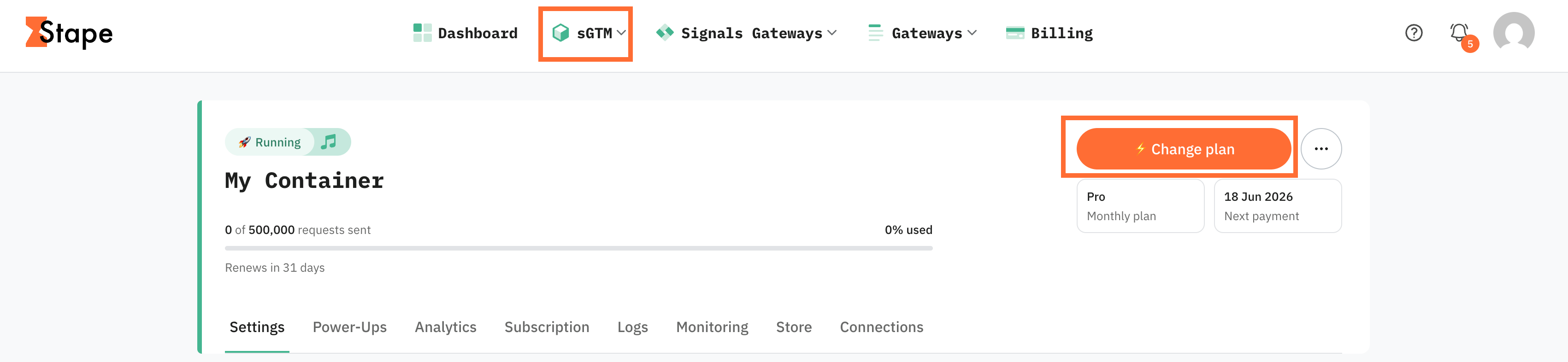
2. In the top right corner, click Change plan.
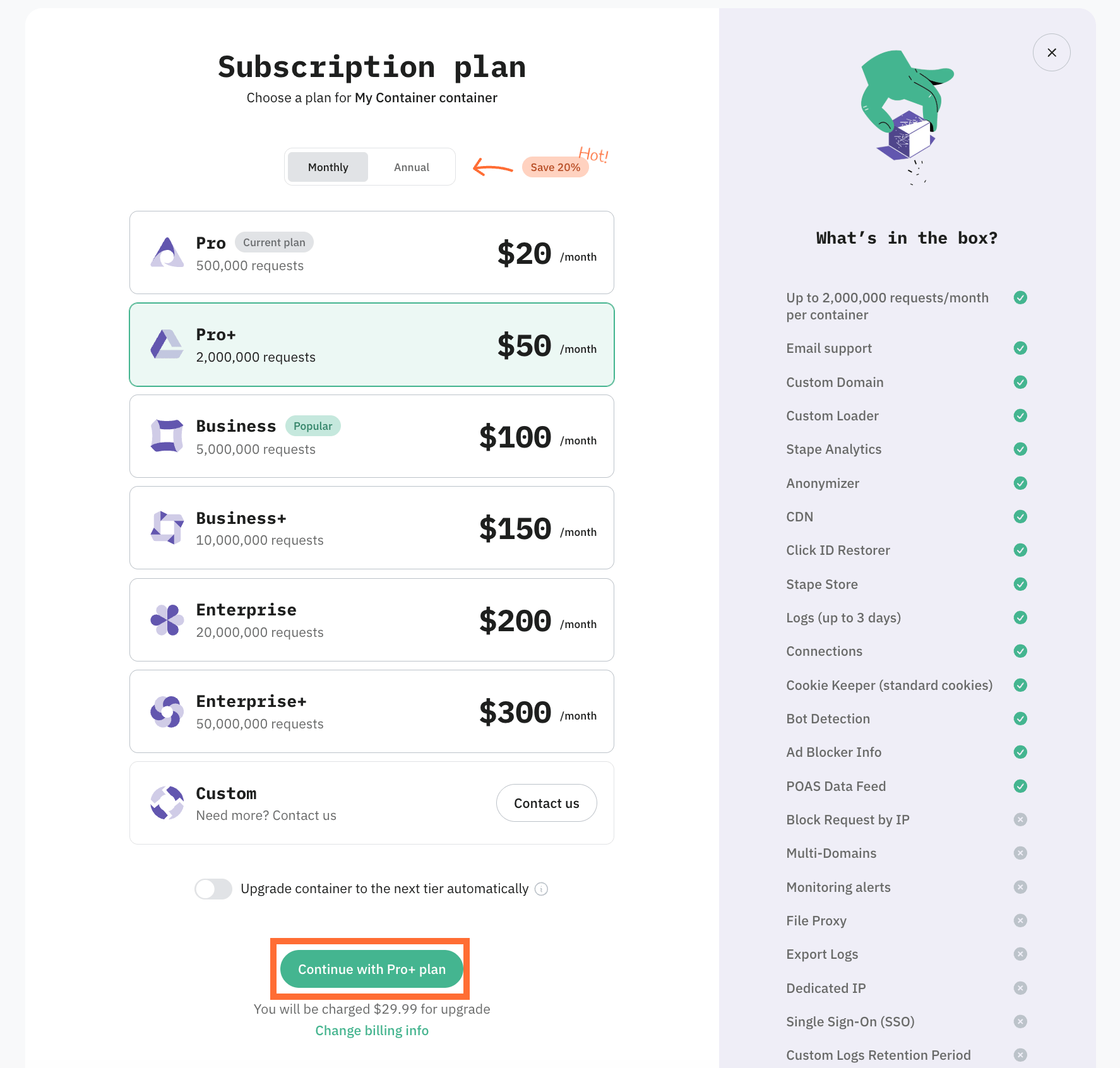
3. In the page that opens, select the tier. Also, you can select between Monthly and Annual billing.
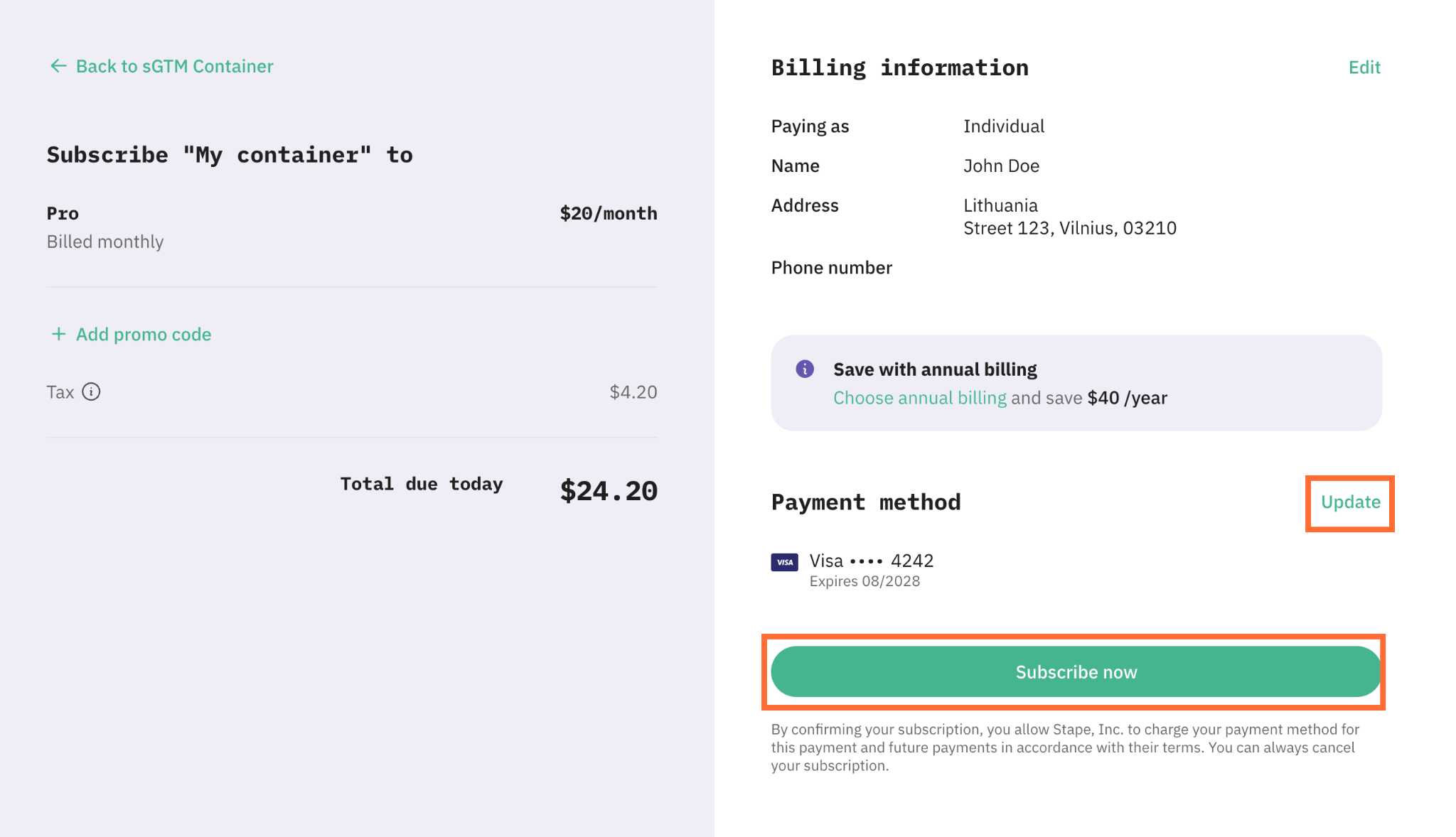
4. Review the card listed at the bottom of the dialog, this is the card that will be charged. To pay with a different card, click Update and pick another saved card or add a new one. For more information read How to update your payment method.
5. Click Subscribe now to confirm.
How to downgrade a plan
Follow these steps to downgrade a plan:
1. Email support@stape.io or submit a request.
2. Tell support:
- Your Stape account email
- The container or gateway name or ID
- Your current plan
- The plan you want to move to (and whether you want monthly or yearly)
- For yearly plans only: do you want the credit on your balance or refunded to your card?
3. Wait for support to confirm. They'll downgrade the container/gateway, redeploy it automatically, and credit the unused amount to your balance (or refund to your card, if you're on a yearly plan and asked for that).
After the change, check that your container/gateway is running and show the new request limit.
What happens after downgrading a plan
After the plan is downgraded, Stape calculates how much of your current plan you haven't used yet. That amount is credited to your Stape account balance and used to pay your next invoice.
Example: you pay for a month on Business and downgrade to Pro halfway through. Roughly half the price difference between Business and Pro is credited to your balance, and the next Pro renewal is paid from that balance.
For yearly plans, the credit can be large and your next renewal is far away. In that case you can ask for the money back on your card instead.
Before you ask for a downgrade, three things need to be checked. Check them first so support can process the request right away:
- 1.Your current usage is within the limits of the new plan. Support checks how many requests or events you've used this month. If you've already used more than the new plan allows, they can't downgrade your plan right now, as your container would be paused as soon as the change went through. If you're over the limit, just wait. Your counter resets at the start of your next billing cycle, and you can request the downgrade then. The credit you get is the same.
- 2.You're not using features the new plan doesn't include. Some plans include features that lower plans don't, for example extra power-ups, features, etc. Before you ask for a downgrade, check your container and turn off anything the new plan doesn't cover. Support will tell you if you missed something.
- 3.You can't downgrade straight to Free tier. If you'd like to switch to a Free plan, you can cancel your subscription.
Yearly plans
On a yearly plan, the leftover credit can be big and your next renewal is up to a year away. You don't have to leave the money sitting on your Stape balance.
You can ask support to refund the leftover balance to your card instead. They'll downgrade your current subscription plan, then pass the refund to the finance team. The money goes back to the card you originally paid with.
Refunds usually take up to 10 business days to arrive, depending on your bank.
How to switch between monthly and annual billing
1. Open the container or gateway you want to upgrade.
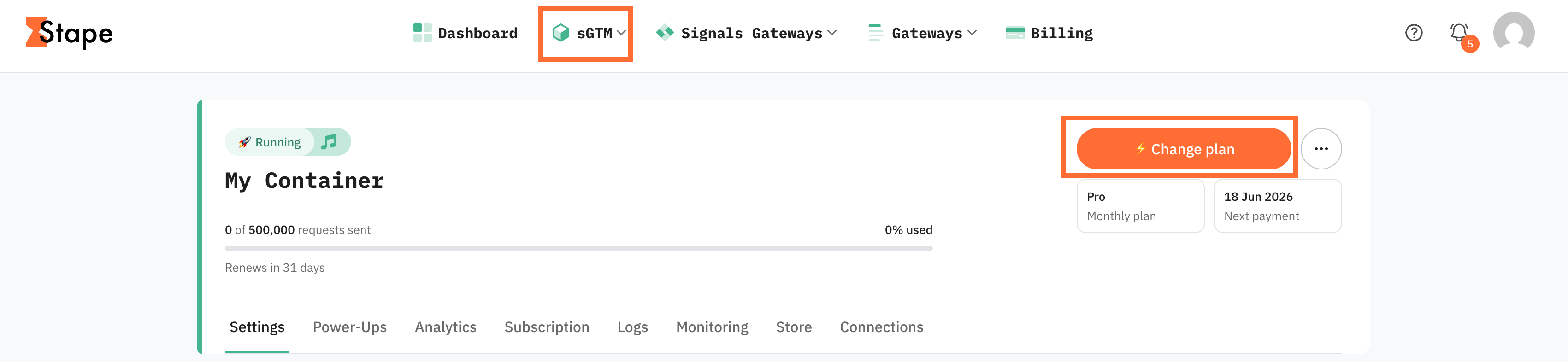
2. In the top right corner, click Change plan.
3. Select the same tier you're already on.
4. Select the Annual billing.
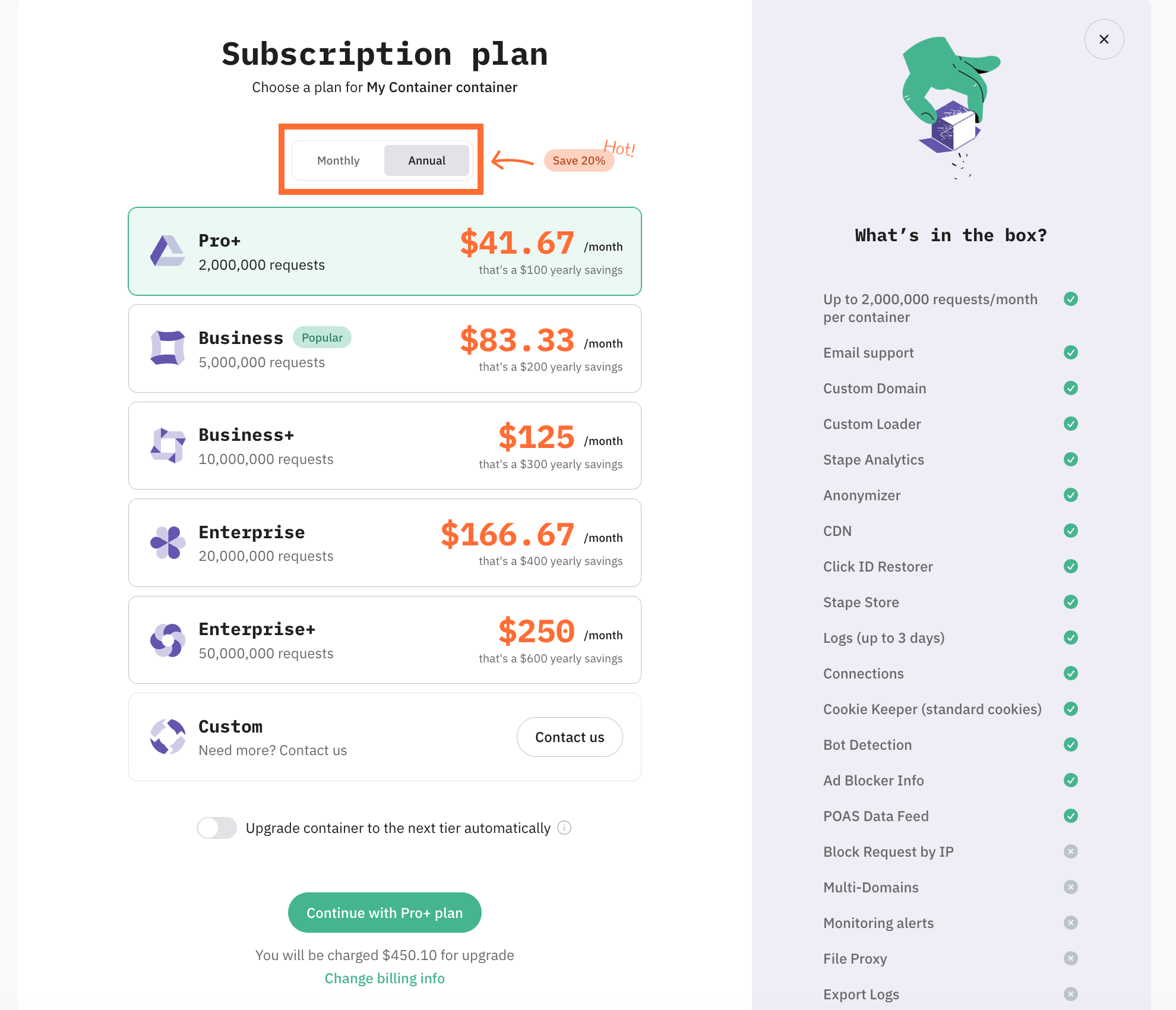
5. Click Continue with <...> plan to confirm.
Switching from monthly to annual takes effect immediately.
Note:
If you'd like to switch from yearly to monthly billing, please contact our support team.
Was this article helpful?
🍽 Table of content:
Comments