How to configure Signals Gateway
Updated May 15, 2026
This guide walks you through setting up Signals Gateway from scratch. By the end, you'll have a working pipeline sending events to your chosen destination and a verification checklist to confirm everything is flowing correctly.
Before you begin
Since Signals Gateway routes the events your site already sends, you’ll need to set up Meta web tracking on your site. You can implement it through a web GTM container, hard-code on the page, or integrate via a plugin.
Step 1 | Create Signals Gateway on Stape
- Log in to your Stape account and click Signals Gateway in the dashboard.

2. Click Create Signals Gateway.
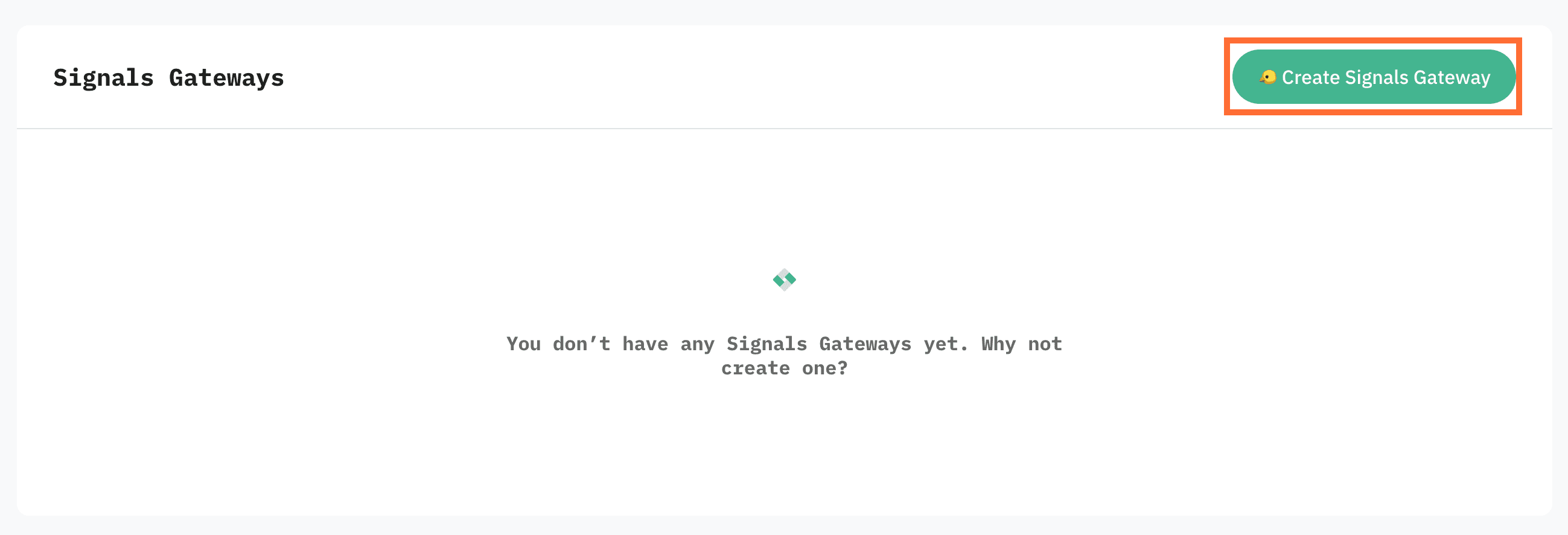
3. Fill in:
- Gateway name - a descriptive label.
- Admin email - the account you'll use to log in to Signals Gateway. It can be different from your Stape login.
- Server location - pick the region closest to the majority of your traffic.
4. Click Create gateway.
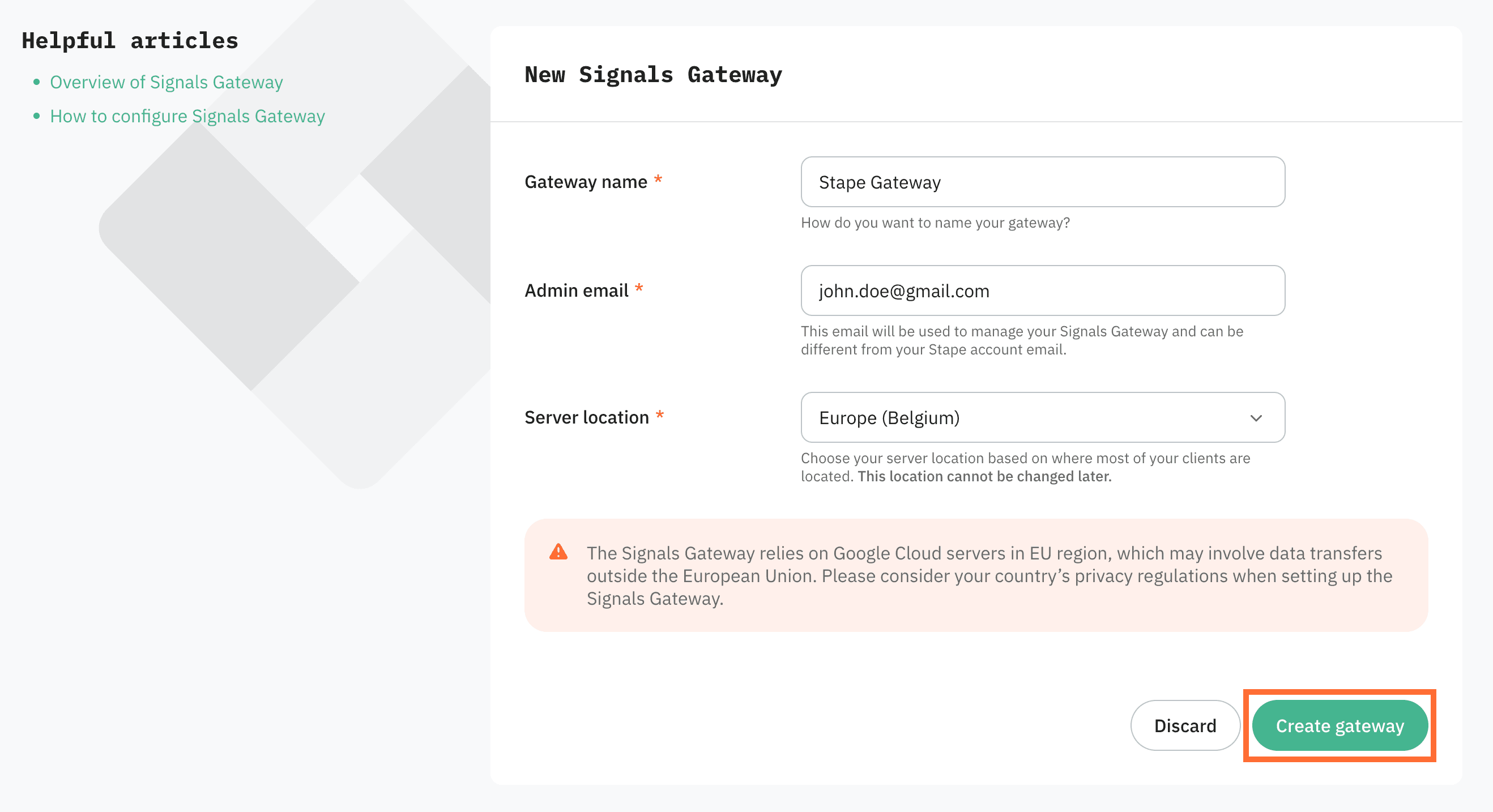
5. Select a subscription plan and click Continue.
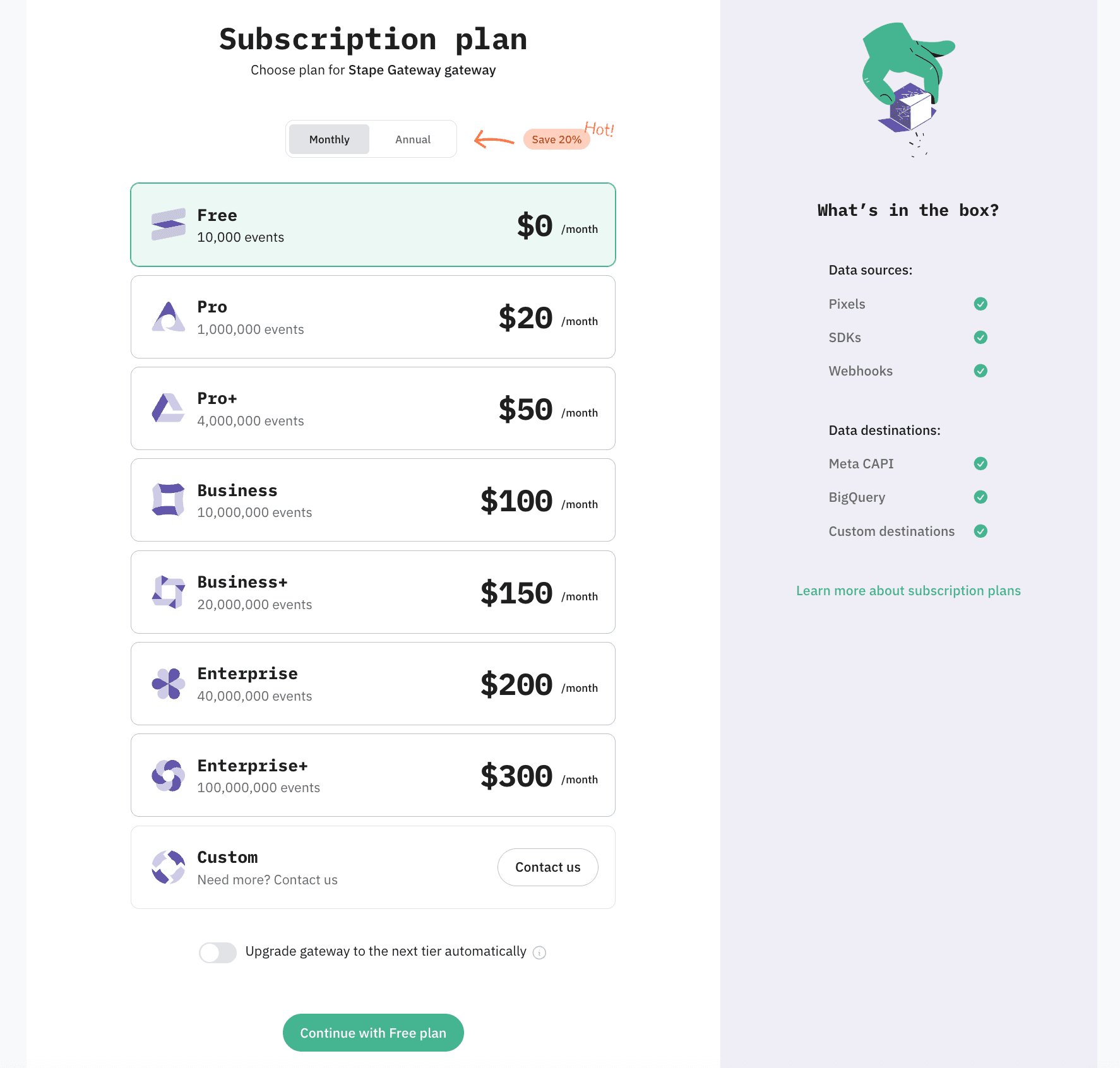
6. Wait for the gateway status to change to Running.
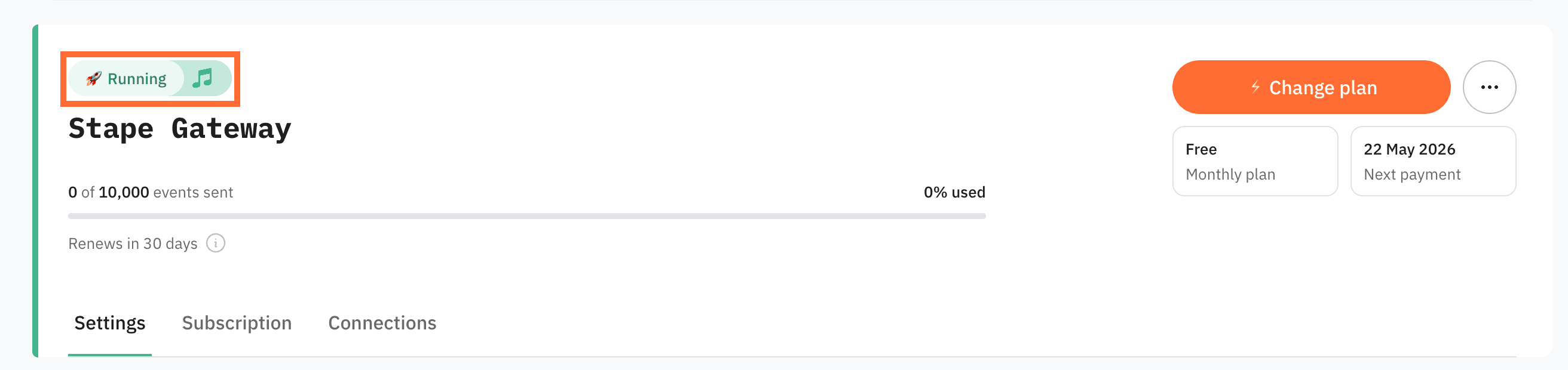
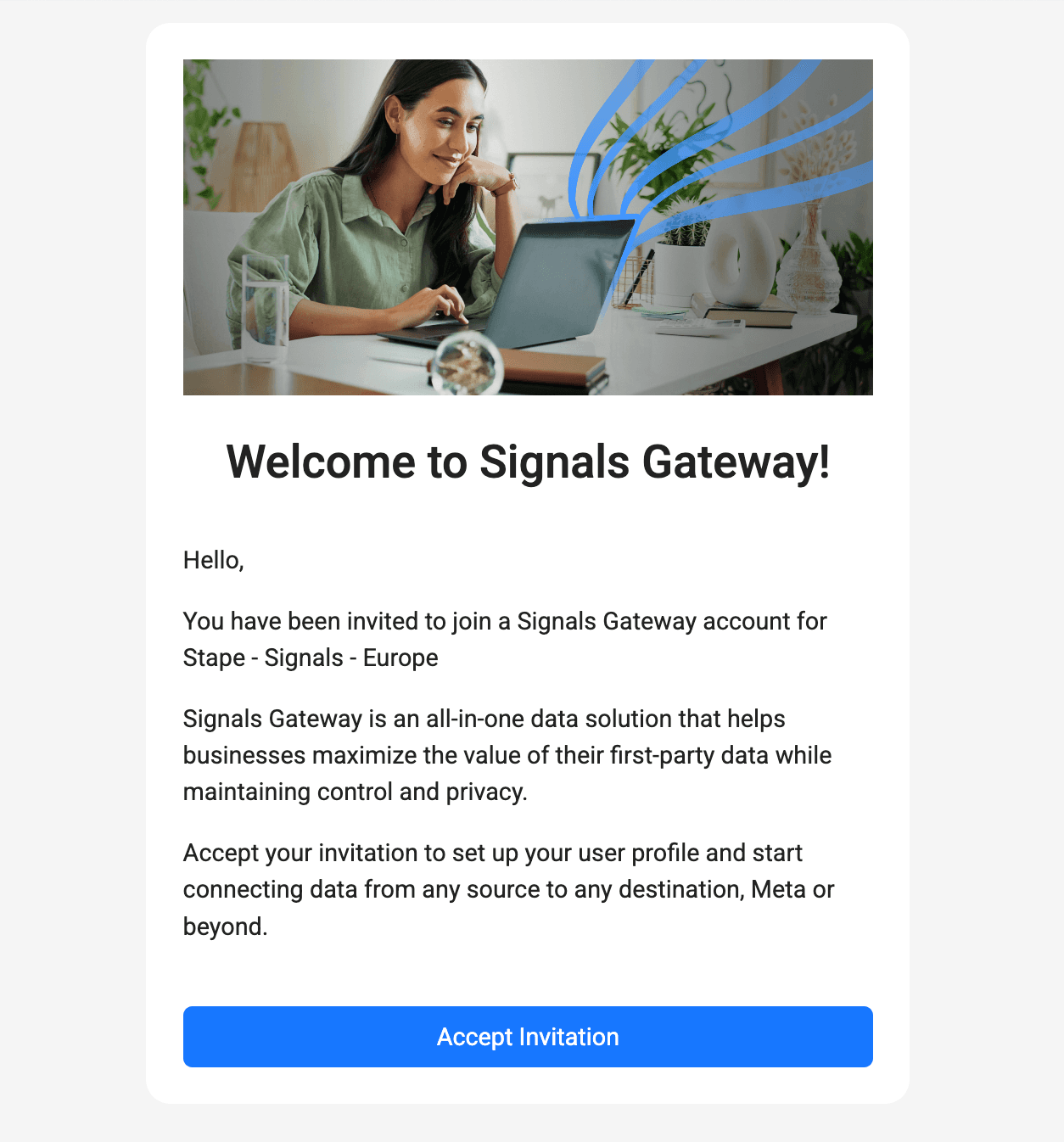
7. Open the invitation email sent to your admin address and click Accept Invitation.
Tip
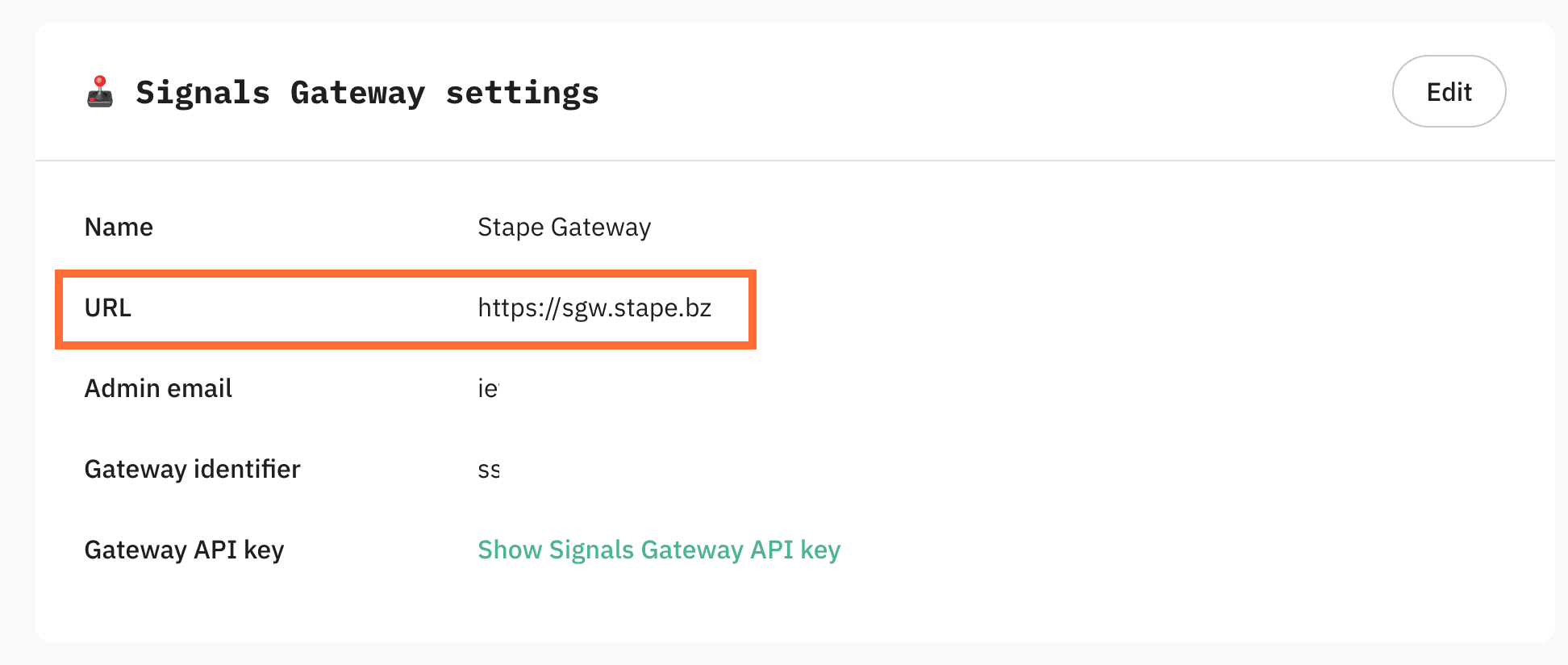
8. Save your admin URL. Once the gateway is running, copy the URL shown in the Signals Gateway settings. That's your permanent login link, bookmark it. You'll log in with the admin email and the password you're about to set.
Step 2 | Create your first data connection
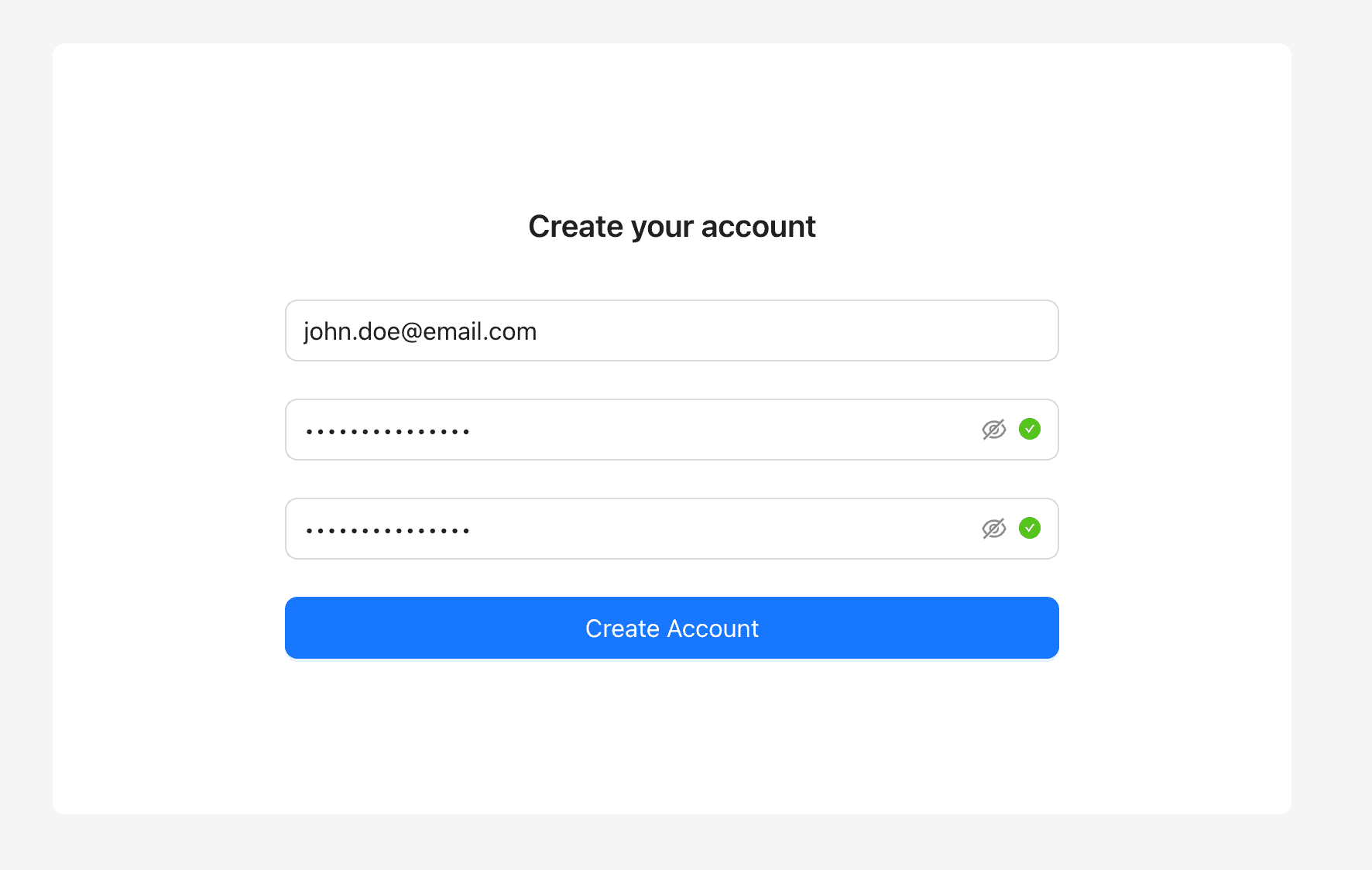
- Log in to the gateway with your admin email, set a password, and click Create Account. Stape never sees this password, store it somewhere safe.
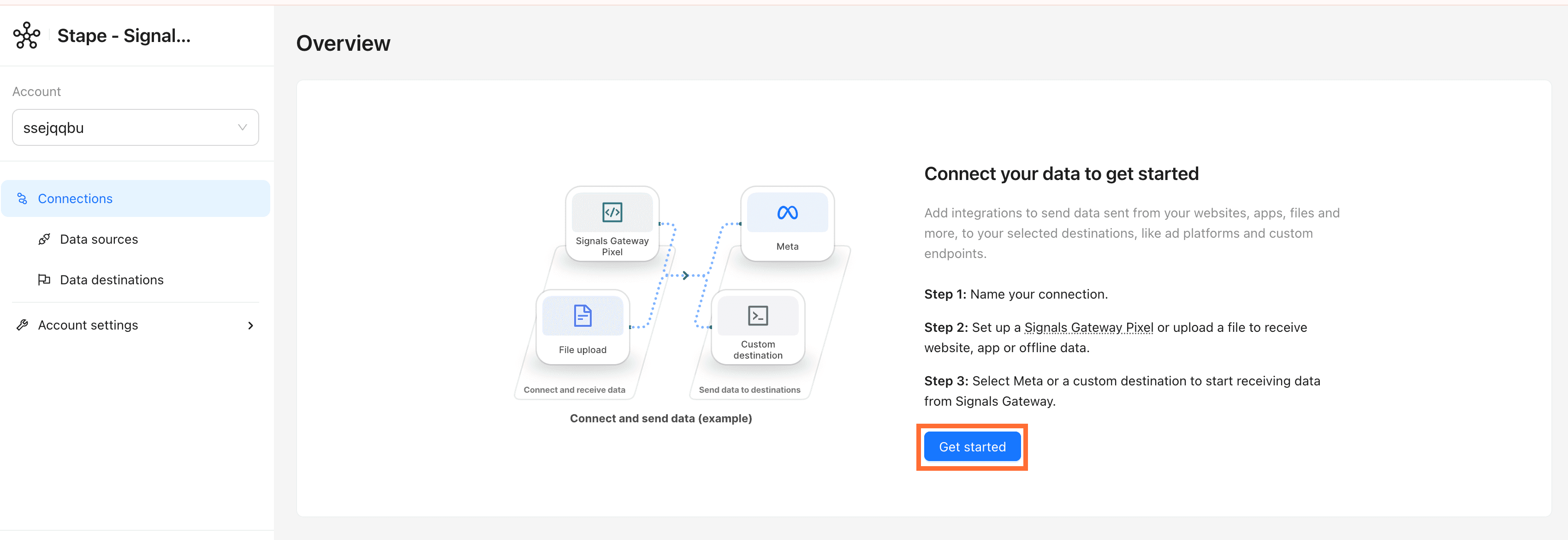
2. Click Get Started.
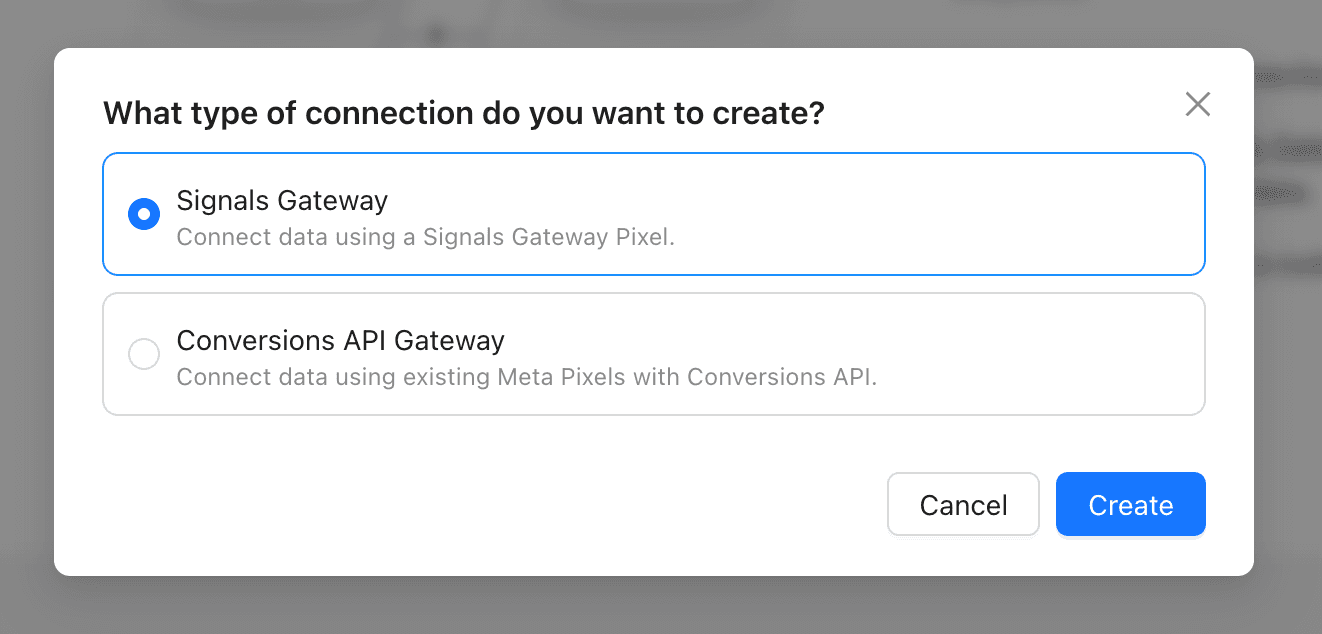
3. Pick the connection type that matches your use case:
- Signals Gateway - you want Stape to generate a new Pixel and handle Meta CAPI for you. This is the best option if you’re new to this.
- Conversions API Gateway - you already have a Meta Pixel and just want to add server-side CAPI on top of it.
Click Create.
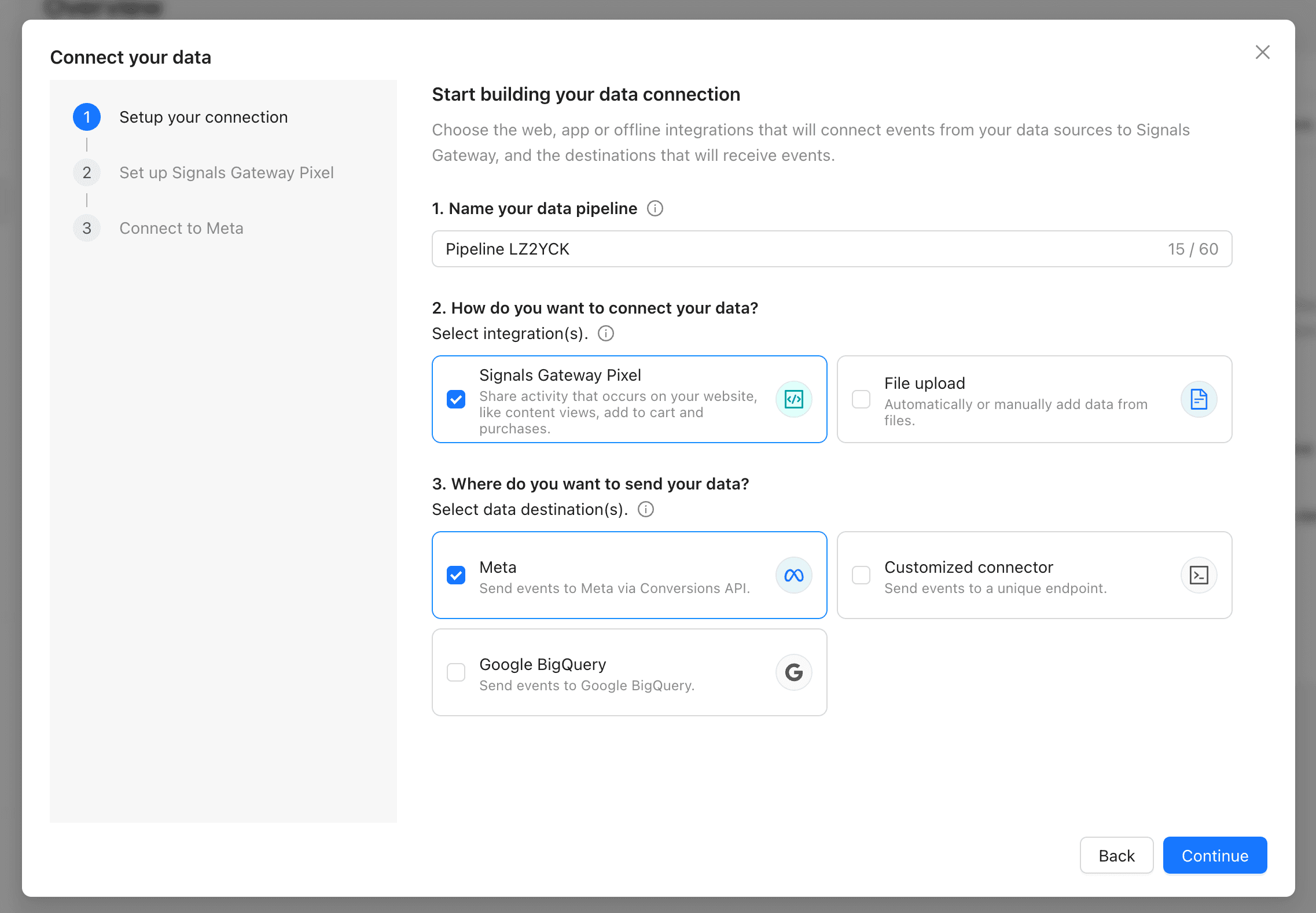
- Start building your data connection:
- Name your data pipeline - choose a name for your data pipeline. This can be edited in the pipeline details page.
- How do you want to connect your data - inbound events come through data sources associated with websites, apps, and data files. Select the following options:
- Signals Gateway Pixel - share activity that occurs on your website, like content views, add to cart and purchases.
- File upload - automatically or manually add data from files. For detailed instructions read the Add offline events to Signals Gateway article.
- Where do you want to send your data - outbound events data is sent to a pre-selected destination once it's been processed. Select the following options:
- Meta - send events to Meta via Conversions API.
- Customized connector - send events to any endpoint that isn't Meta, like your own server, a third-party CDP, etc. See the Other data destination chapter down below.
- Google BigQuery - send events to BigQuery for analysis or audience building. See the Other data destination chapter down below.
Click Continue.
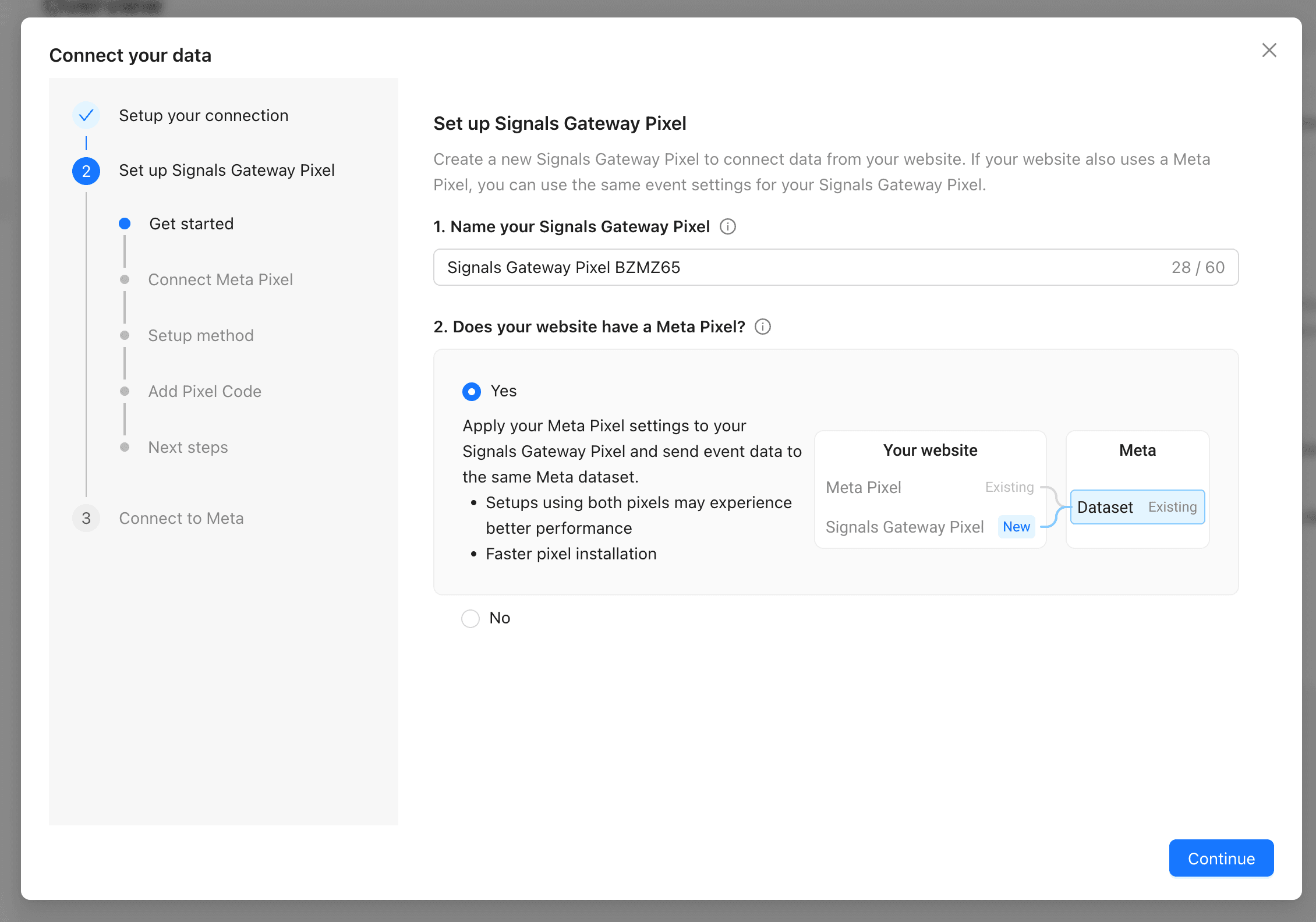
2. Name your Signals Gateway Pixel and confirm whether your website already has a Meta Pixel (it does if a Meta dataset is receiving events from the site).
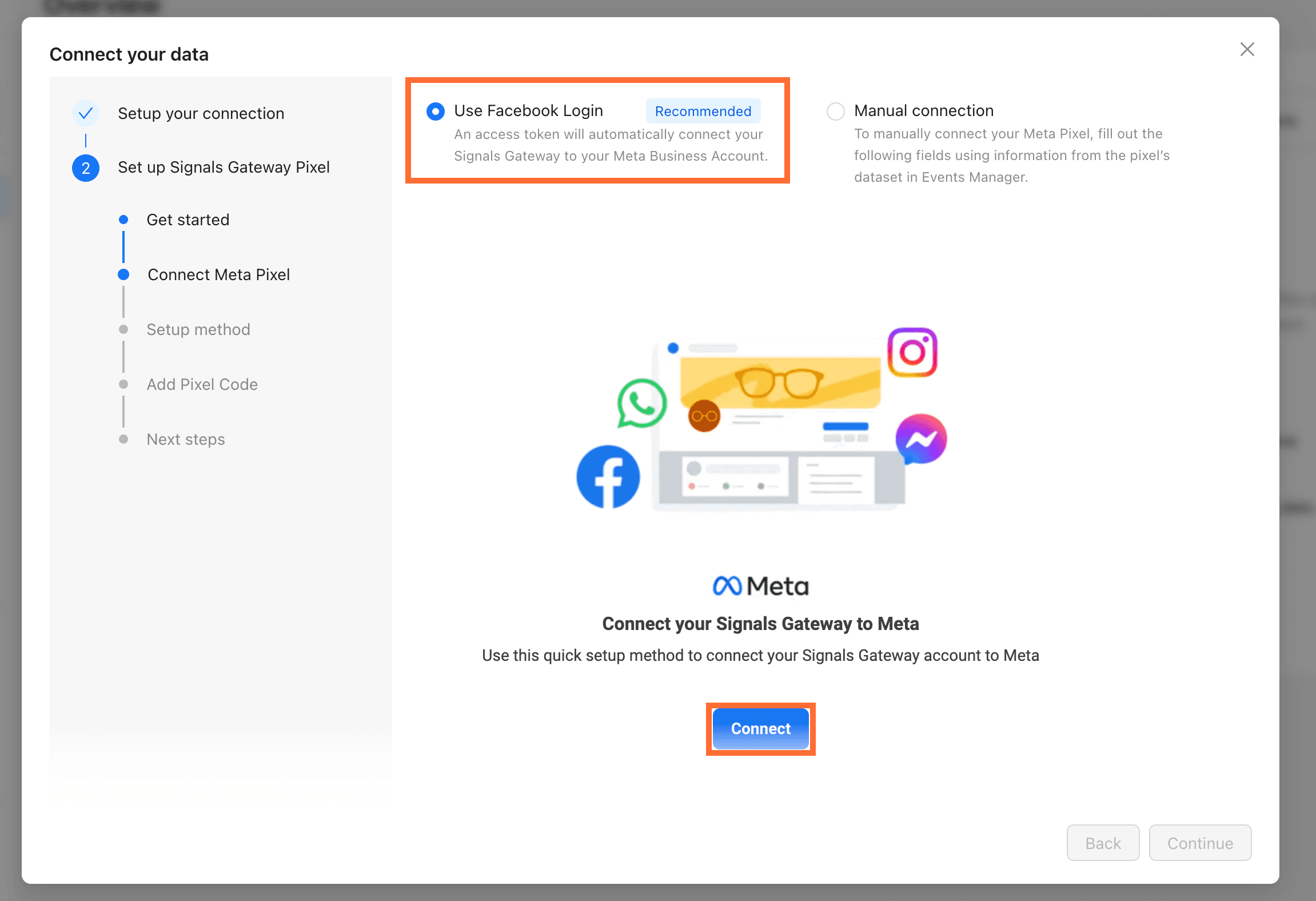
3. Connect your Meta Pixel. You can either:
- Use Facebook Login (recommended) - Signals Gateway pulls your Business Account, datasets, and tokens for you.
- Connect Manually - use this option if you can't use Facebook Login for security/policy reasons, or you want to control exactly which system user the token belongs to. Enter the following:
Click Connect.
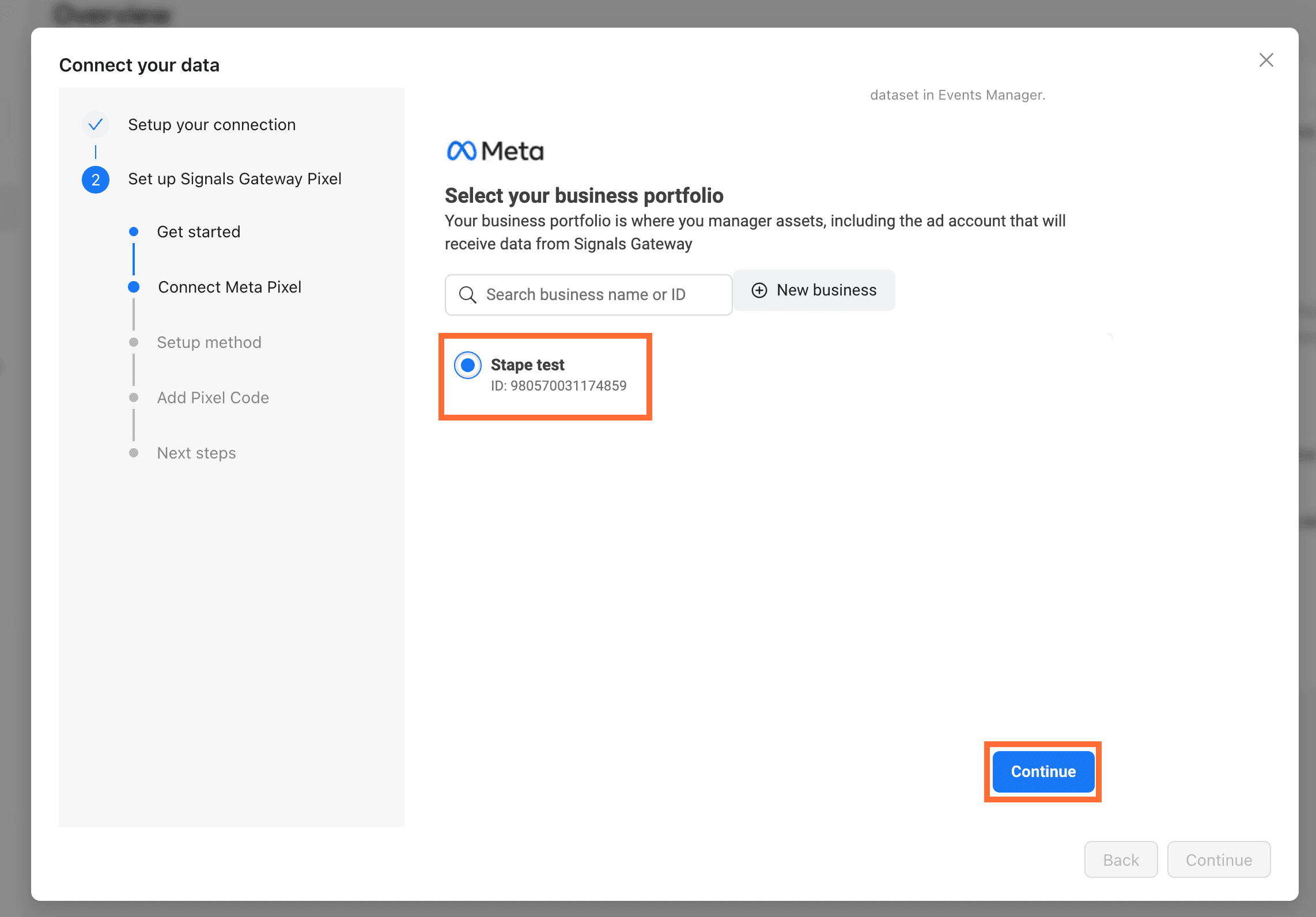
3.1. Select your business portfolio and click Continue.
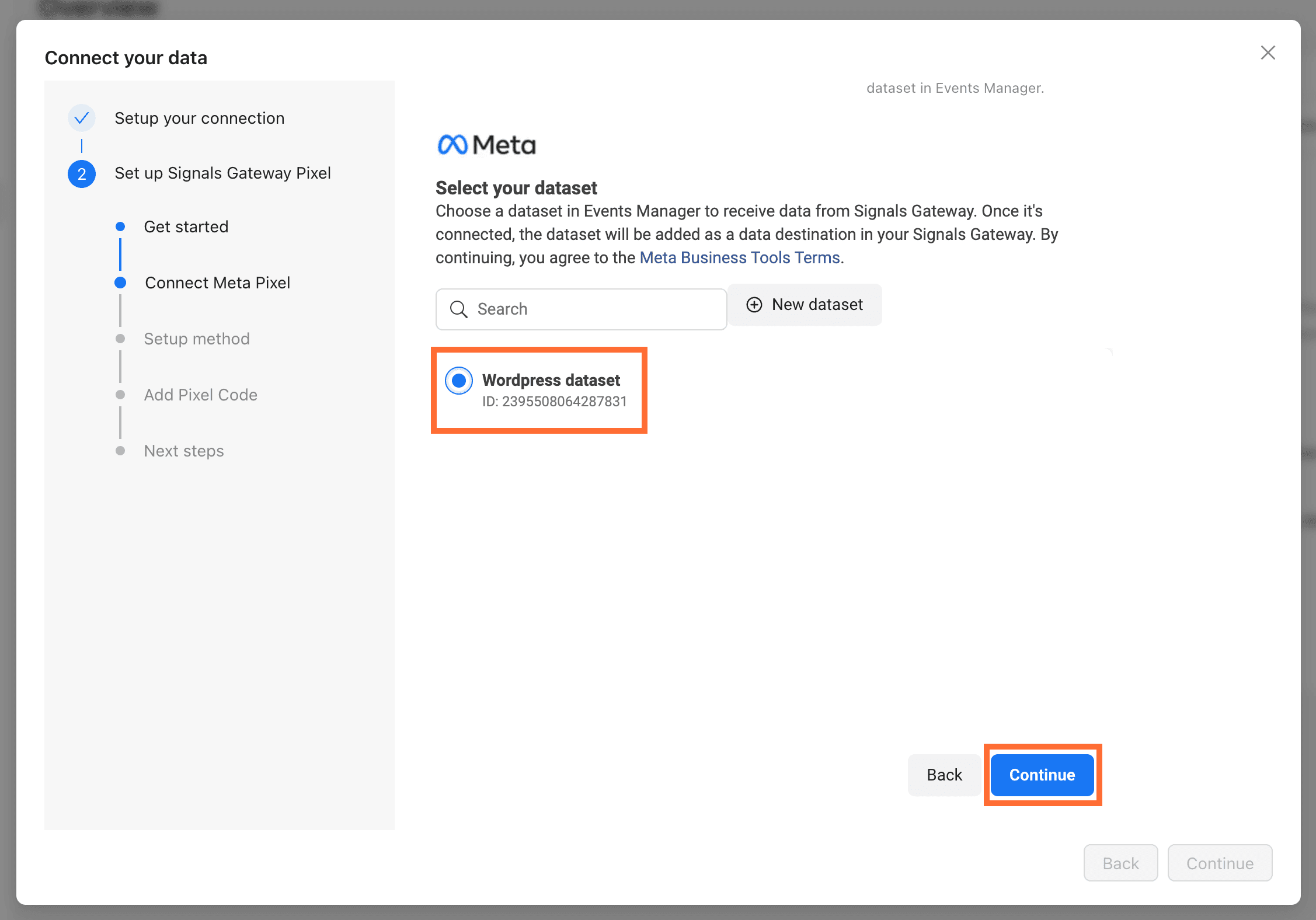
3.2. Select your dataset and click Continue.
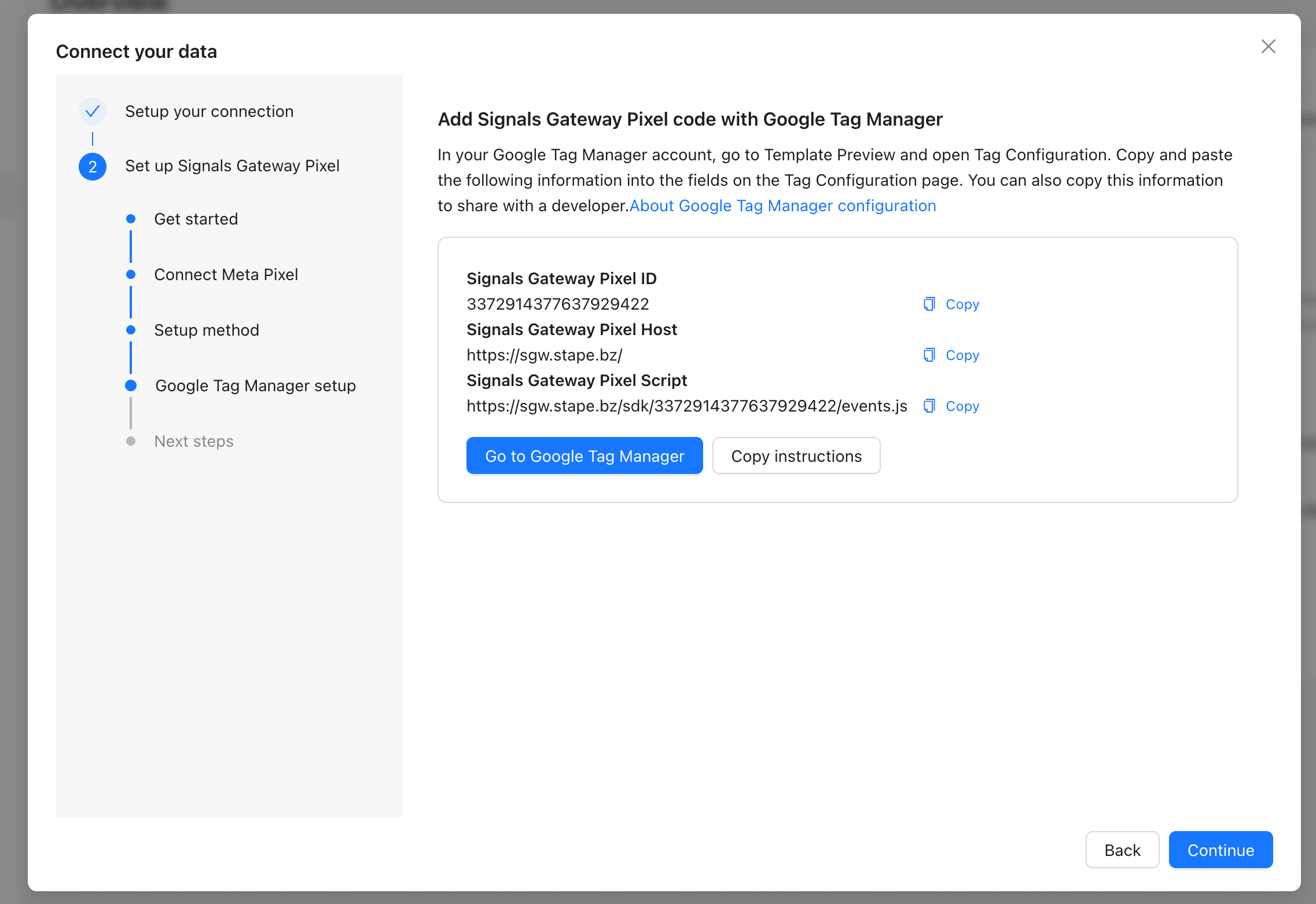
4. Set up a Signals Gateway Pixel. You can choose one of the following options:
- Manually add pixel code - you can copy the instructions and send them to a developer who can add it for you, or add the pixel to the website yourself.
- Shopify - if you're using Shopify for your website, you can deploy this through the Customer Events feature on the admin page of your Shopify website. Read
- Google Tag Manager (recommended) - in your Google Tag Manager account, go to your web container → Templates → install the SignalsGateway Pixel - Alpha - v0 template. Create a tag based on this template and copy paste the given values. For more information read Signals Gateway Pixel Setup in Google Tag Manager (Template Version)
Click Continue.
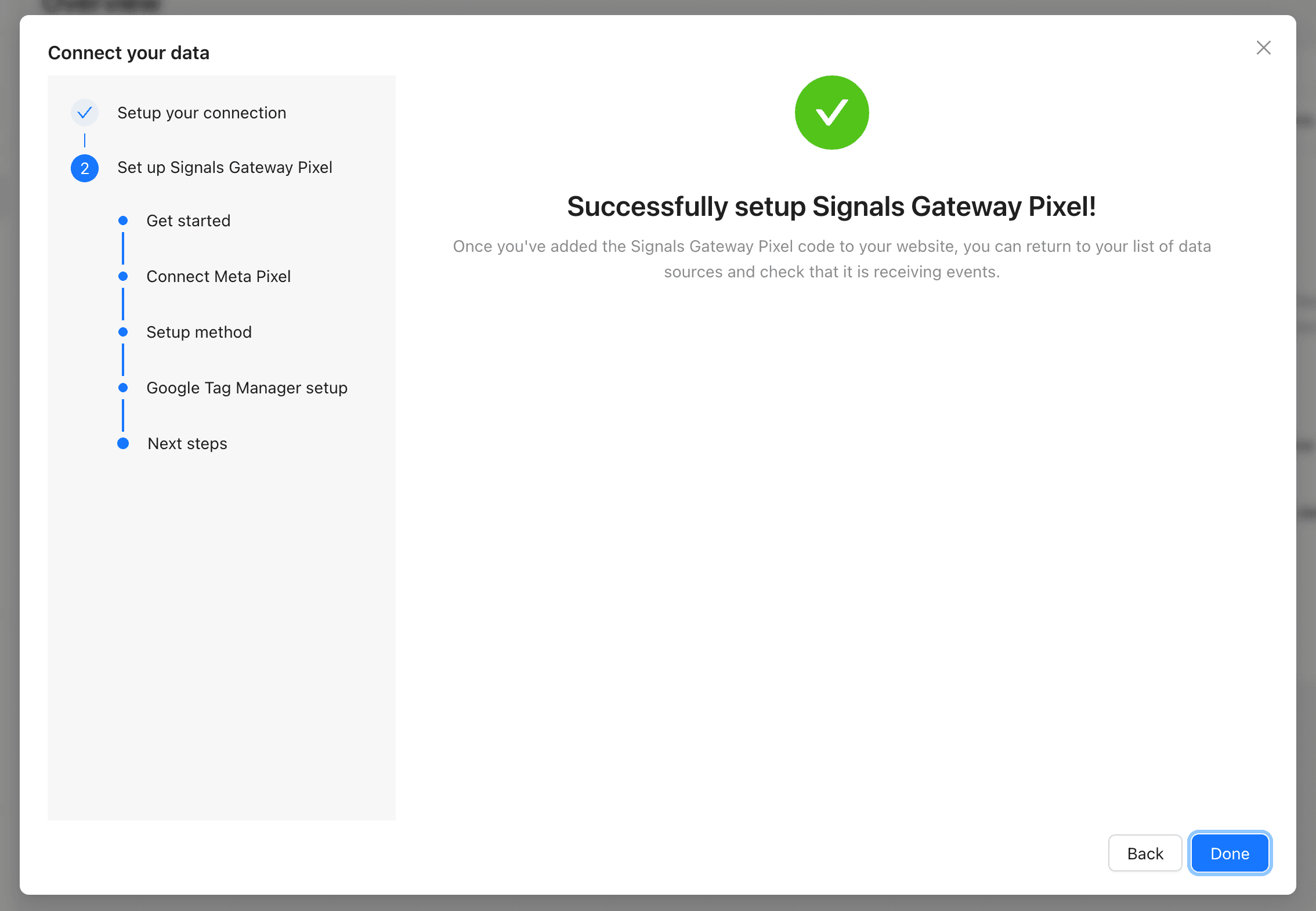
5. Click Done to finish. You'll land on the pipeline dashboard where you can edit Data sources, Data destinations, and the Pipeline filter at any time.
Other data destinations
If you want to send events somewhere other than Meta, like a custom endpoint or Google BigQuery for analysis, select one of the following options:
Customized connector
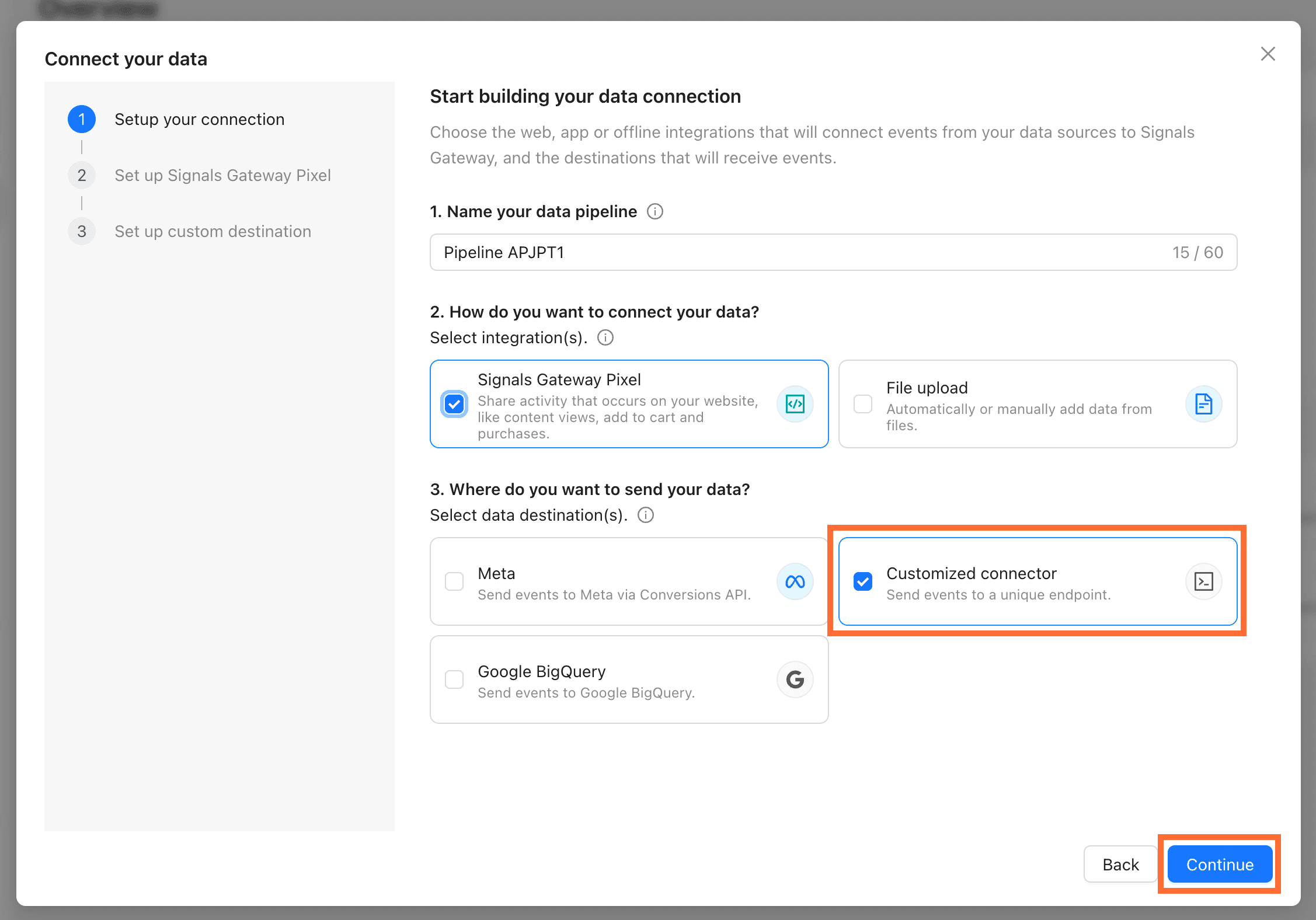
- Set up Signals Gateway Pixel. For the instructions see the Signals Gateway part step 4 above.
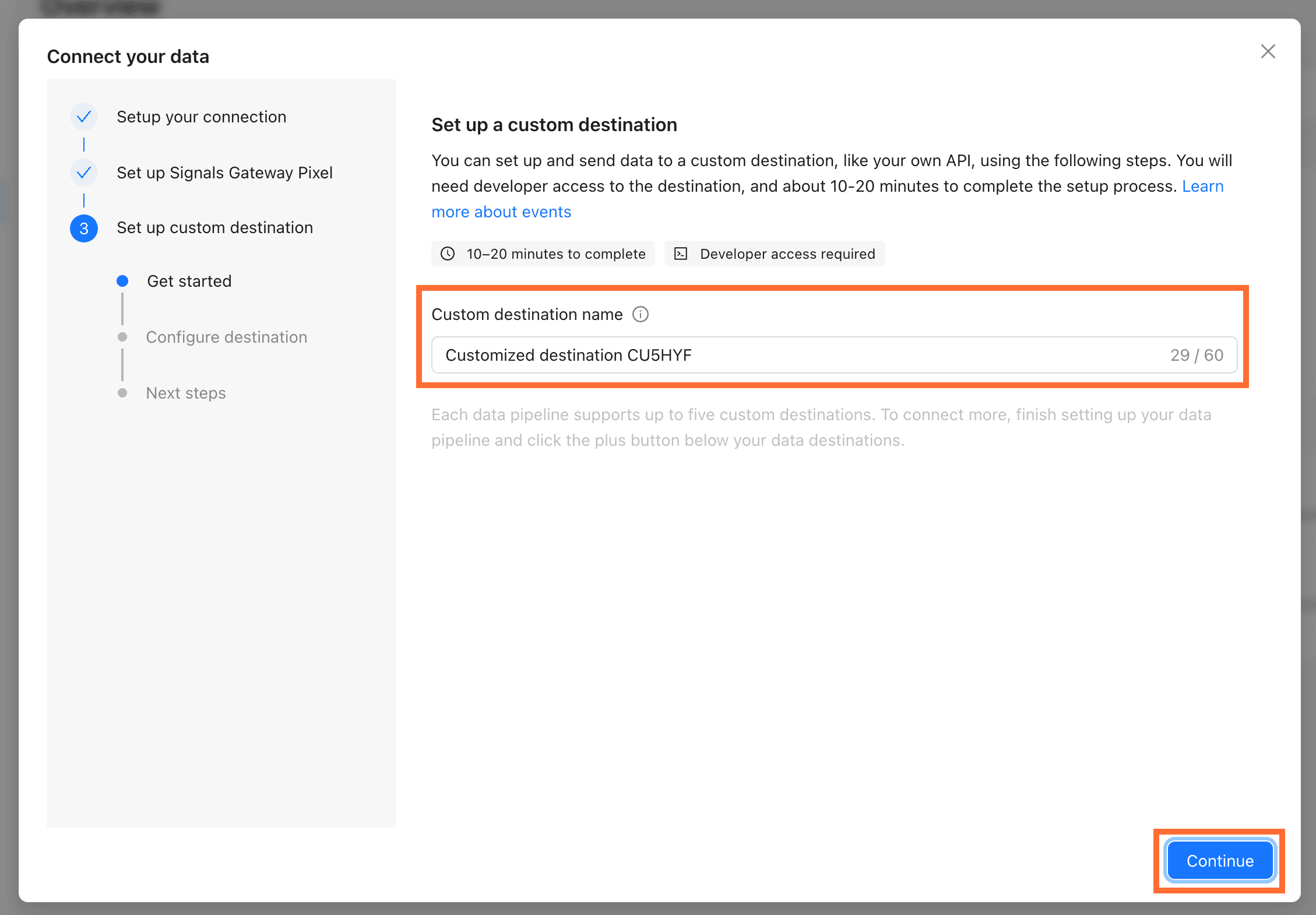
- Set up a custom destination.
- Choose a destination name and click Continue.
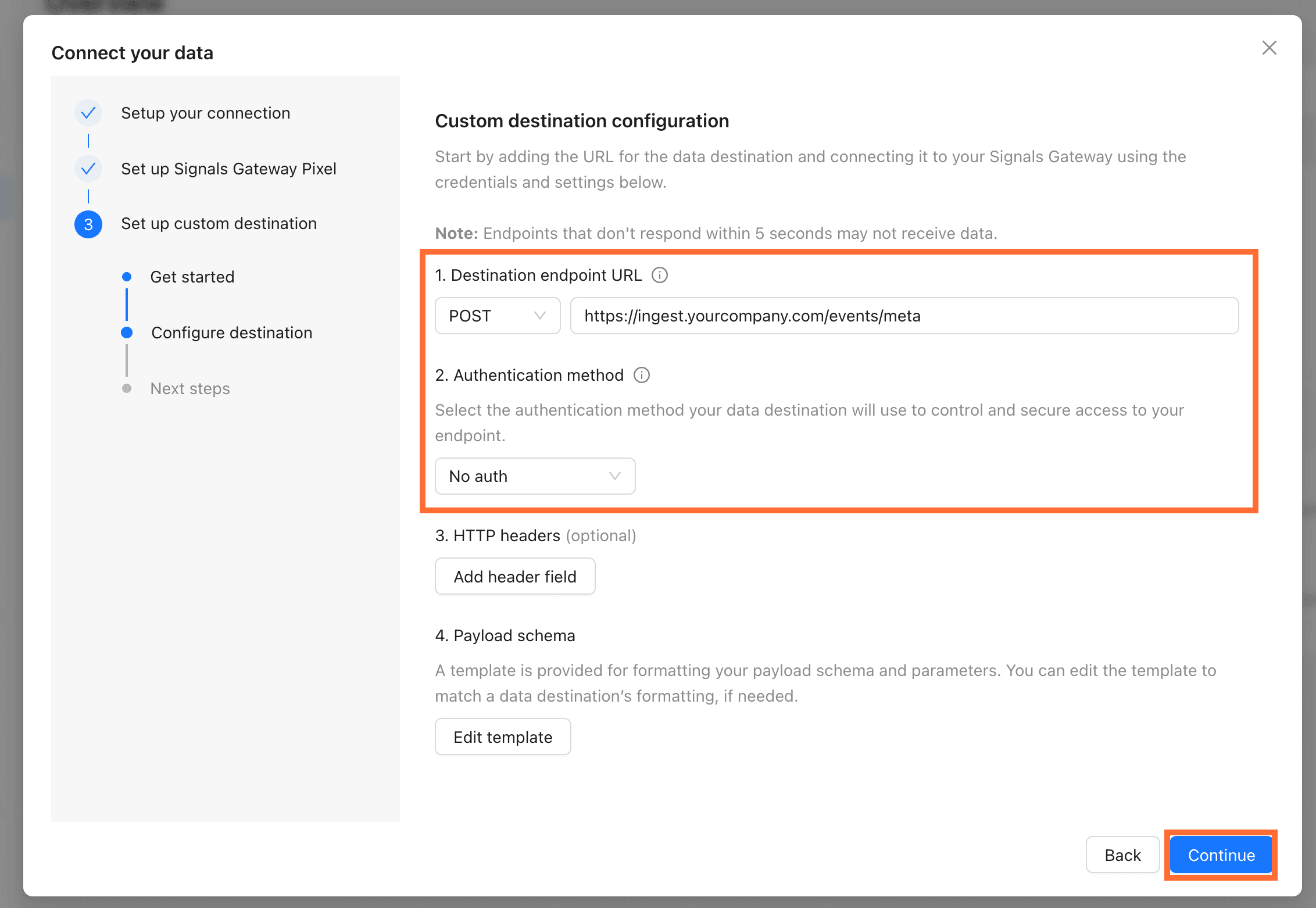
2.2. Paste the endpoint URL, pick an authentication method, fill in the method-specific fields, and click Continue.
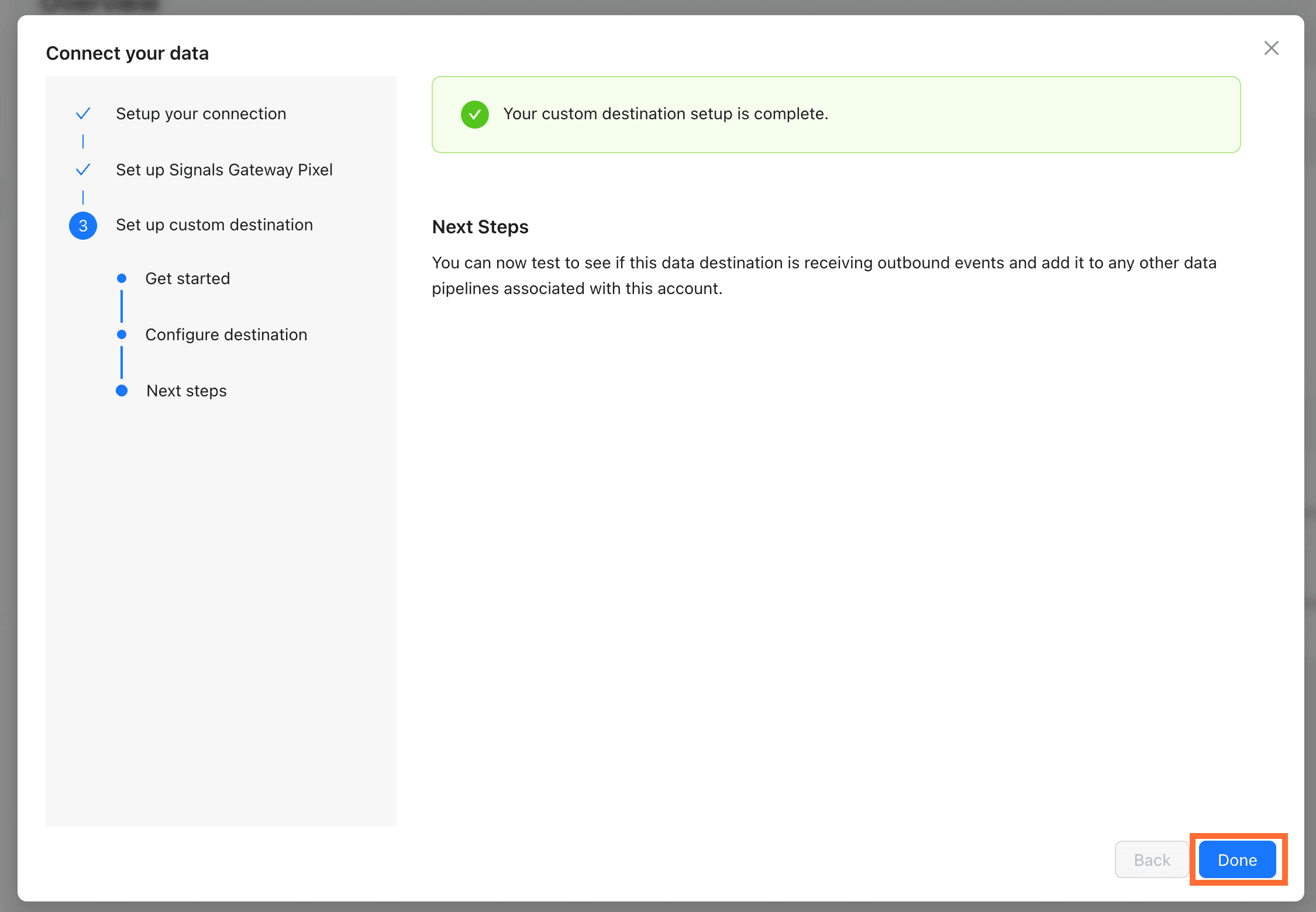
2.3. Click Done to finish. You'll land on the pipeline dashboard where you can edit Data sources, Data destinations, and the Pipeline filter at any time.
Google BigQuery
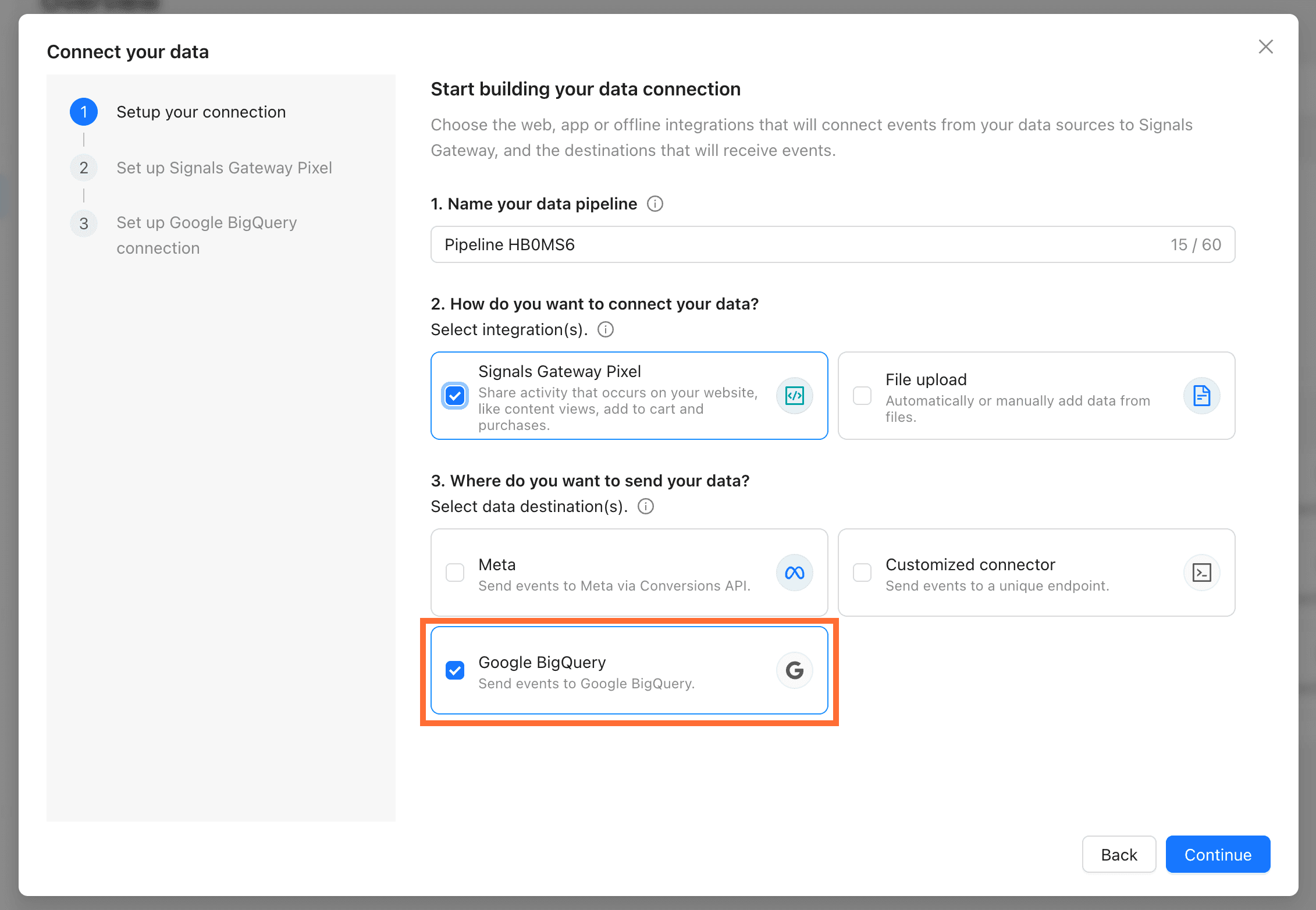
- Set up Signals Gateway Pixel. For the instructions see the Signals Gateway part step 4 above.
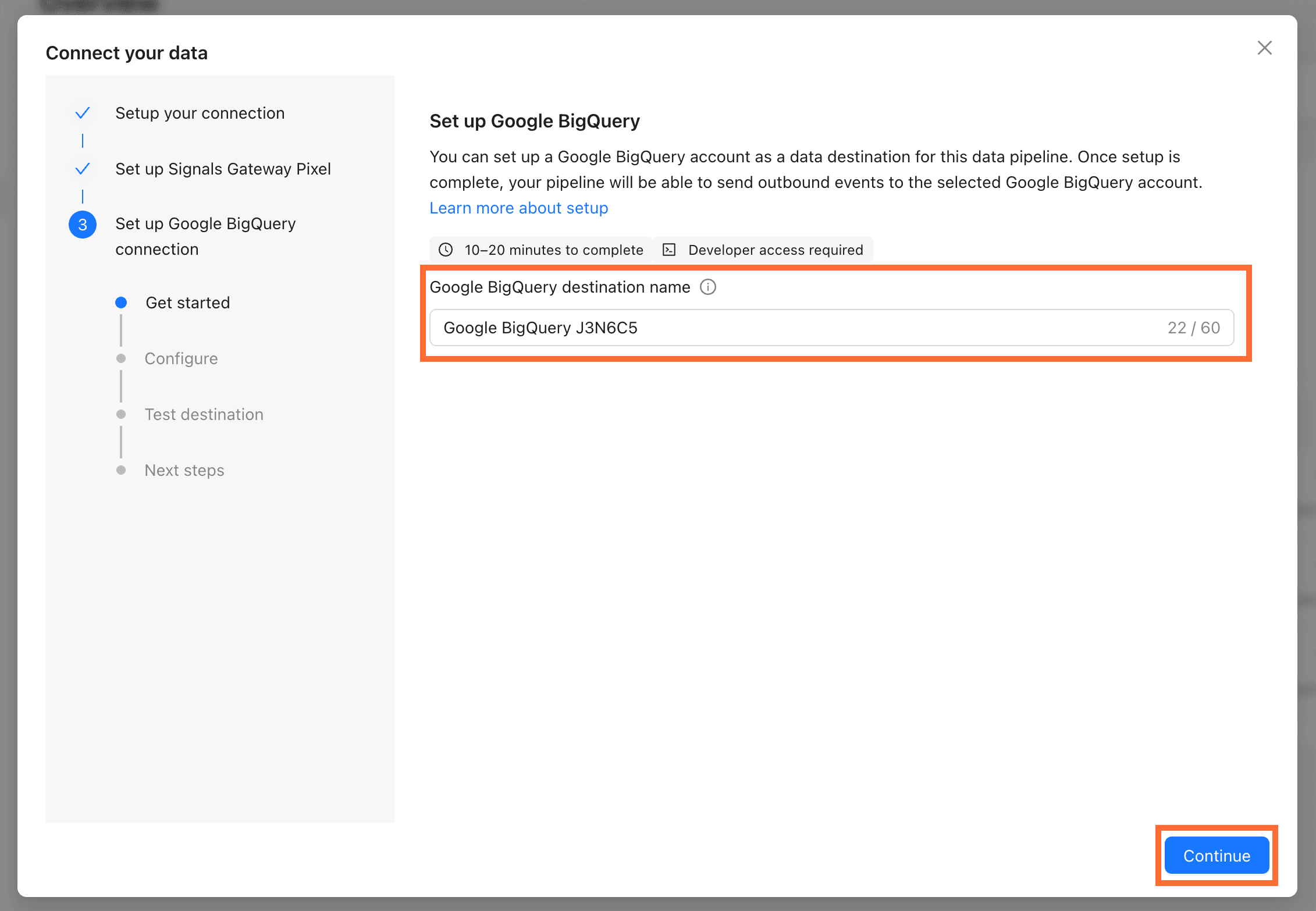
- Set up Google BigQuery.
- Choose a destination name and click Continue.
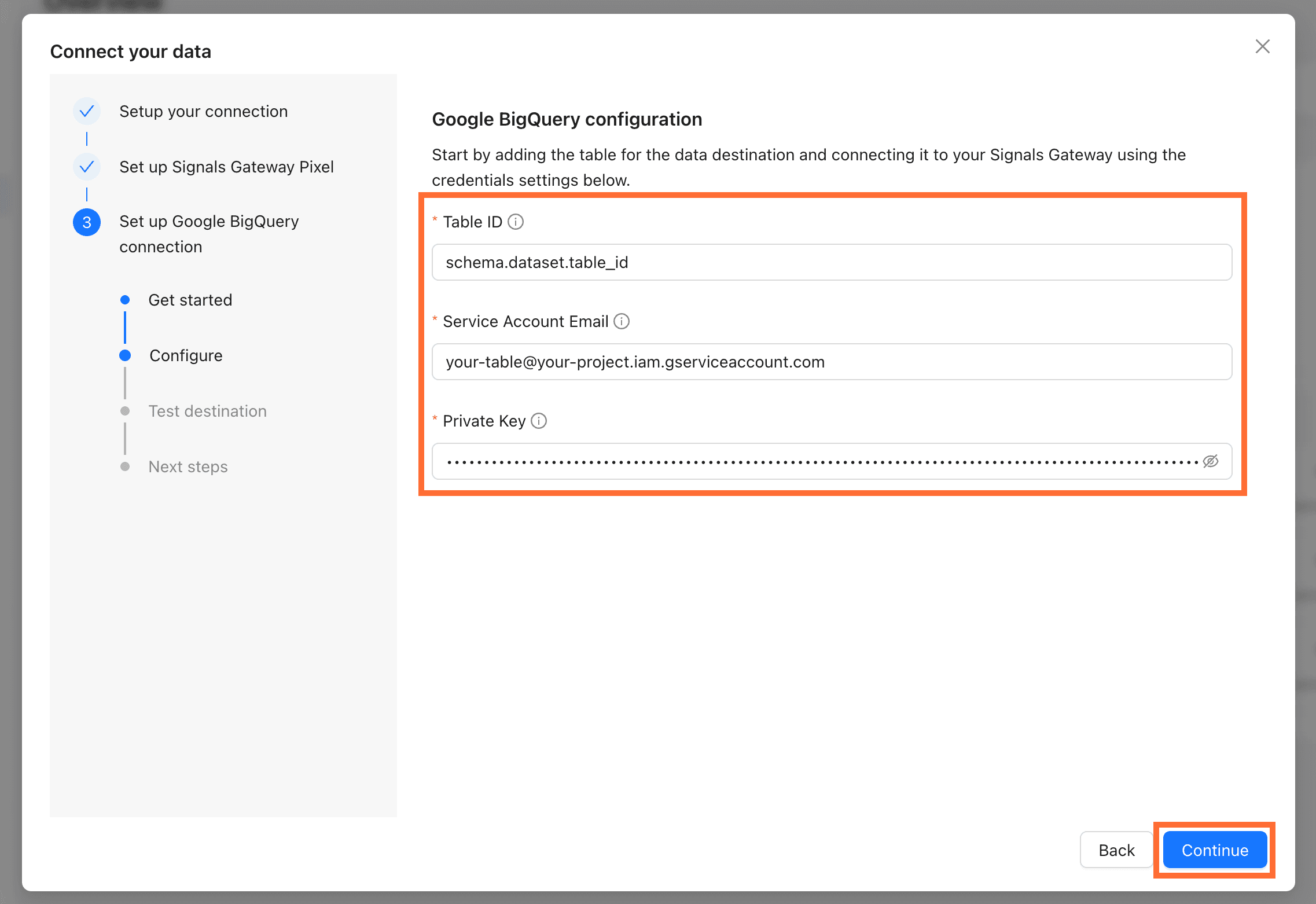
2.2. Configure Google BigQuery:
- Table ID in the format
schema.dataset.table_id. - Service Account Email of a Google Cloud service account with BigQuery Data Editor on the target dataset.
- Private Key from the same service account.
For more information on where to find this information read Google BigQuery Connection Setup.
Click Continue.
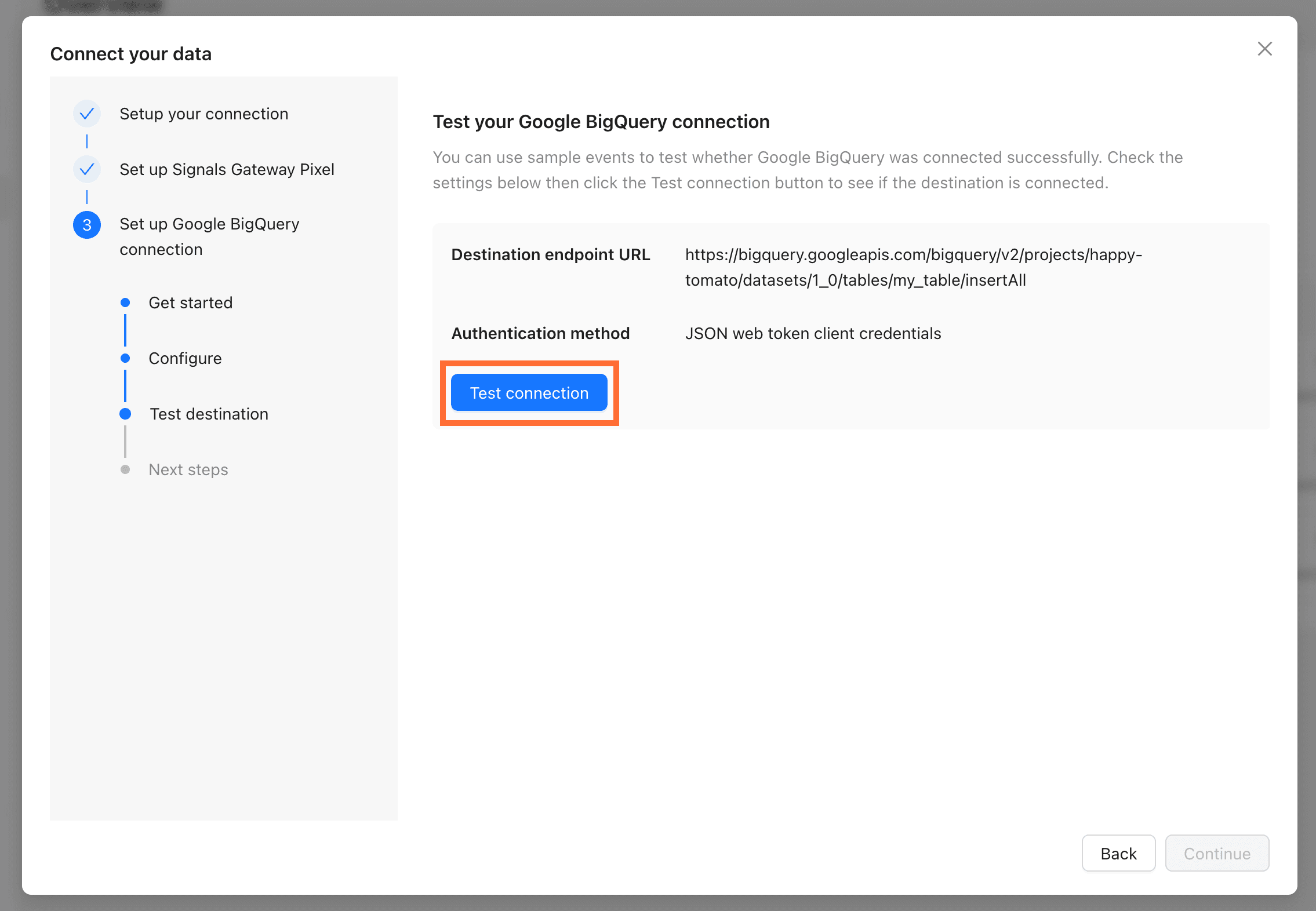
2.3. Click Test Connection and Continue.
2.4. Click Done to finish. You'll land on the pipeline dashboard where you can edit Data sources, Data destinations, and the Pipeline filter at any time.
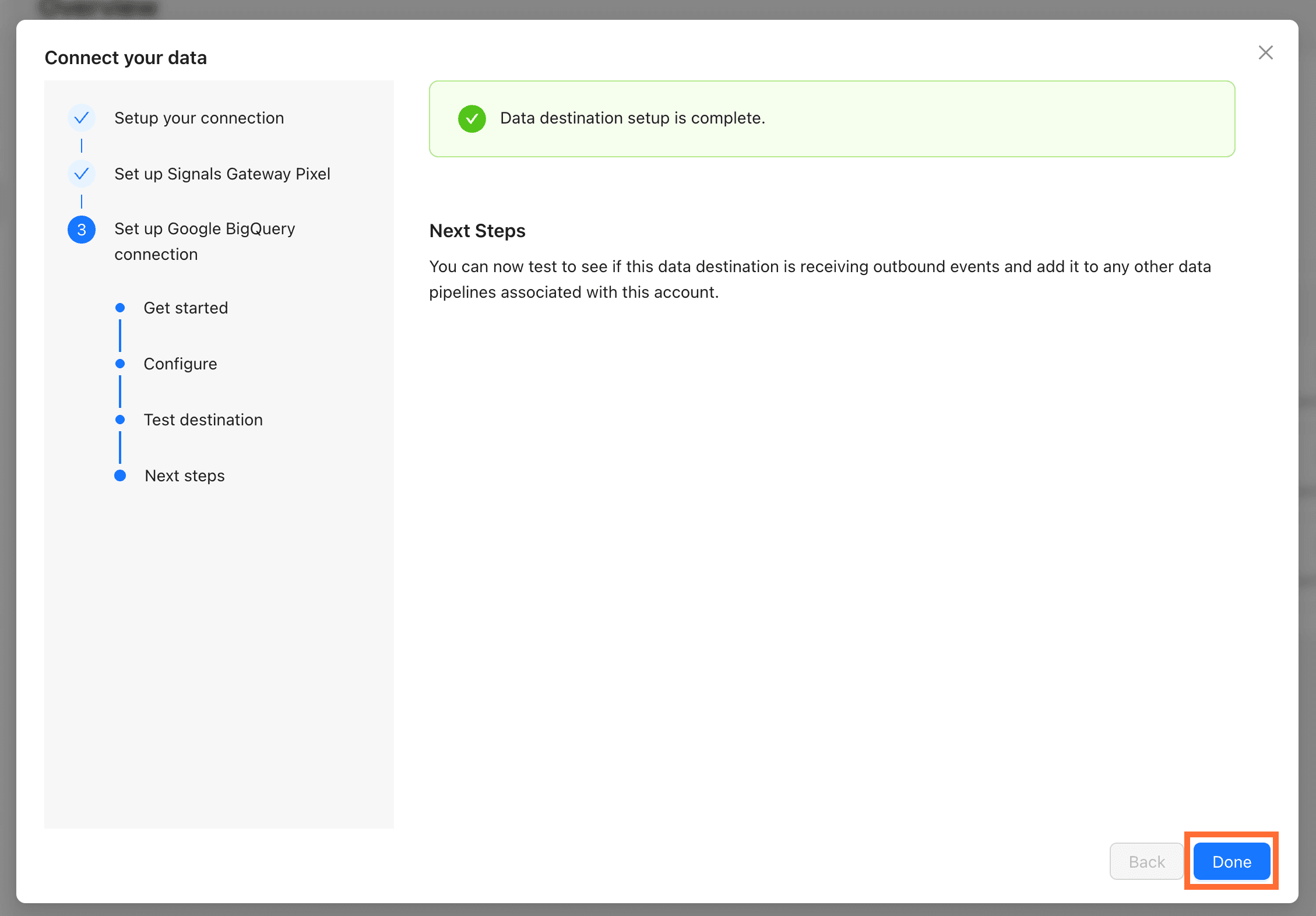
- Connect your Meta Pixel. You can either:
- Use Facebook Login (recommended) - Signals Gateway pulls your Business Account, datasets, and tokens for you.
- Connect Manually - use this option if you can't use Facebook Login for security/policy reasons, or you want to control exactly which system user the token belongs to. Enter the following:
Click Connect.
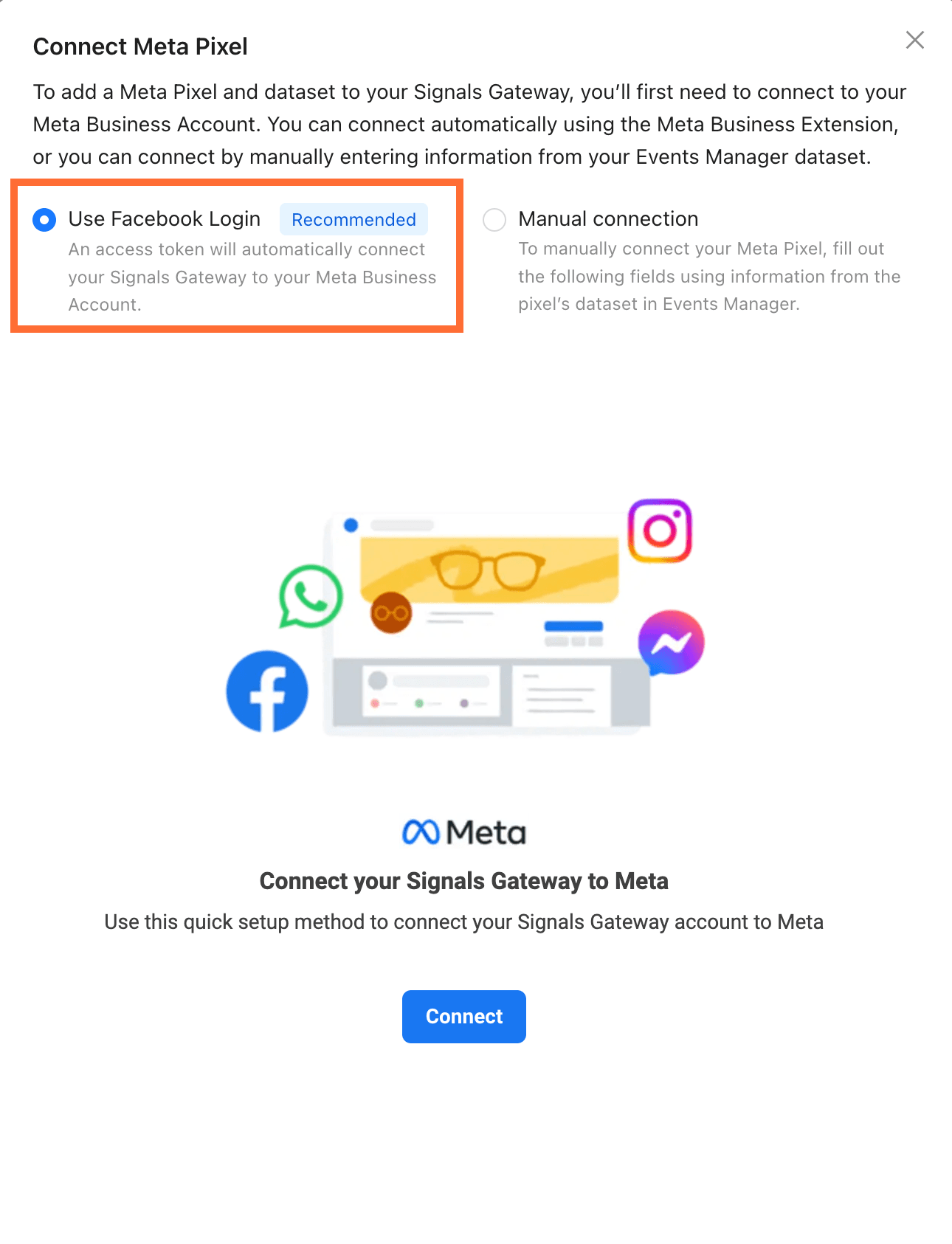
1.1. Select your business portfolio and click Continue.
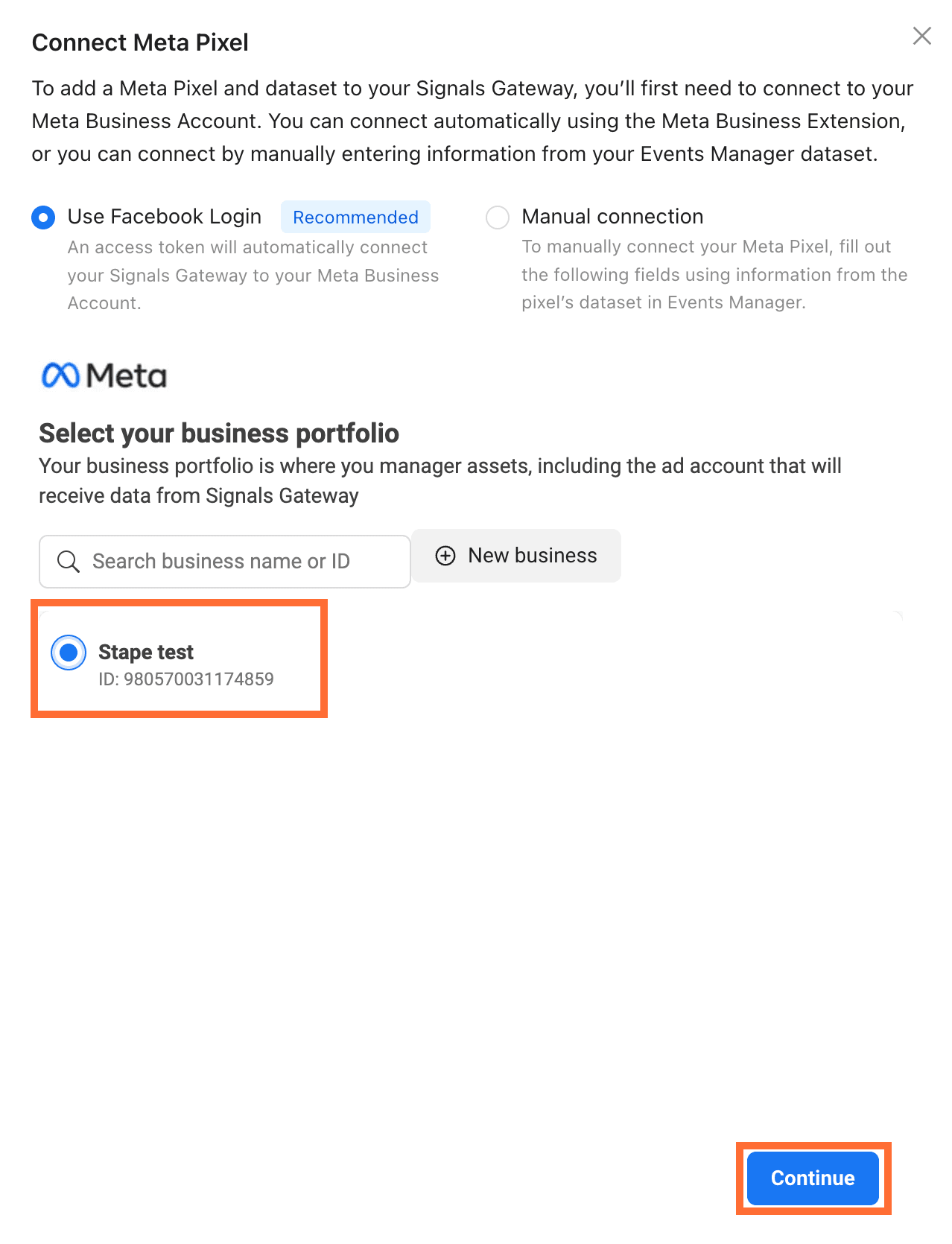
1.2. Select your dataset and click Continue.
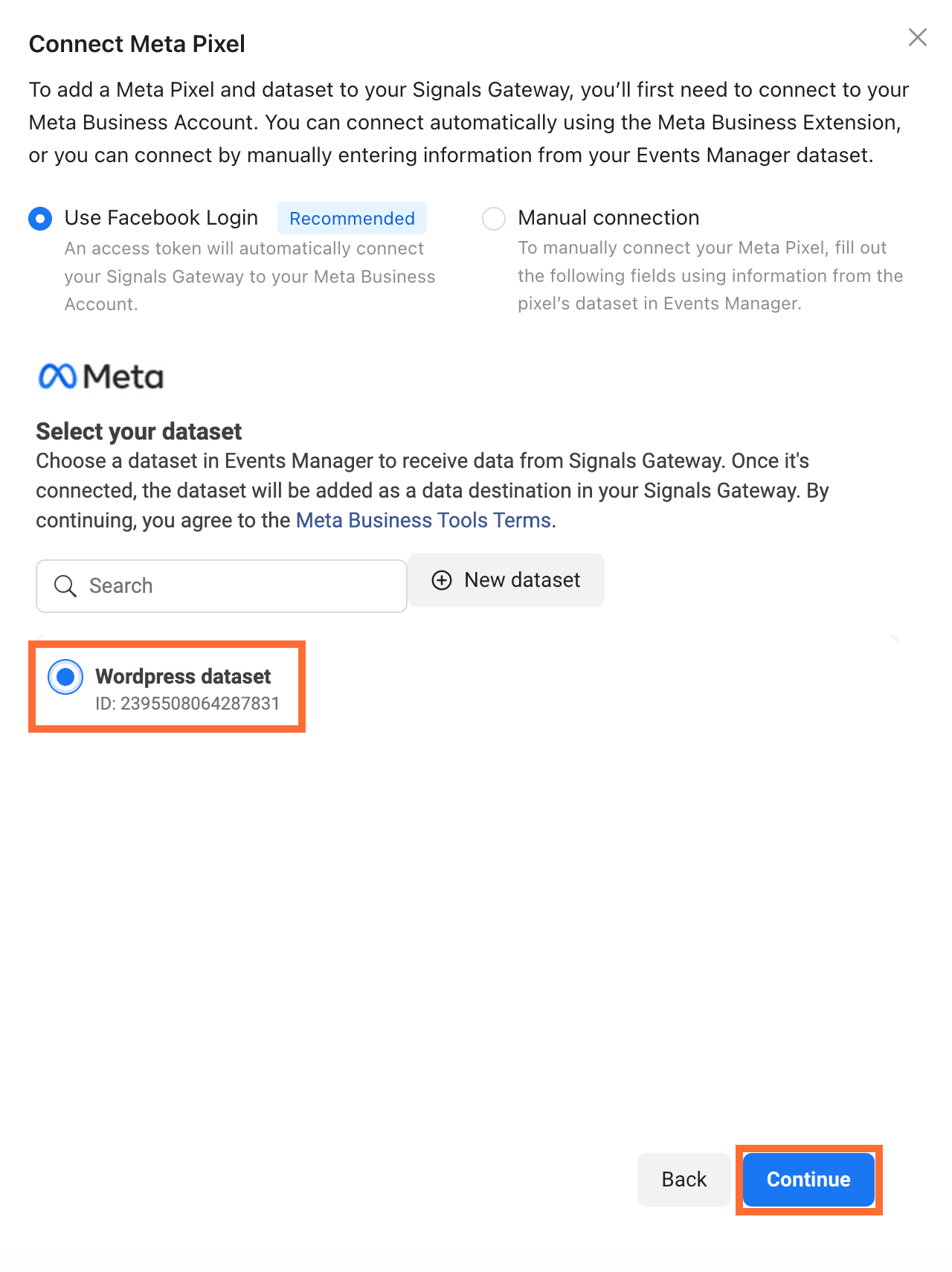
2. You'll land on the pipeline dashboard where you can edit Data sources, Data destinations, and the Pipeline filter at any time.
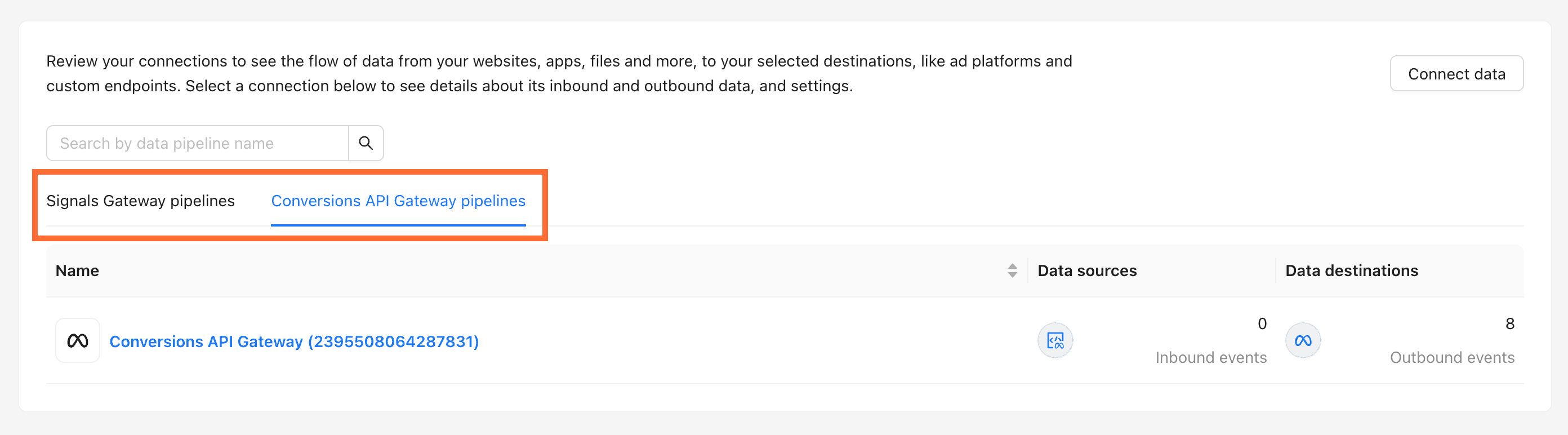
Your dashboard now lists both Signals Gateway Pixel pipelines and Conversions API Gateway pipelines side by side.
Step 3 | Route traffic through your own domain (recommended)
Routing Signals Gateway through a subdomain on your own site measurably improves match quality and reduces ad-blocker loss.
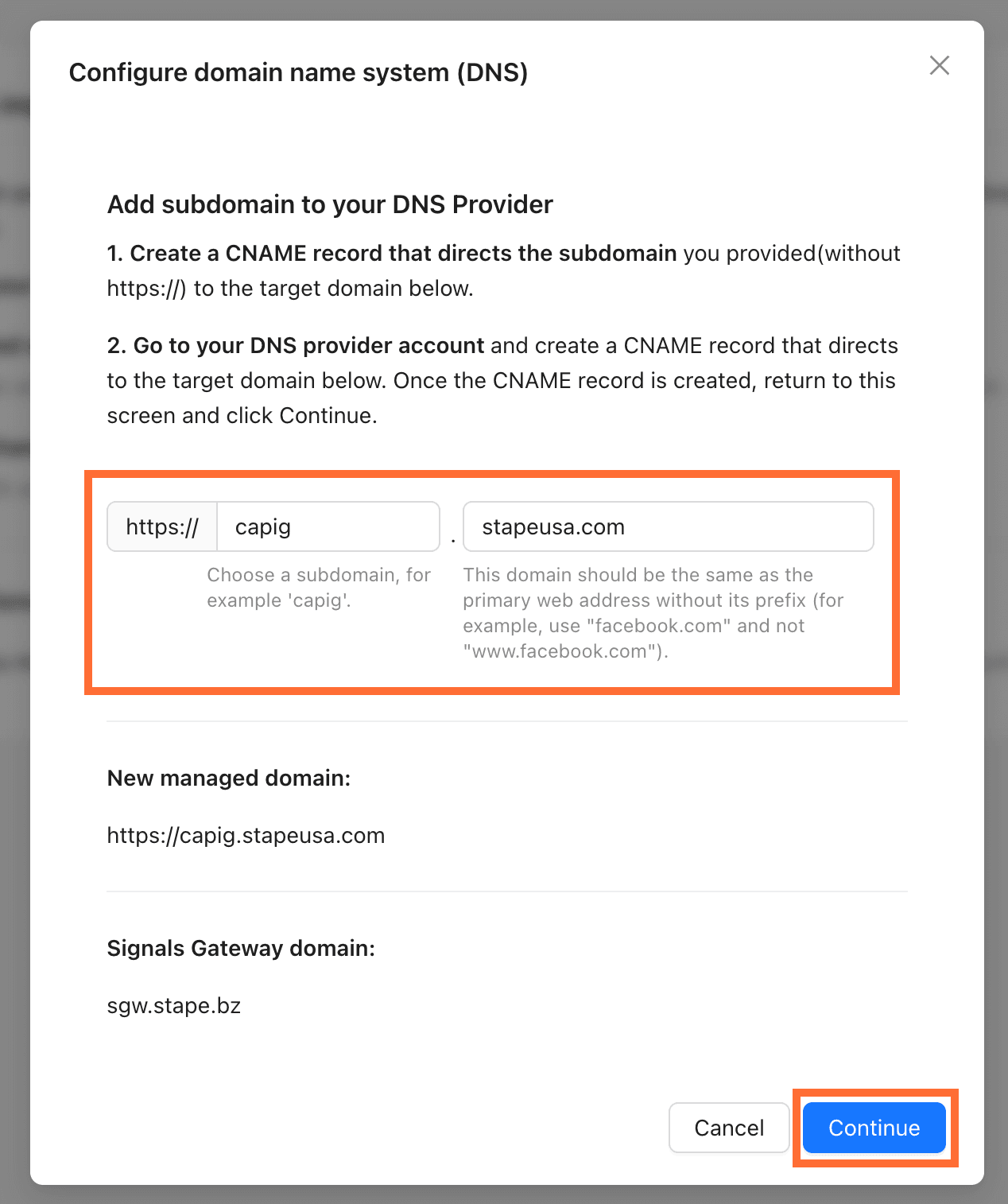
- Go to Account settings → Data routing → Optimize.
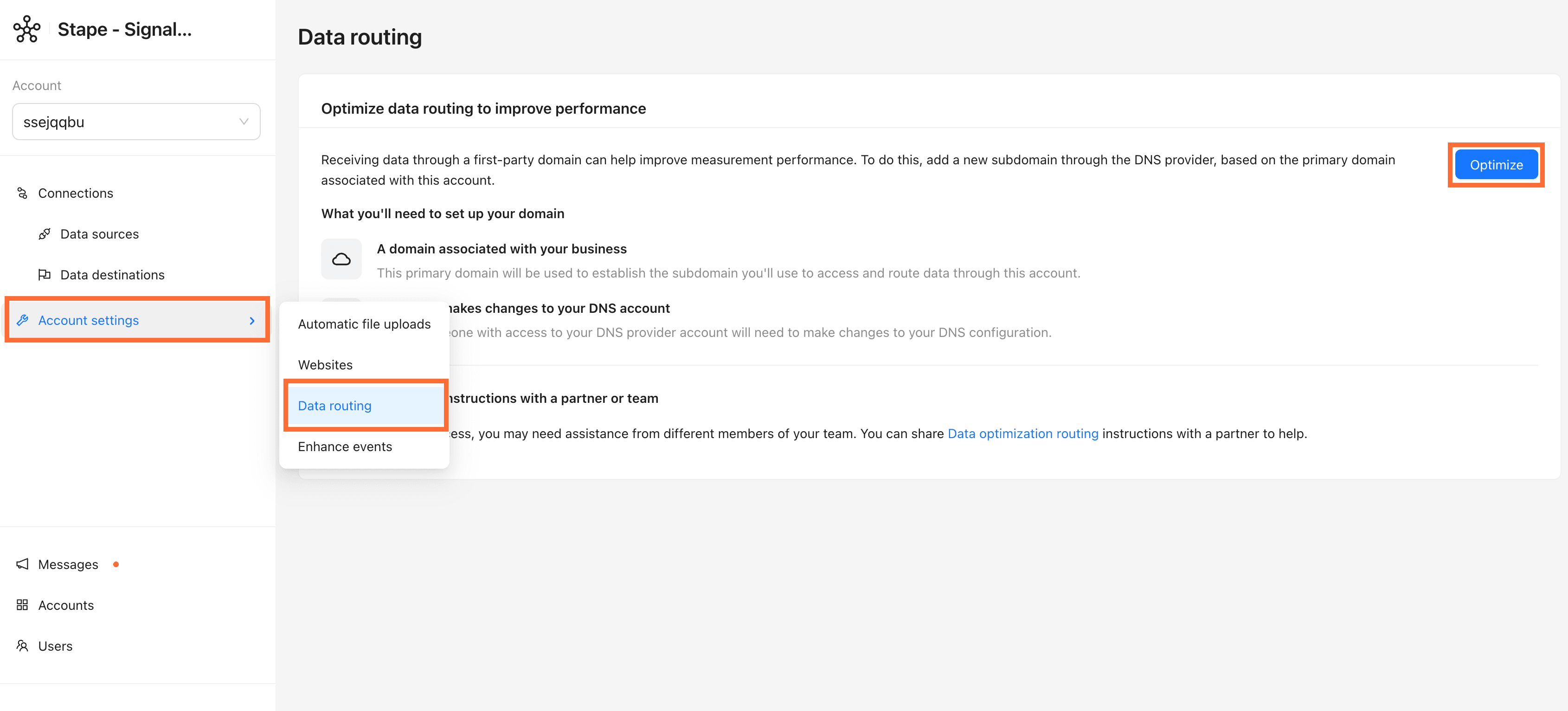
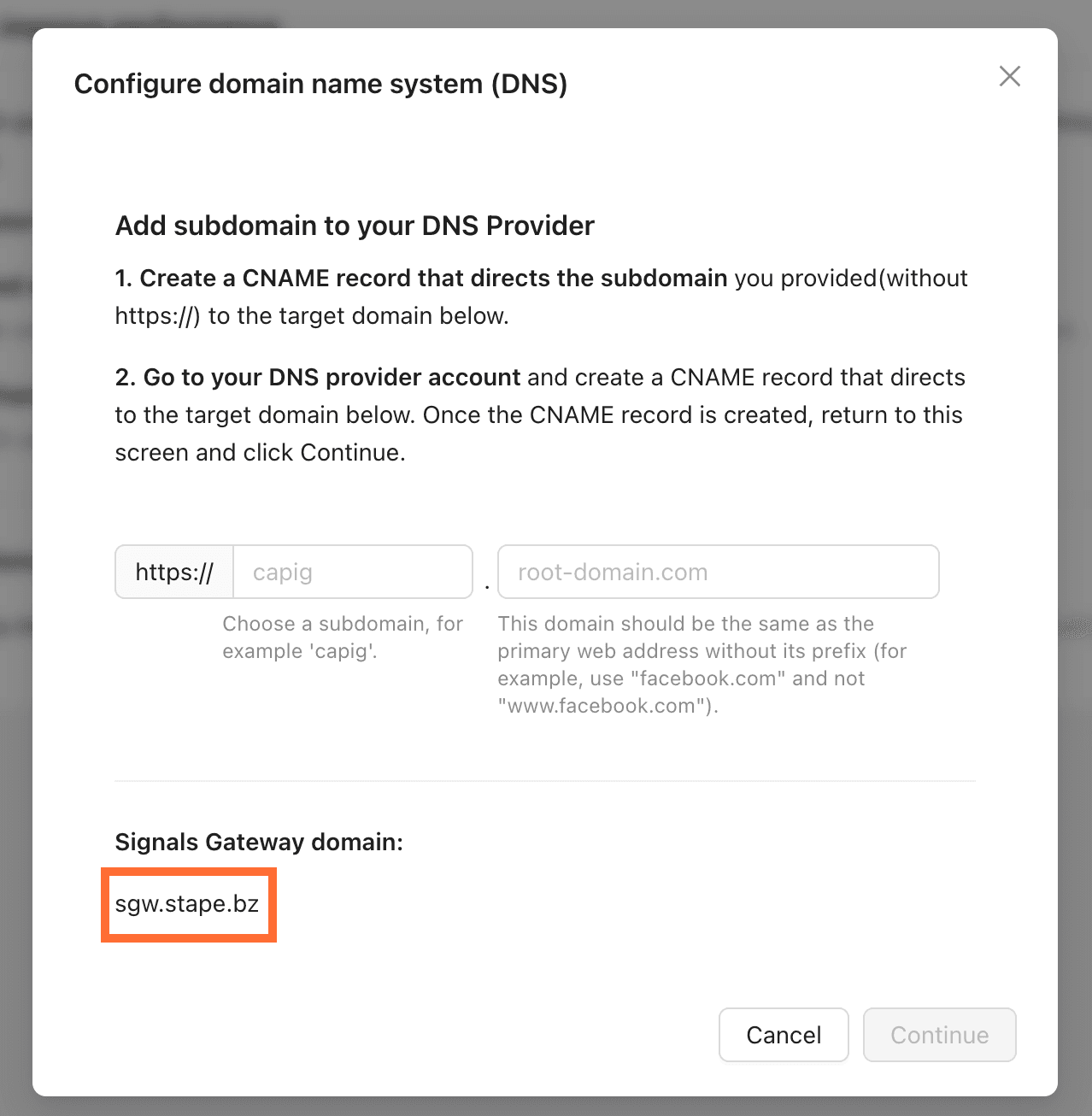
2. Copy the Signals Gateway domain shown on the pop-up.
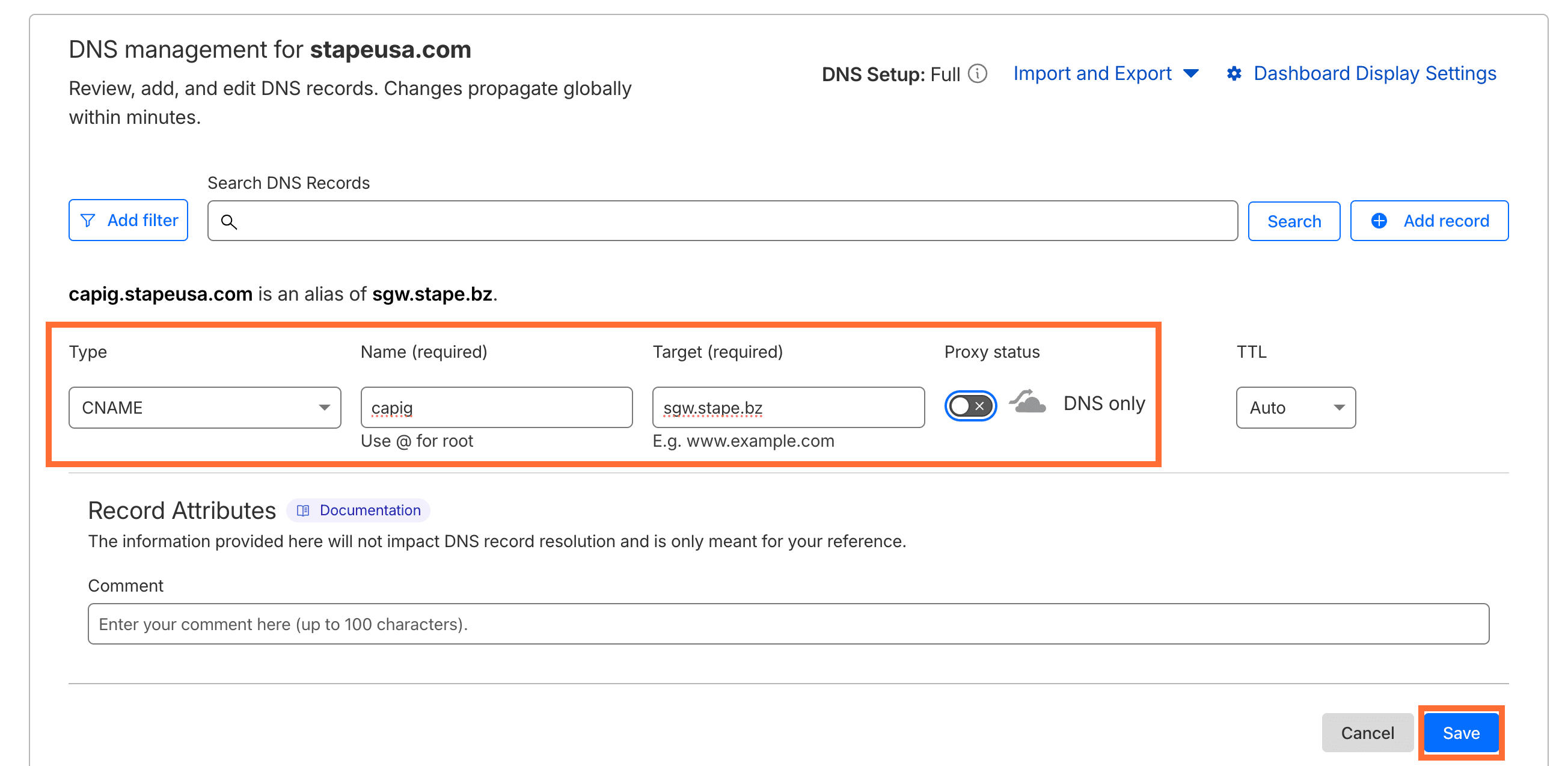
3. In your DNS provider (in our case Cloudflare), add a new record:
- Type -
CNAME - Name -
capig(or any subdomain of your choosing, e.g. events, metrics) - Target - the domain you copied in step 2
- Proxy status - off
Click Save.
4. Back in Signals Gateway, enter your subdomain and root domain, then click Continue.
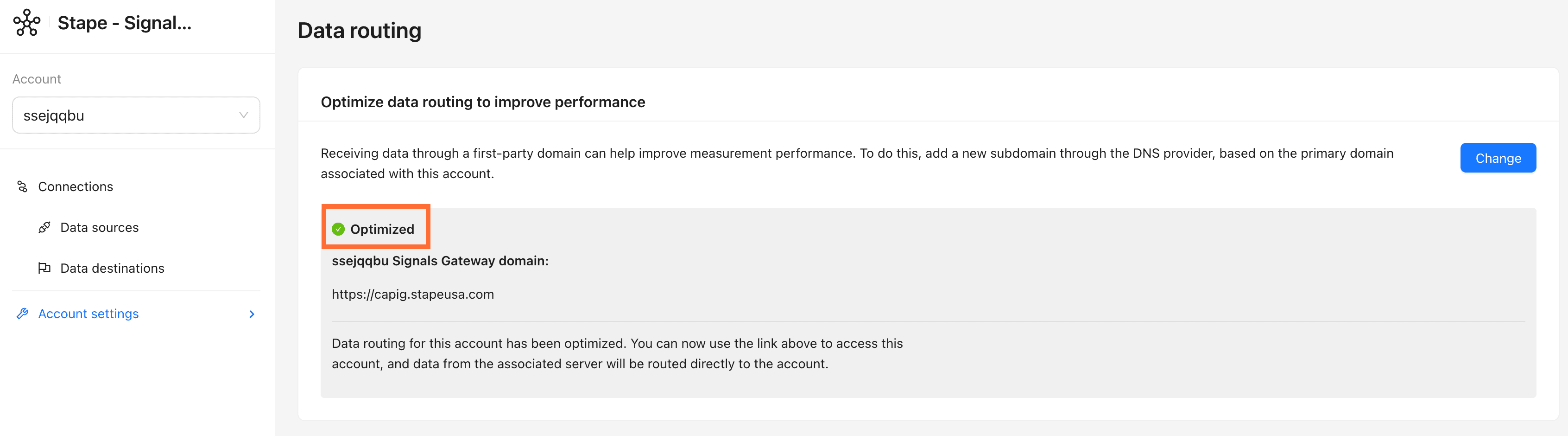
5. The subdomain will appear with a green Optimized indicator once DNS has propagated.
6. Your Signals Gateway Pixel is now reachable at your custom domain, but your GTM tag or site code still points to the old Stape host. Go to your Pixel → Setup guide tab. The snippet and values shown there will already reflect your custom domain. Use them to update whichever installation method you used:
6.1. For GTM template:
- In GTM, open your Signals Gateway Pixel tag and update Signals Gateway Pixel Host, Signals Gateway Pixel Script URL.
- Go to Templates → SignalsGateway Pixel → Permissions tab → Inject scripts and update the allowed URL pattern to match the new script URL. Save the template.
- Publish the GTM container.
6.2. For the Custom HTML method:
- Copy the complete updated snippet.
- Paste it in your GTM Custom HTML tag (or directly in your site's )
- Save and publish. If the snippet is hardcoded in your site template, clear your page cache after saving.
Optional configuration
Edit or add data sources
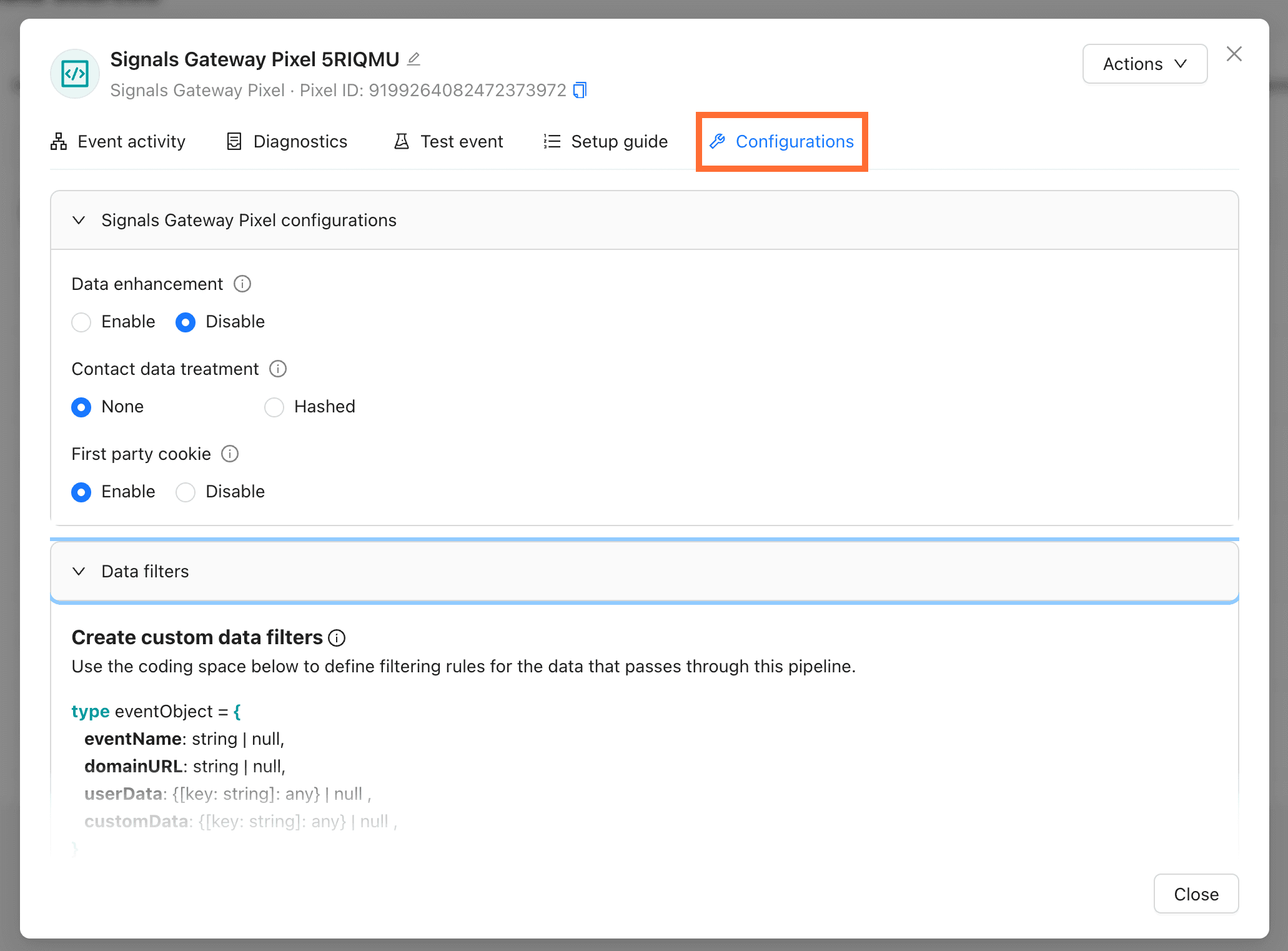
Click an existing Data source and go to the Configuration tab to change its settings, such as:
- Data enhancement - allow to send advanced matching data with your events
- Contact data treatment - you can choose to hash contact data upon collection using the SHA-256 format. Data that is hashed can’t be reverted to its original form and can’t be used by some data destinations or for audience creation.
- First-party cookie - enabling the use of first-party cookies events can help improve matching.
Also, you can tweak Data Filter to set how incoming data is processed before being forwarded to destinations.
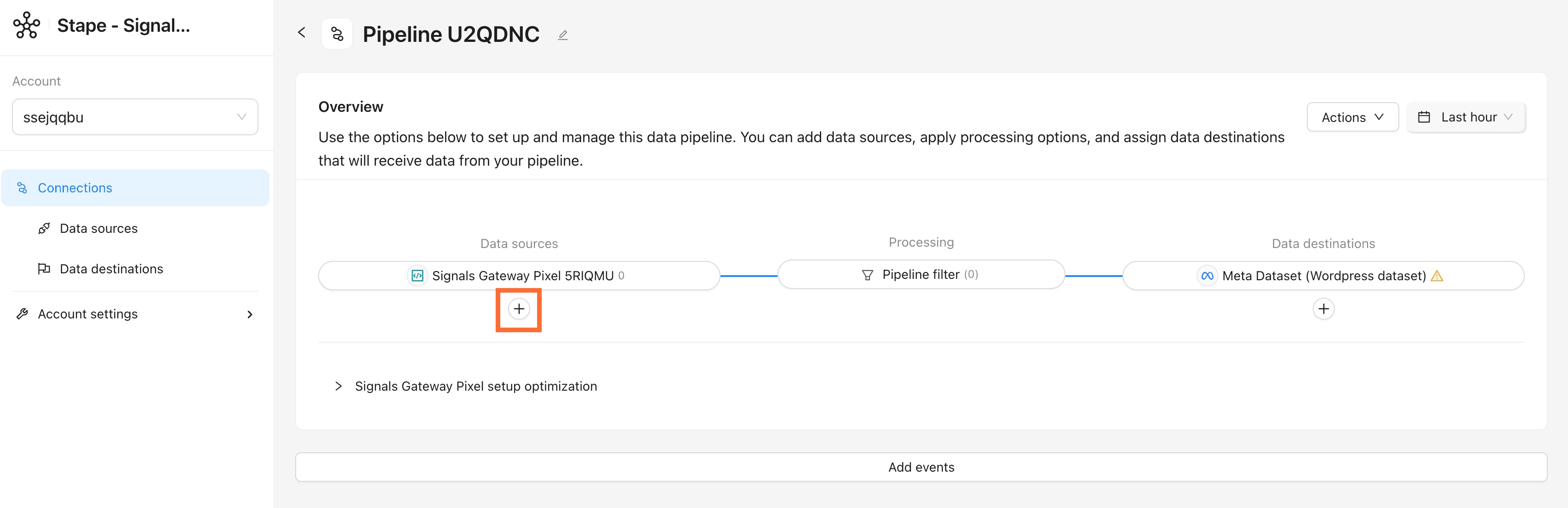
Click + under Data sources to add a file-based source, either automatically via scheduled upload or manually. For detailed instructions read the Add offline events to Signals Gateway article.
Pipeline filter
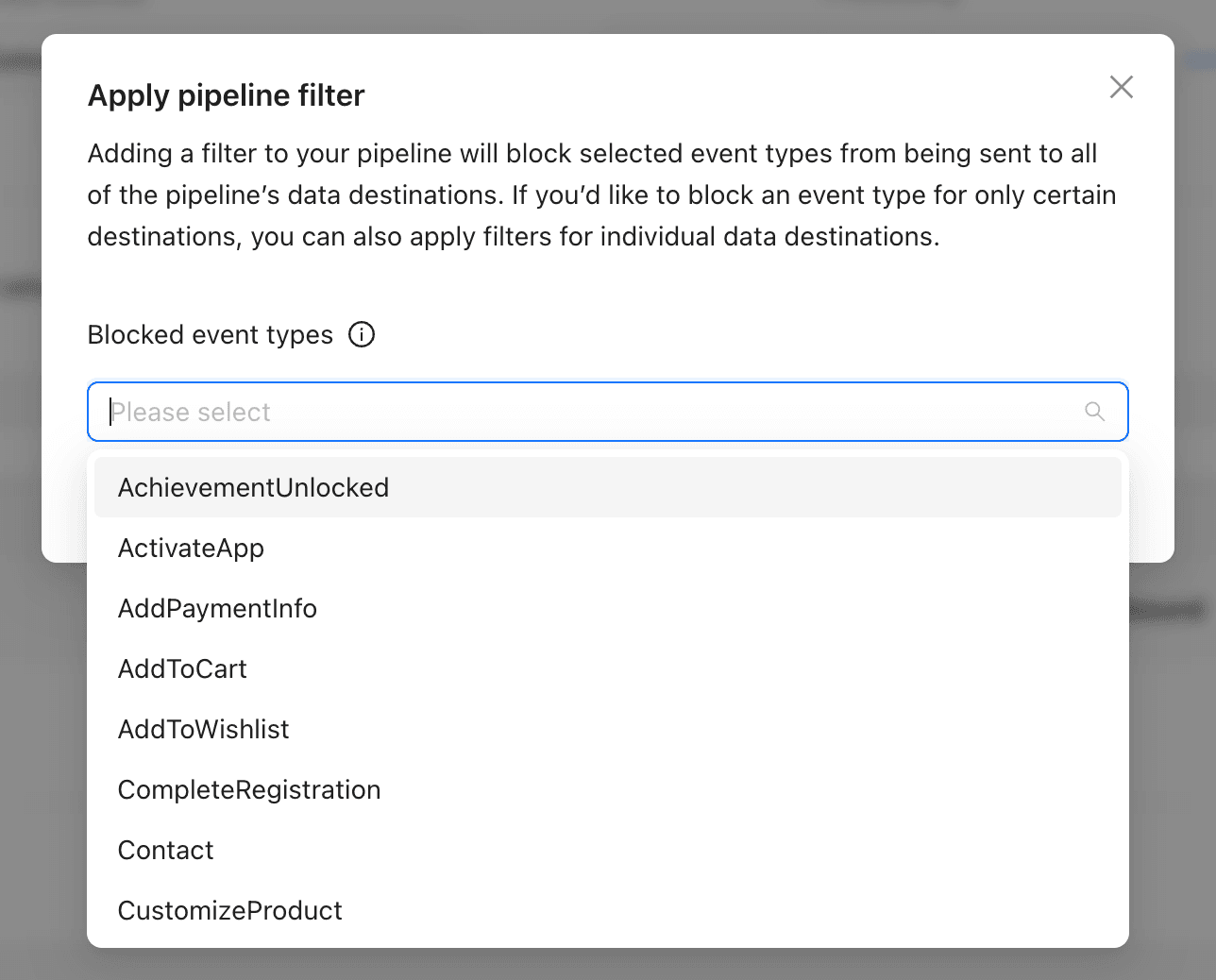
Click on the Pipeline filter in the pipeline’s dashboard to block specific event types from reaching any destination on this pipeline. Useful for suppressing test events or PII-heavy events.
CRM integrations
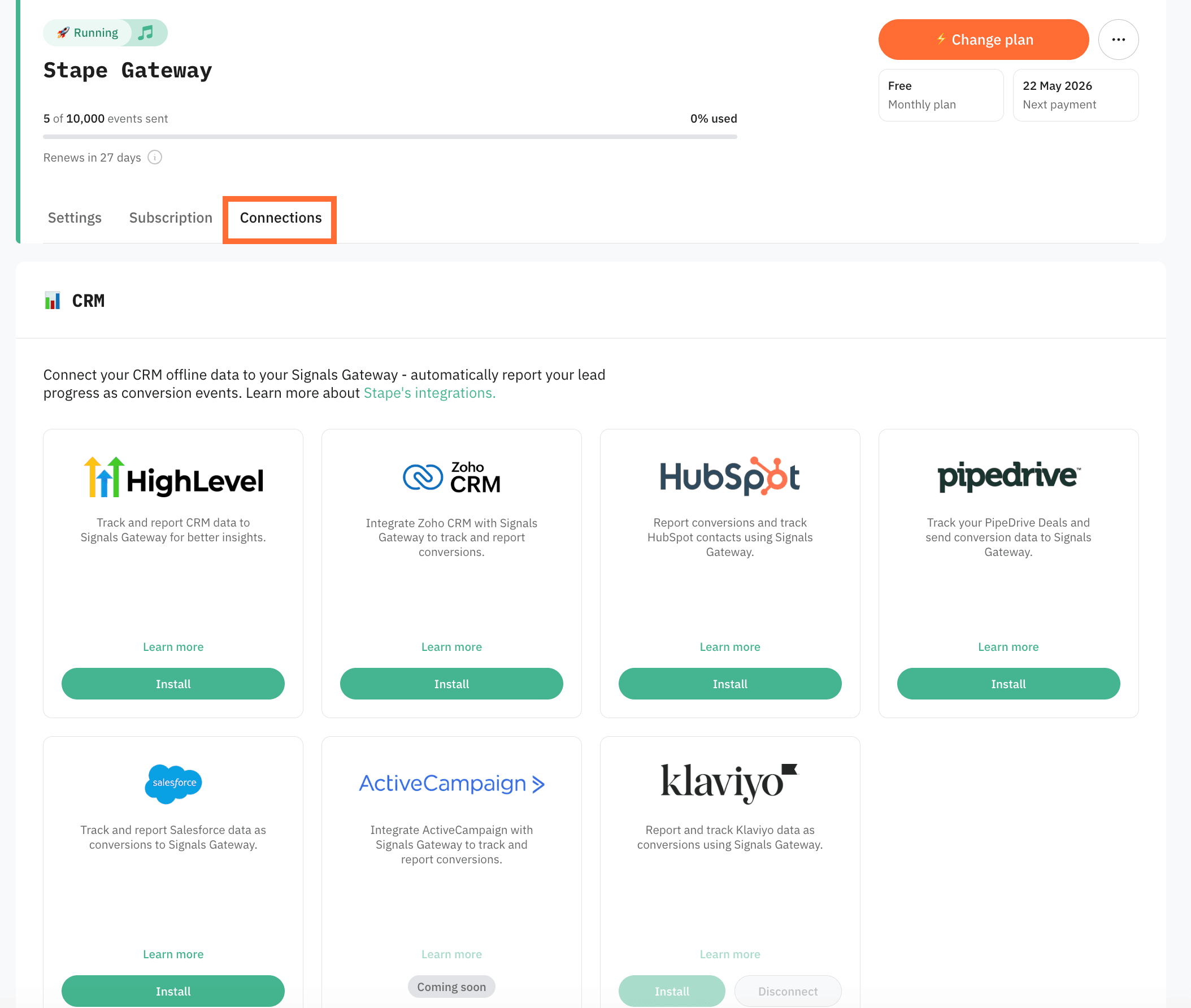
Stape's CRM apps push your CRM pipeline stages into Meta as conversion events, without needing to route them through your website.
CRM integrations are configured from the Connections tab inside Signals Gateway. Read more in Stape's Conversion Tracking CRM Apps: use cases and benefits.
Testing
Check the following:
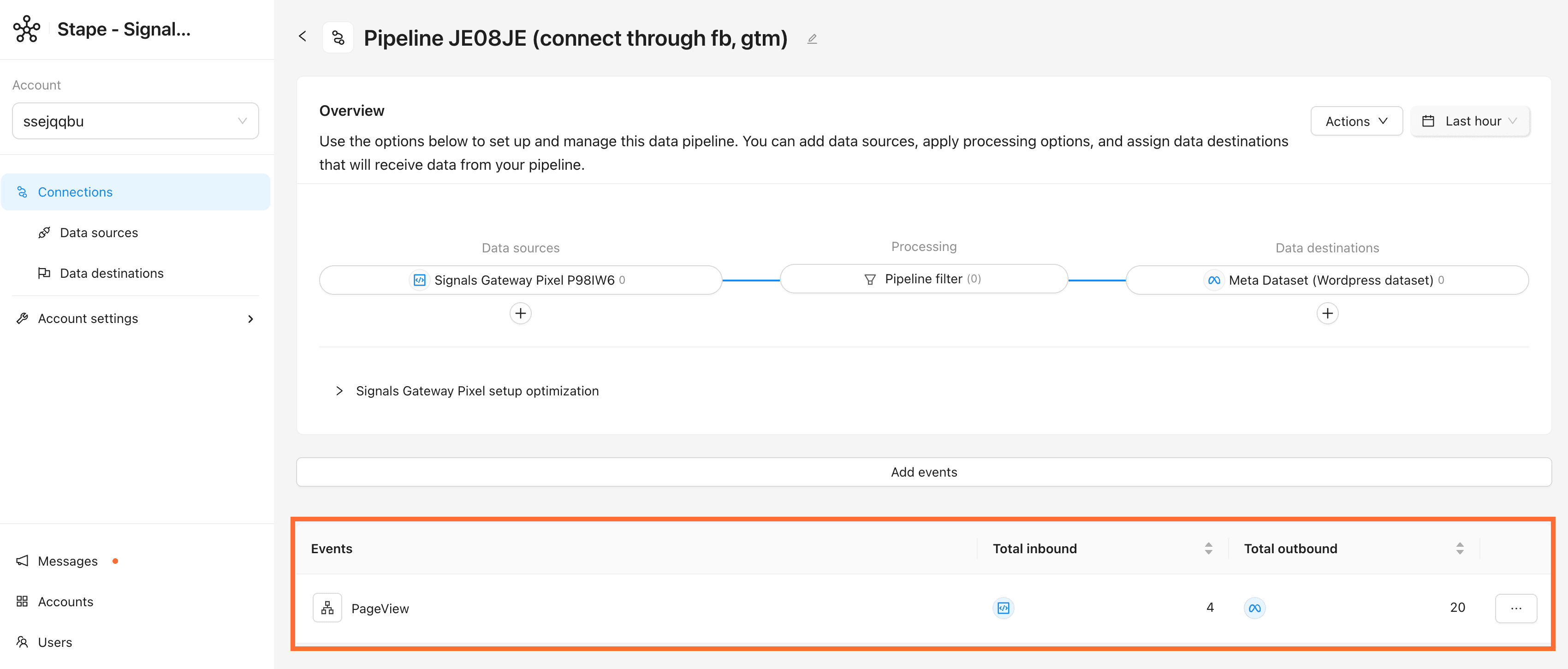
- Events in the Signals Gateway. Open your pipeline's dashboard, the event counter in Data sources should start moving within a few minutes of live traffic.
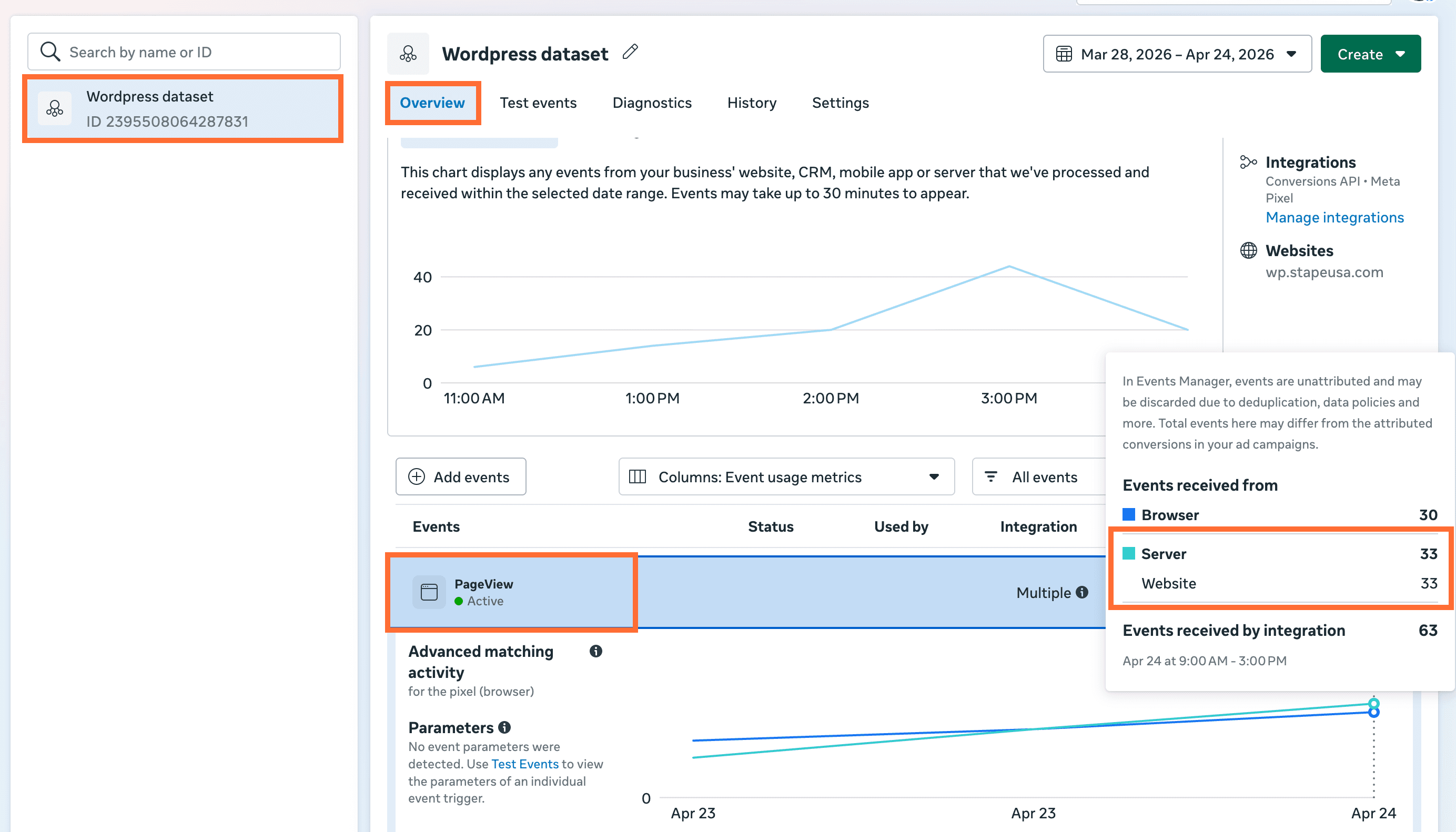
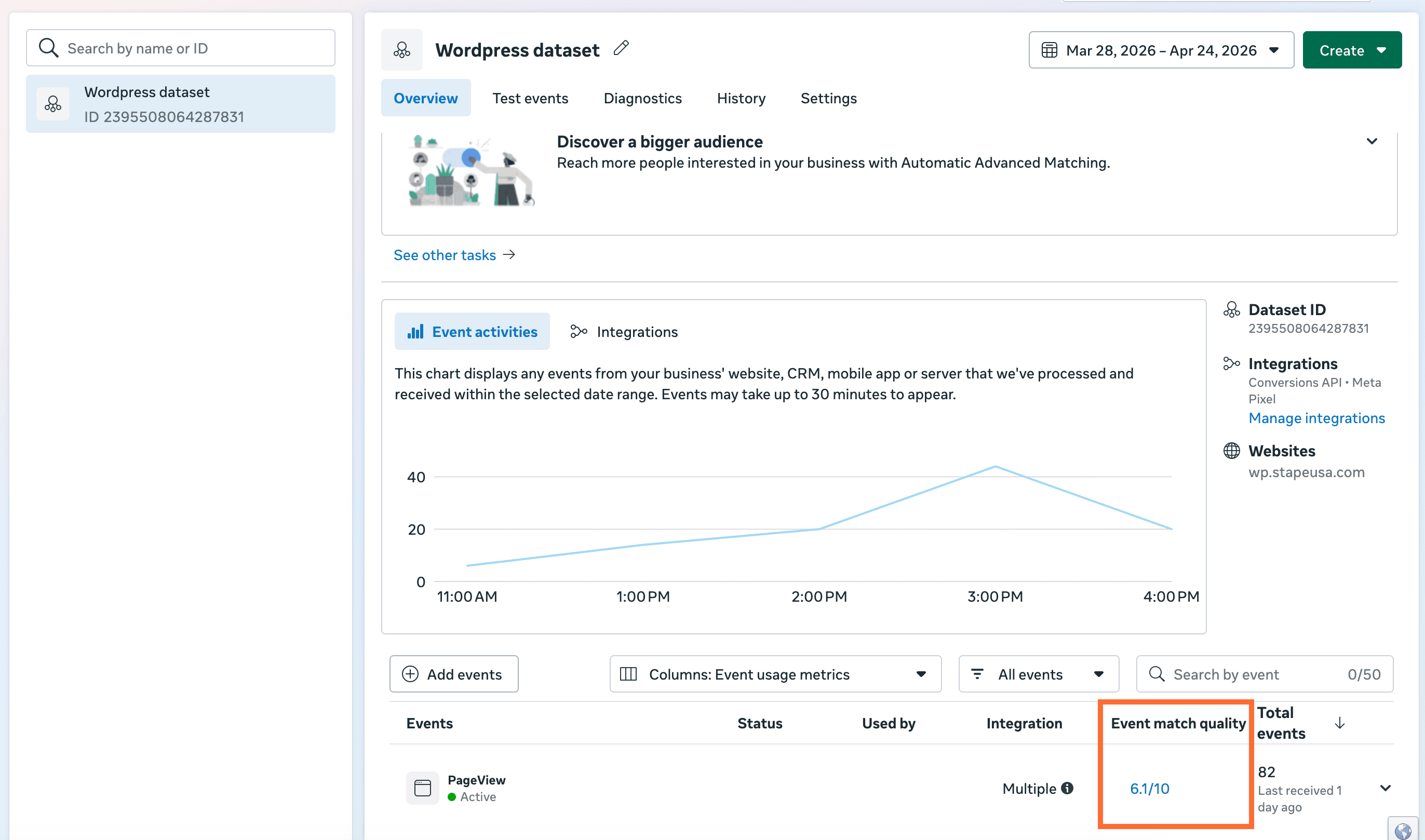
- Events in Meta Events Manager. Open the connected dataset → Overview. You should see events arriving with the server parameter populated.
- Event Match Quality. In the Events Manager, check EMQ for each key event. Expect ≥ 6.0 once advanced matching data is flowing. If the score is <6.0, read Facebook Event Match Quality – what it is and how to increase it.
Quick reference
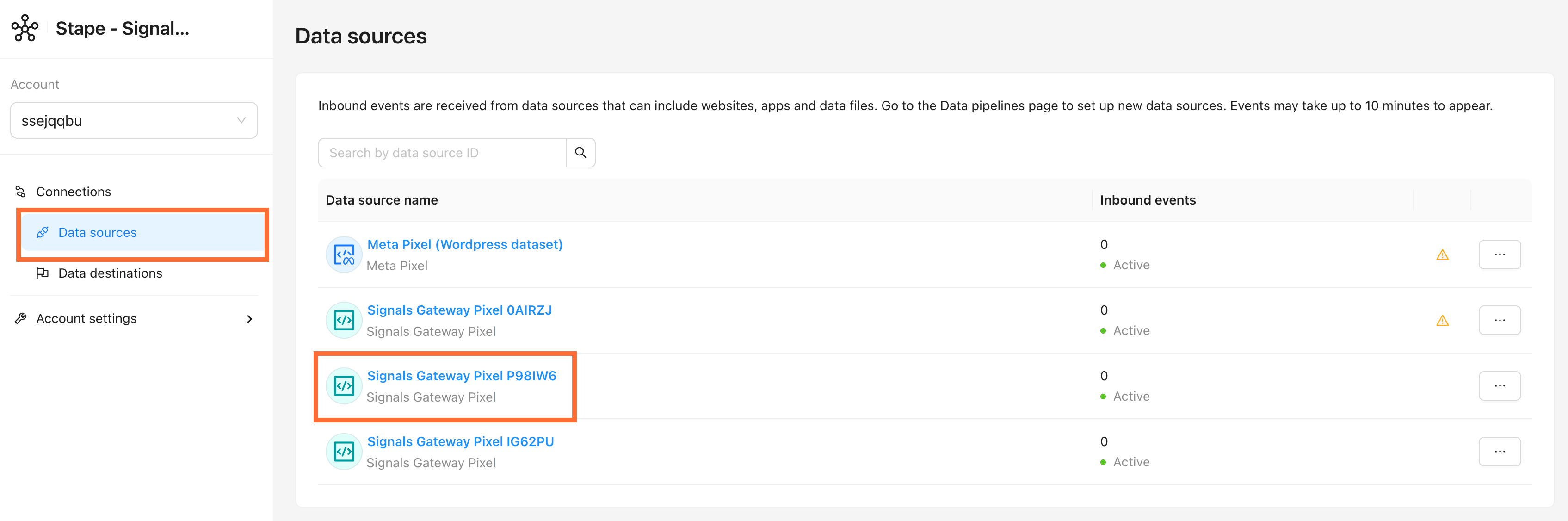
How to find your Signals Gateway Pixel ID
- Go to Data Sources → click your data source.
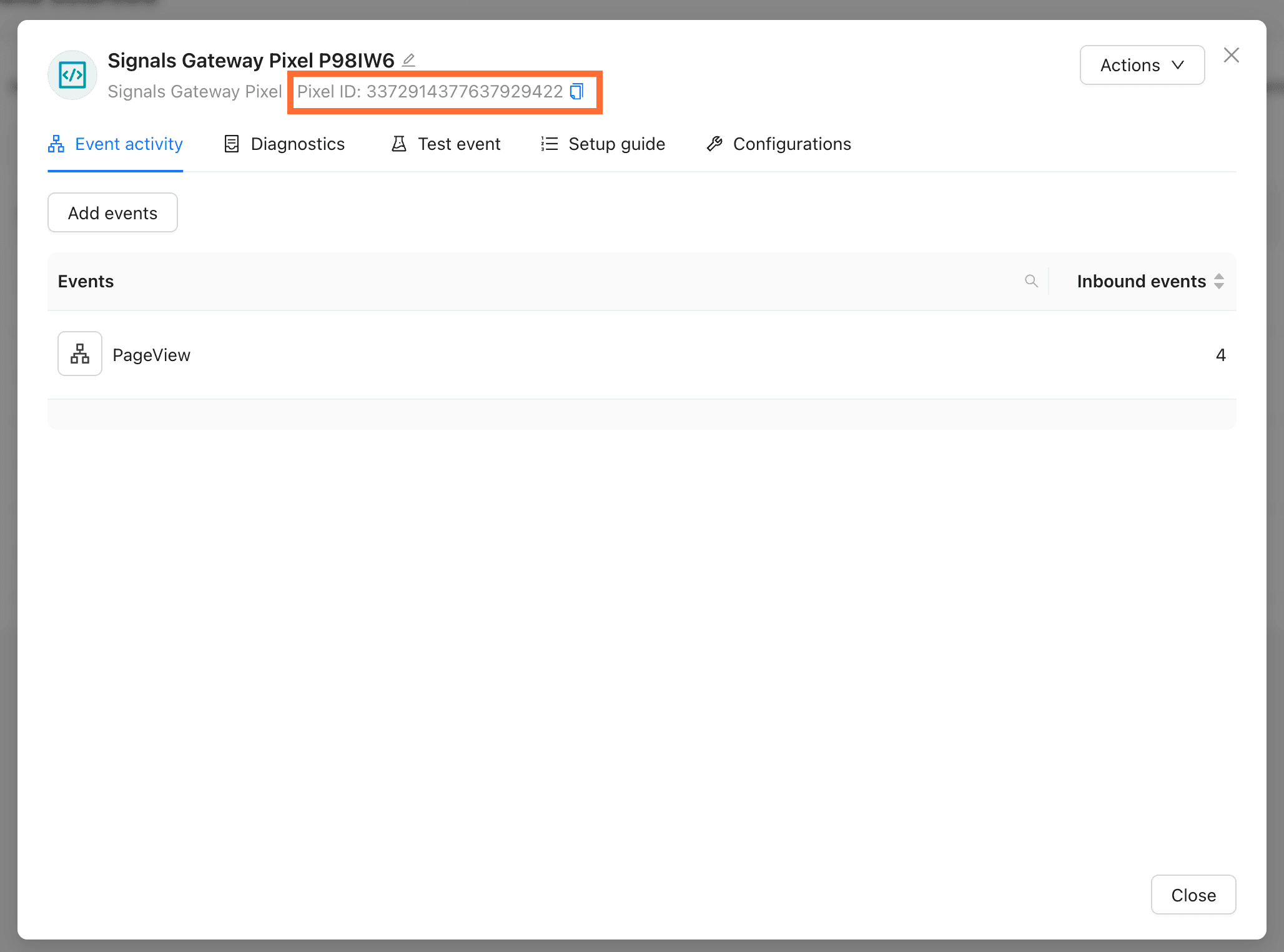
2. The Pixel ID sits at the top of the panel.
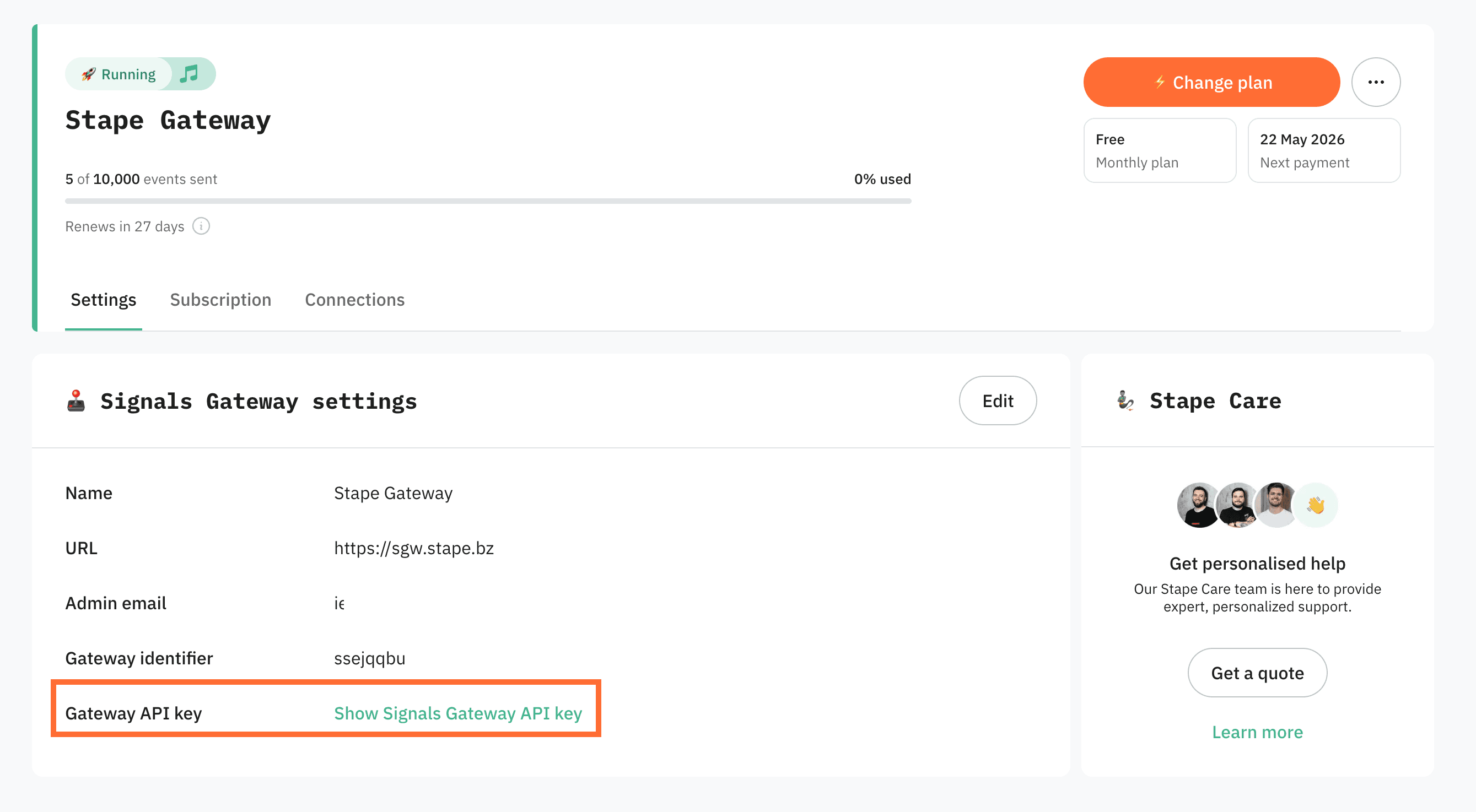
How to find your Signals Gateway API Key
In your Stape account, open Signals Gateway → your gateway. The Gateway API Key is listed under Signals Gateway settings.
Comments