Where can I find an invoice and a receipt?
Updated Aug 10, 2026
Standard accounts
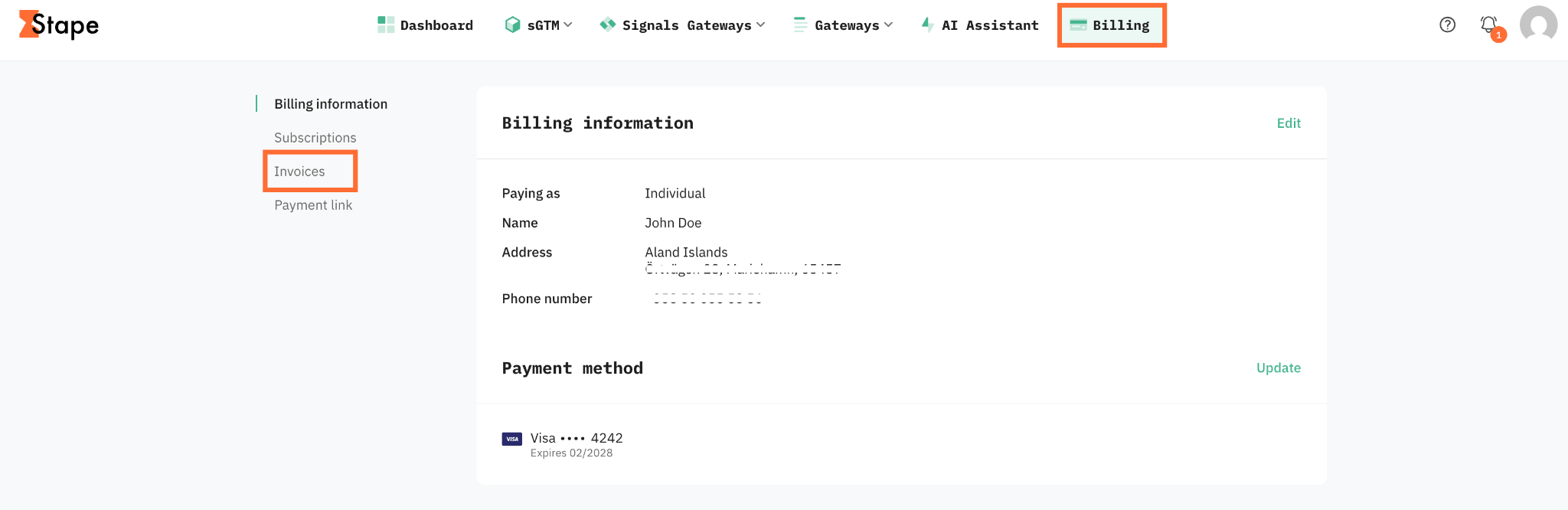
1. Open your Standard Stape account and click Billing.
2. Go to the Invoices section.
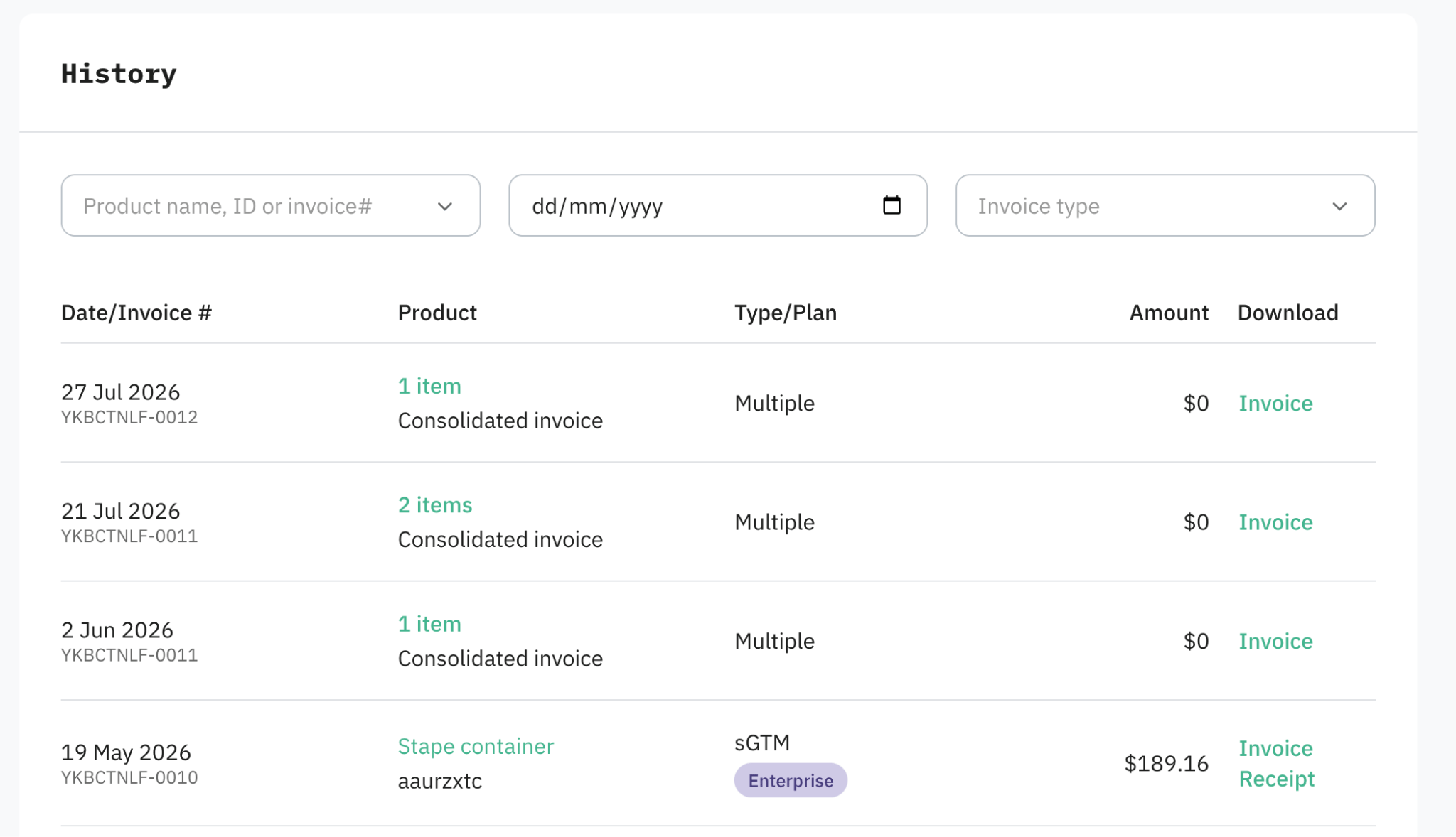
3. You'll see a list of every invoice/receipt, sorted by date.
Agency and Partner accounts
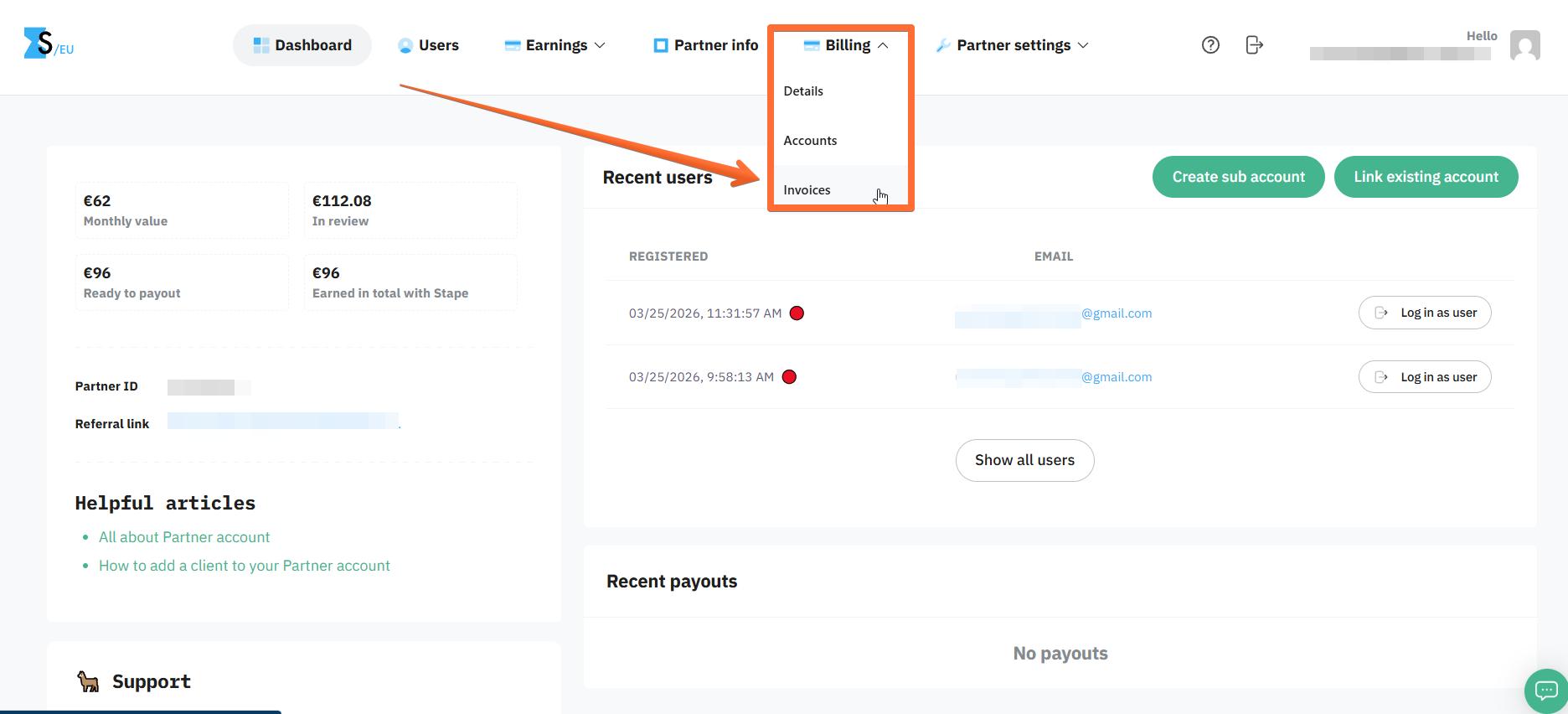
1. Open your Agency/Partner Stape account and click Billing.
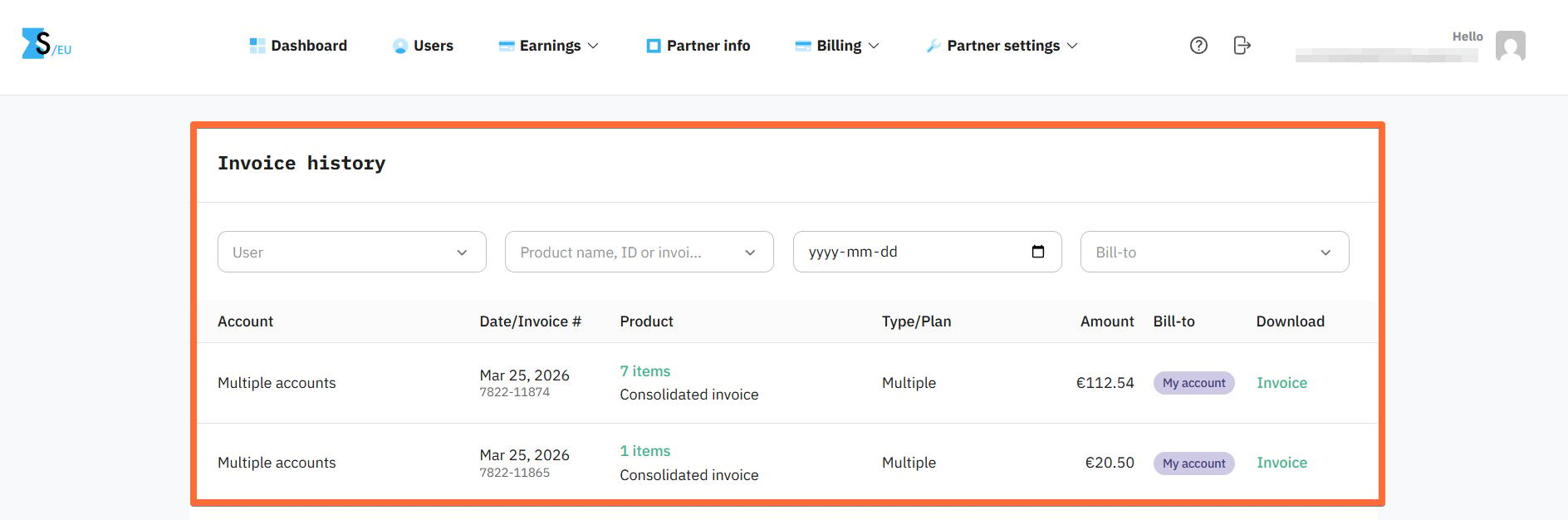
2. Review your invoice history and download your invoices. If you've enabled Consolidated Invocing, your sub-accounts' invoices will be presented separately from your own.
Was this article helpful?
🍽 Table of content:
Subscribe to product updates:
Can’t find what you are looking for?
Comments