Data Store API
Updated Oct 12, 2026
The Data Store API allows you to interact with your Data Store via HTTP requests. You can read, write, update and delete documents and collections directly from your applications.
To access the API documentation and playground, click the Data Store API link in the Data Store dashboard. This way the system automatically fetches and pre-fills your container URL and API key for use in the API playground.
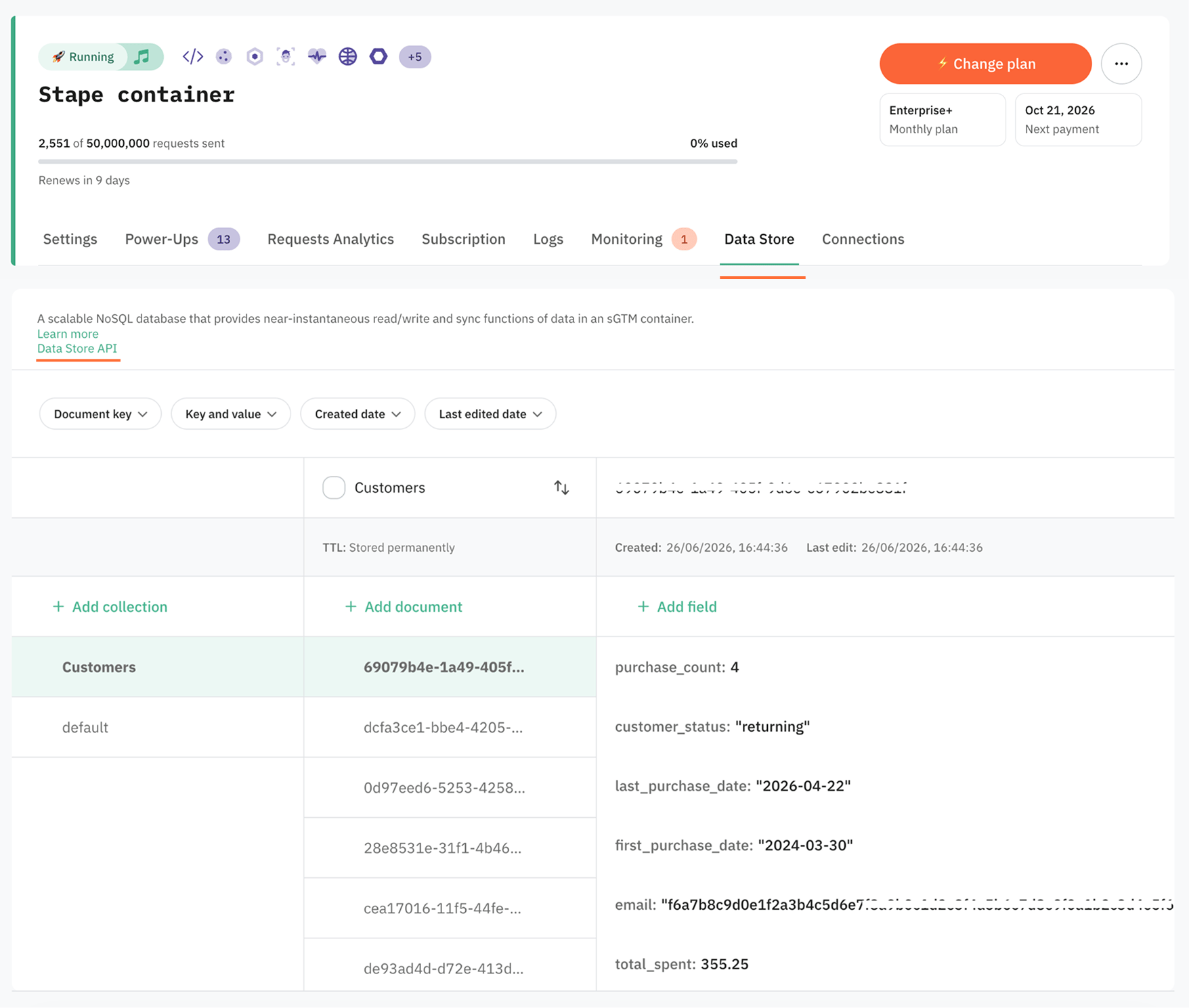
You can access the API documentation without logging in to Stape.
To use the playground without logging in, manually add your container URL and Store API key to the documentation URL in your browser's address bar.
Add the following parameters to the end of the documentation URL:
?base_url=your-container-url&api_key=your-store-api-key
For example, if your container domain is my-container.stape.io and your Store API key is xyz123, use:
https://store-api.stape.io/v2/doc?base_url=my-container.stape.io&api_key=xyz123
For the instructions on how to find the URL, read How to find server container URL for sGTM container?
For the instructions on how to find the key, read How to find Stape container API Key?
Note:
Stape also provides pre-built sGTM variables and tags, so you can implement these workflows directly in your sGTM container without writing custom API code. For more information read Data Store templates.
Endpoints
The API is organized into three groups:
- Documents – here you can interact with the Data Store documents.
- Collections – here you can interact with the Data Store collections.
- Imports – here you can import a collection from a CSV file and get information about that import.
Documents
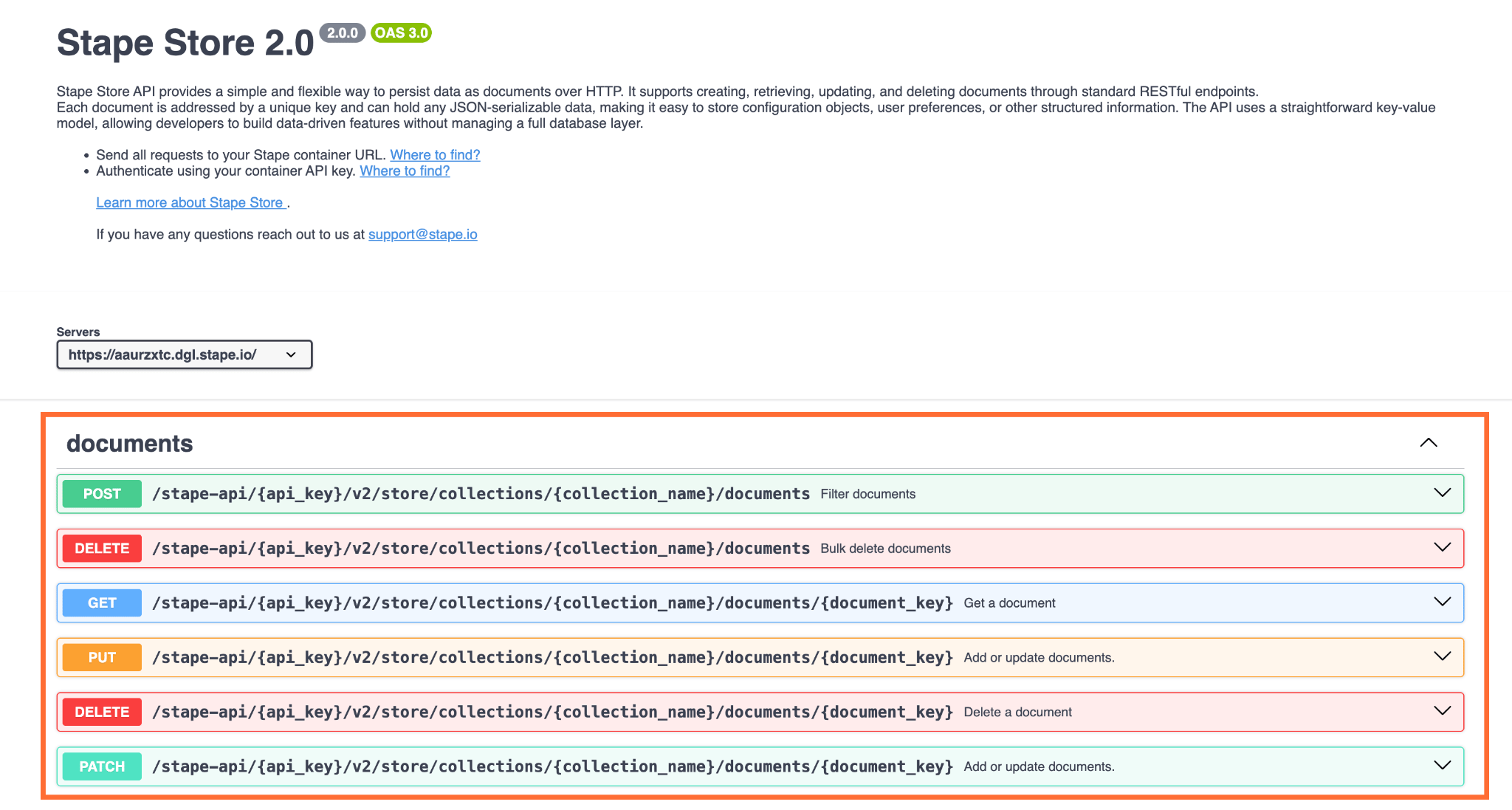
The following endpoints are available to interact with Data Store documents:
- Filter documents – lists and filters documents based on the provided criteria.
- Bulk delete documents – deletes multiple documents at once.
- Get a document
- Add or update documents – creates or overwrites an entire document.
- Update documents – partially updates the document. The endpoint updates only those fields that are passed in the request, the rest of the existing document fields remain unchanged.
Collections
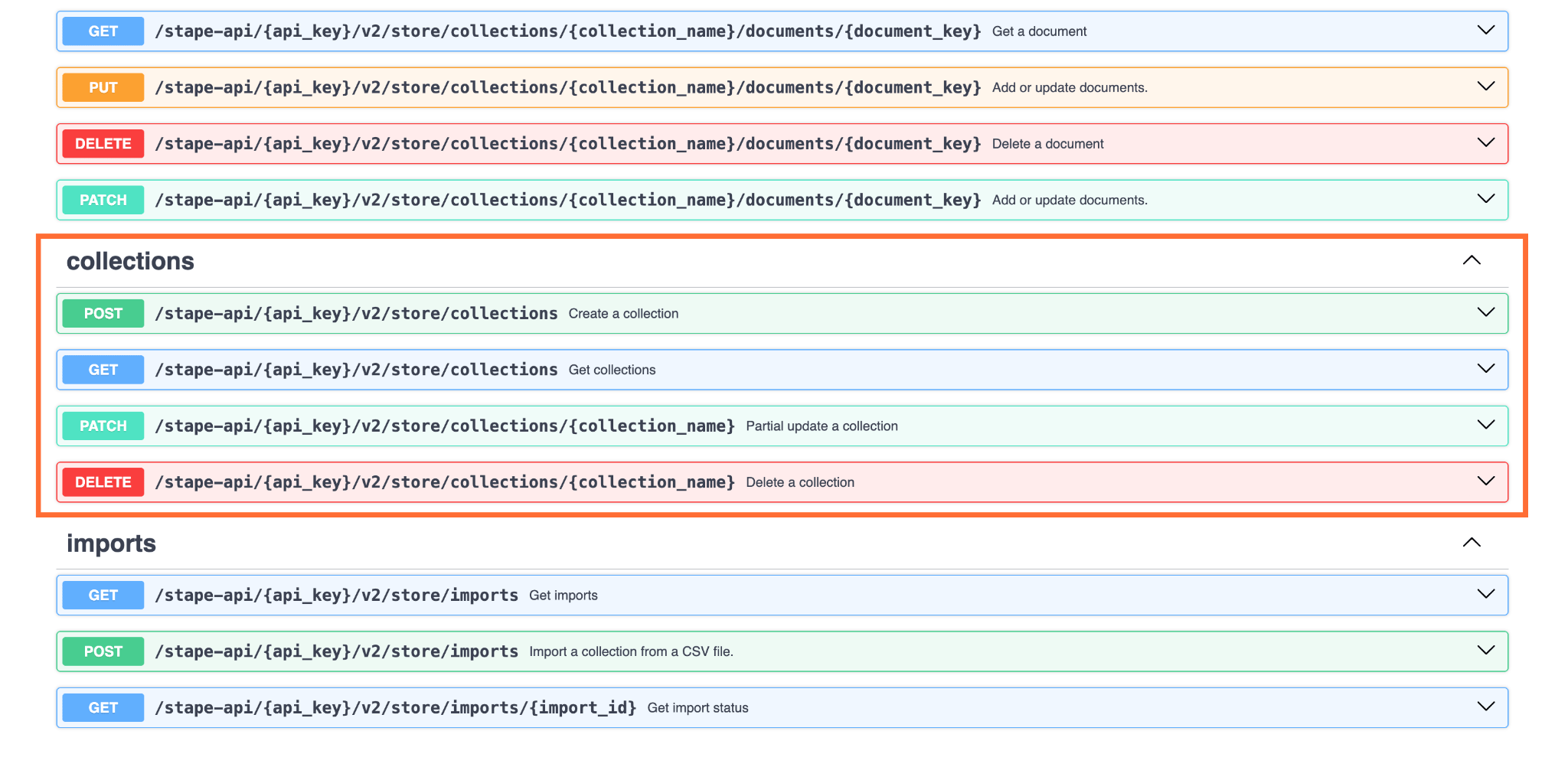
The following endpoints are available to interact with Data Store collections:
- Create a collection – creates a collection.
- Delete a collection – deletes a collection. All documents inside the collection are deleted as well.
- Get collections – retrieves a paginated list of collections.
- Partial update a collection – updates collection properties (for example, Time-to-Live).
Imports
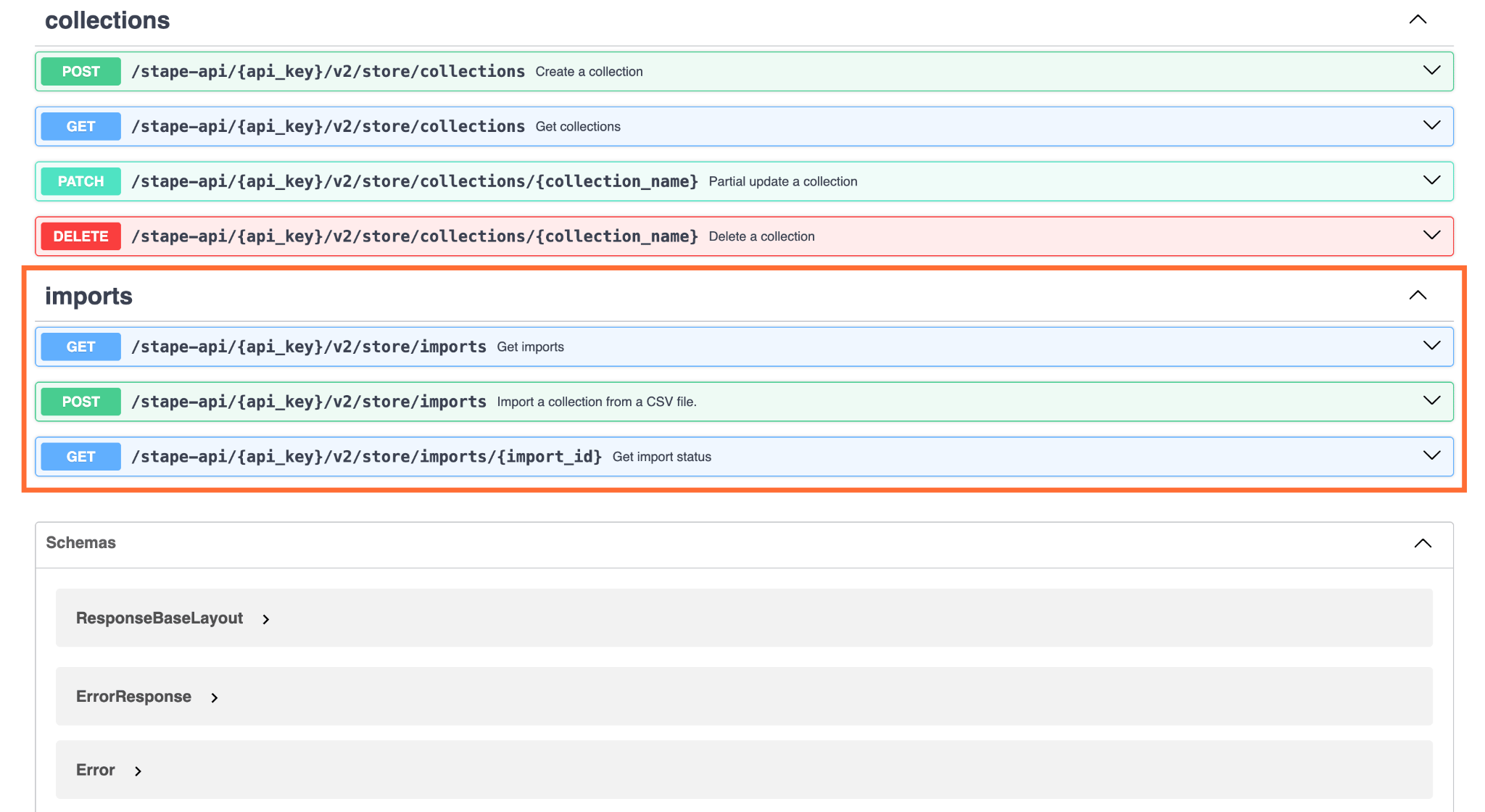
The following endpoints are available to interact with imports in Data Store:
- Import a collection from a CSV file – imports a collection from a CSV file.
- Get imports
- Get import status – checks the status of an import.
Schemas
The Data Store API describes all of its data using schemas – definitions of what each piece of data looks like: which fields it contains, their types, and which are required.
In this API, the schemas fall into three broad groups:
- Responses – every response, success or failure, shares the same outer structure: a
successflag, an optionaldatapayload, and an optionalerrormessage. This consistency means you can always handle responses the same way: check whether it succeeded, then read either the data or the error. - Entities – these show you the structure of requests for managing documents, collections, and imports.
- Operation inputs and helpers – these describe what you send in and reuse across endpoints. For example, the filter and condition structures used to query documents, the pagination settings for walking through large results, and small shared rules like valid collection names or TTL settings.
Example
Let's say you want to create a collection whose documents are automatically deleted 24 hours after they're last updated. You need to know what structure the request body should have, so you open the CreateCollectionRequest schema:
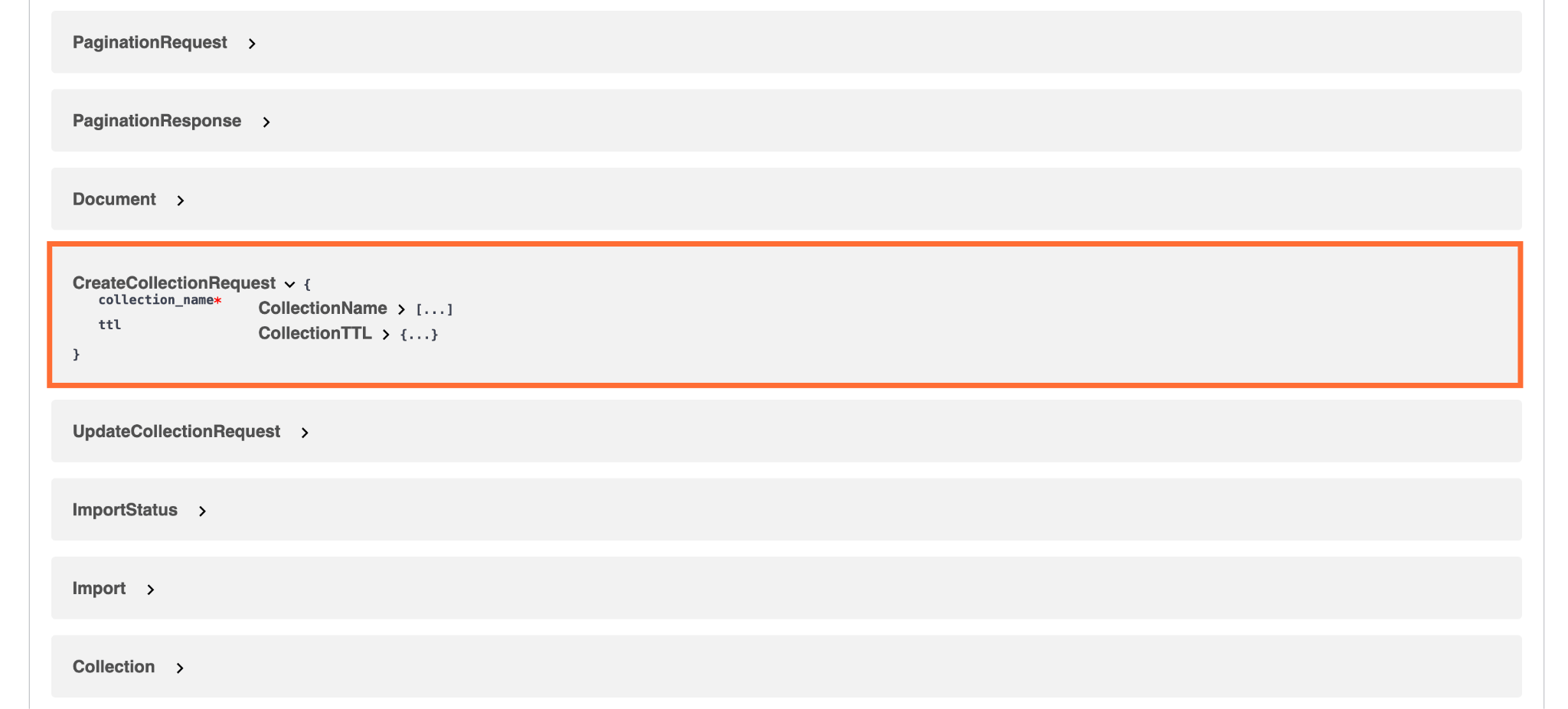
You can see that you need to pass the collection_name field and optionally ttl. If you expand both fields, you'll see the type of those fields and additional information like regex pattern:
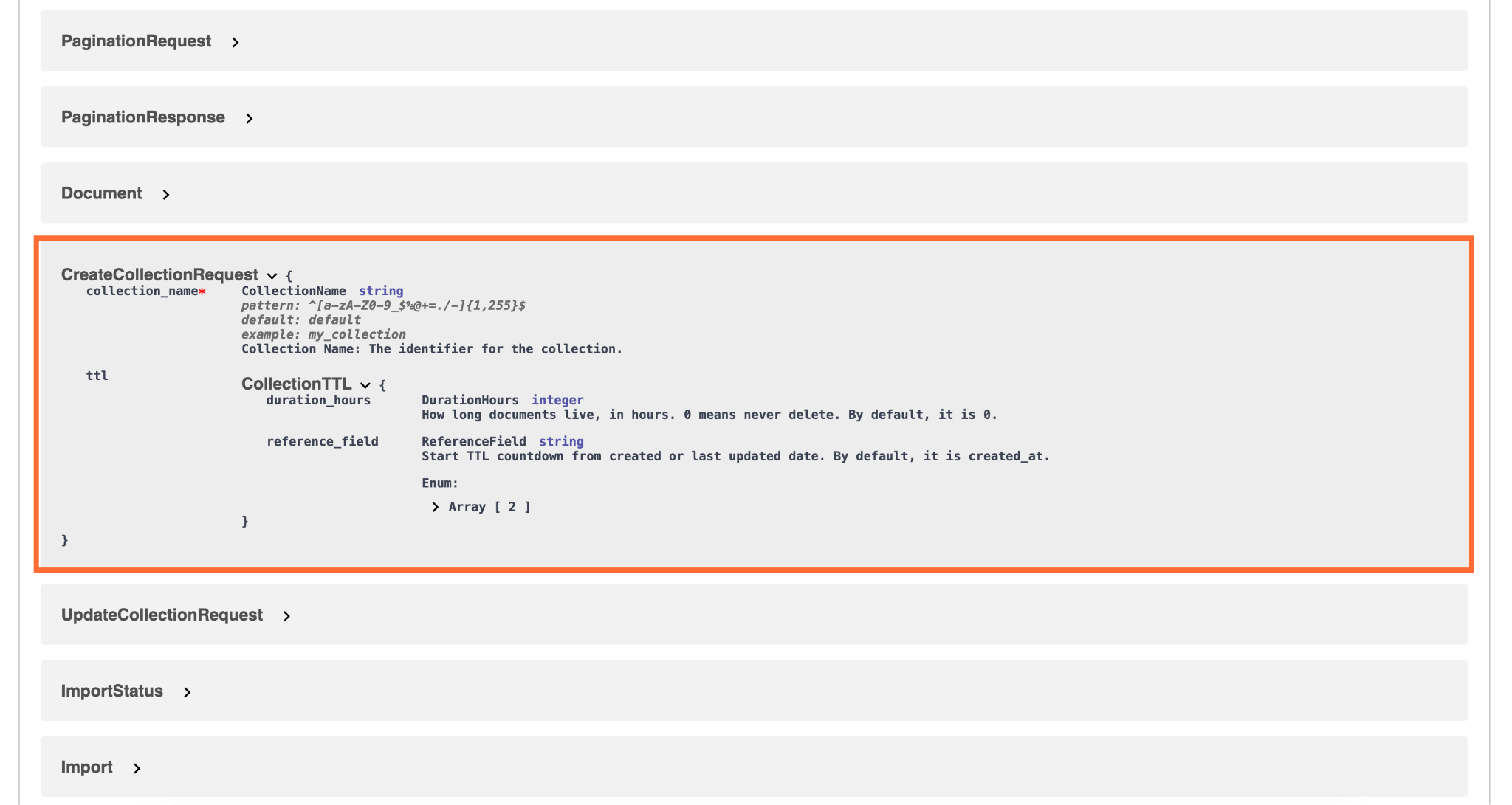
Looking at the schema, the request body will look like this:
{
  "collection_name": "sessions",
  "ttl": {
    "duration_hours": 24,
    "reference_field": "updated_at"
  }
}
How to use the API playground
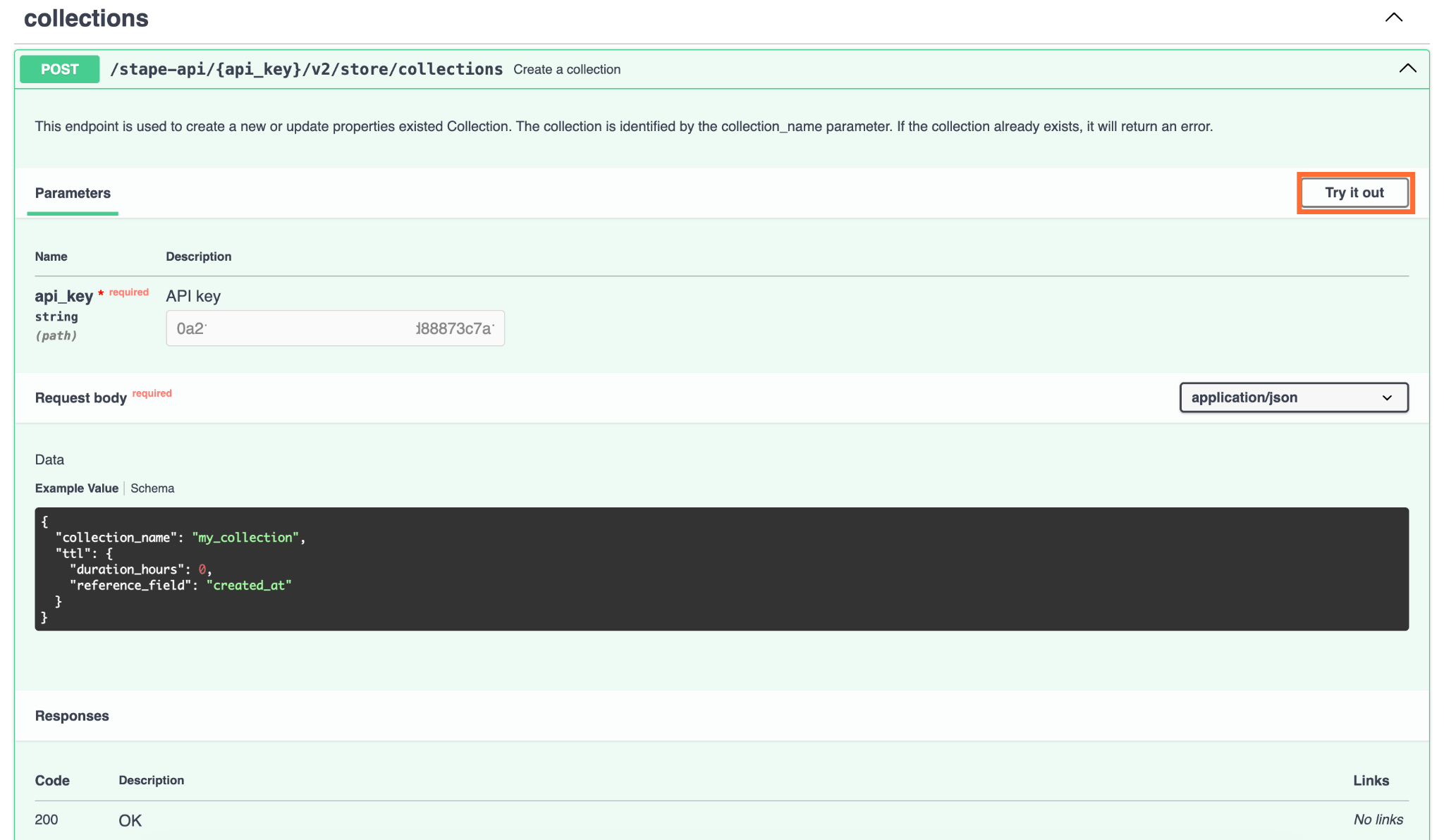
If you expand any endpoint, you'll find a playground, where you can send real requests to your own Stape container and see the actual responses, without writing any code or leaving the browser.
You'll see the request parameters that are required to enter, and request body, if applicable. You can use the provided example value for testing purposes.
1. Click the Try it out button to start:
2. Enter the required parameters and request body. We'll be using the same request body as in the example from Schemas chapter.
3. Click Execute.
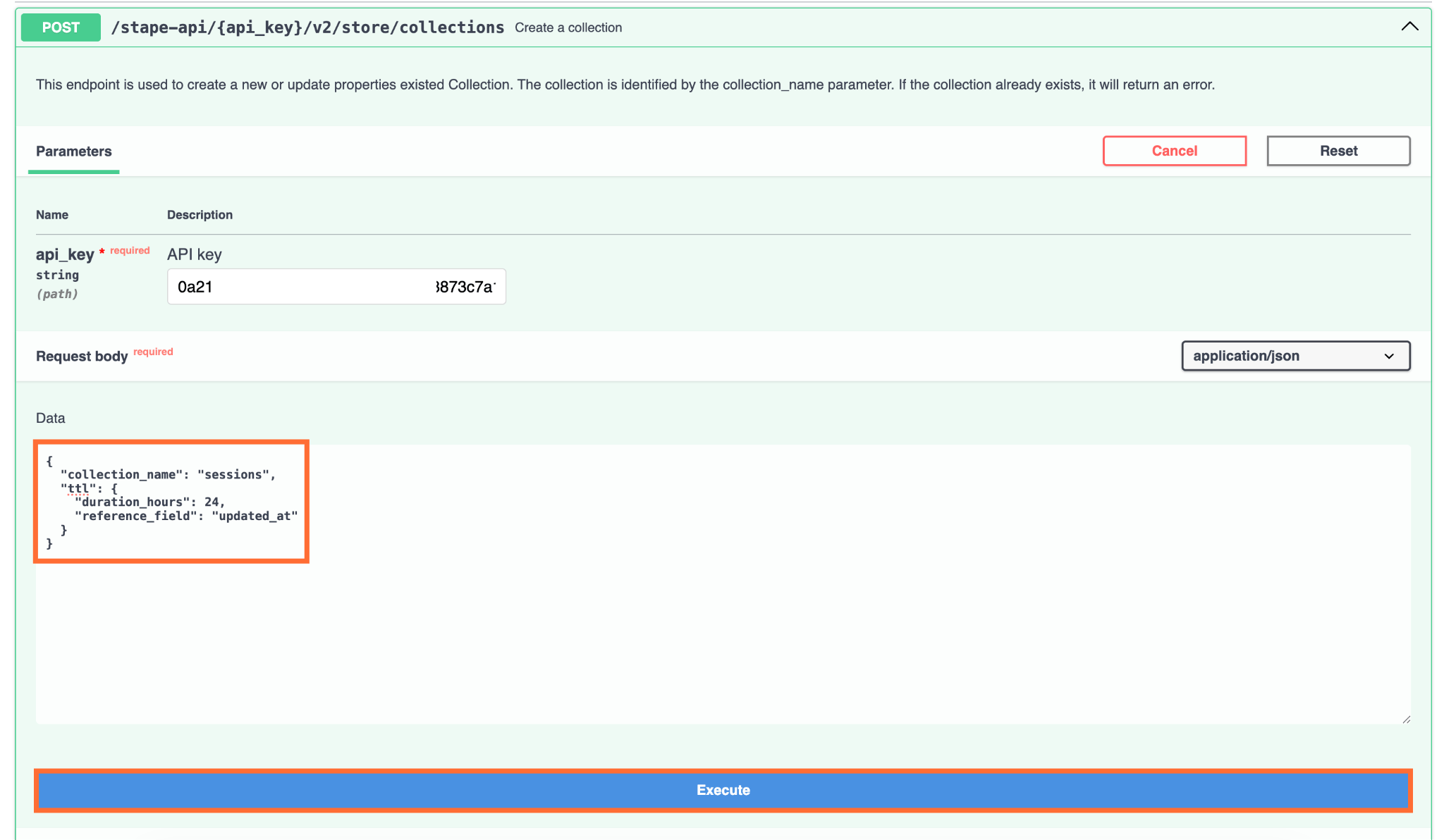
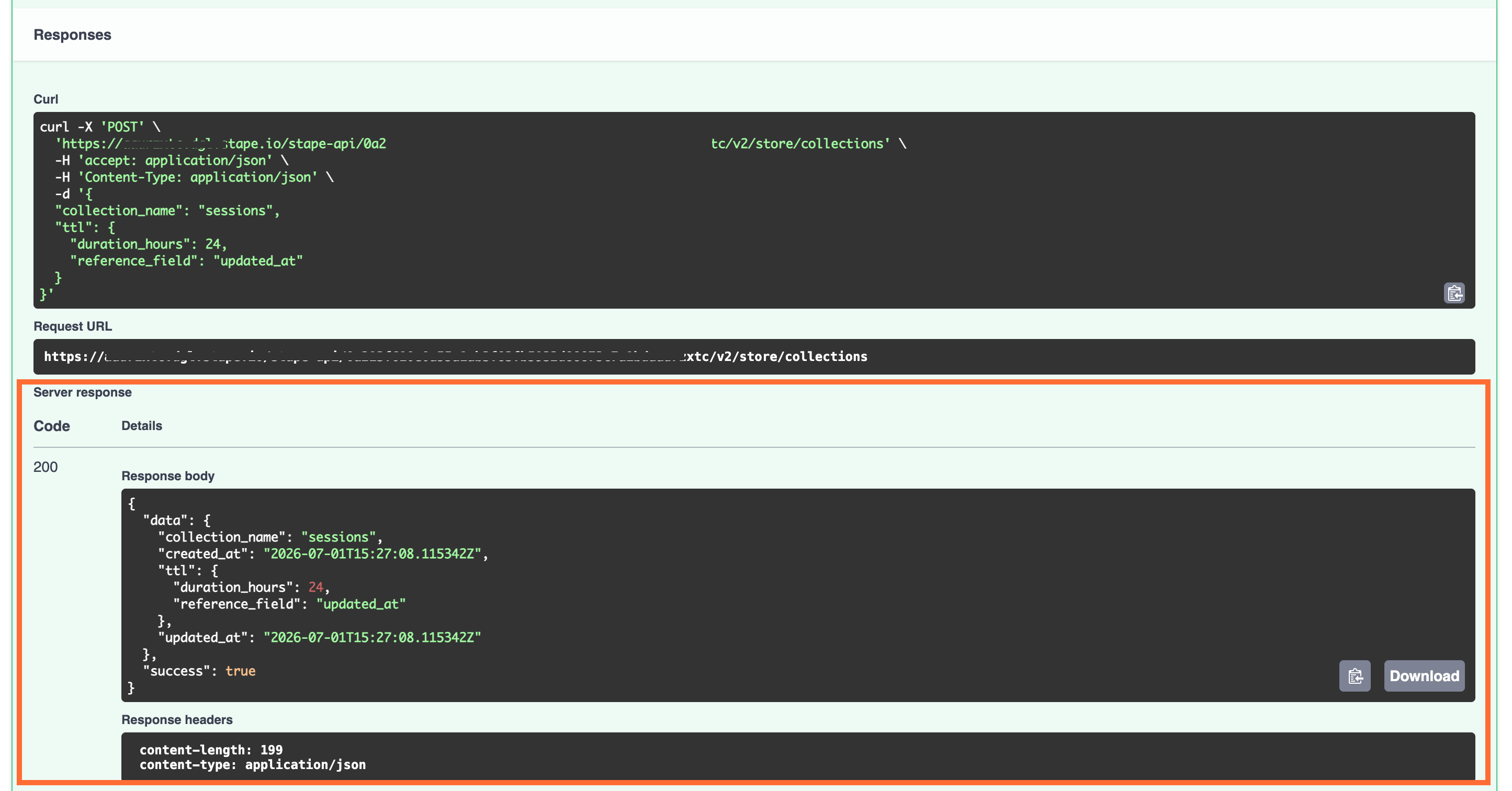
4. Under Responses, you'll get the full curl request and an applicable response.
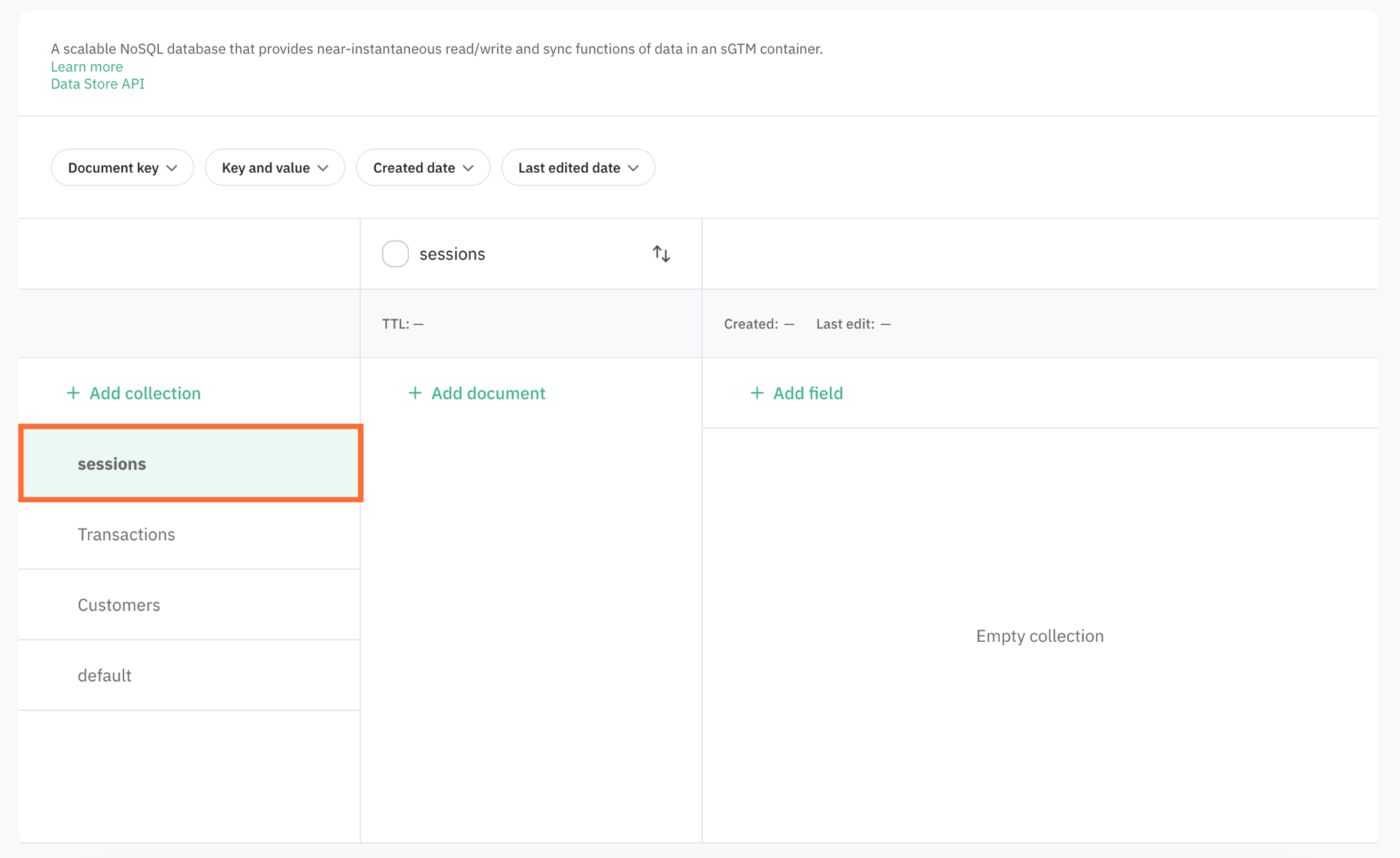
5. Go to your Data Store and make sure the collection is created.
JS example
Here's a quick example in Javascript of how you can send the requests from your application.
1. Define the container URL, API key and base URL constants:
const CONTAINER_URL = "https://gtm.yourdomain.com";
const API_KEY = process.env.STAPE_API_KEY;
const storeBase = `${CONTAINER_URL}/stape-api/${API_KEY}/v2/store`;
2. Define the reusable request helper, where path is the part after /v2/store in each endpoint. For example, for deleting the collection, path will be /collections/{collection_name}.
async function stapeRequest(path, options = {}) {
  const res = await fetch(`${storeBase}${path}`, {
    headers: { "Content-Type": "application/json" },
    ...options,
  });
3. Define the error handling and return:
if (!res.ok || (body && body.success === false)) {
    const message = body?.error?.message || `HTTP ${res.status}`;
    throw new Error(`Data Store error: ${message}`);
  }
return body?.data ?? null;
4. Create the delete function:
async function deleteCollection(collectionName) {
  await stapeRequest(`/collections/${collectionName}`, { method: "DELETE" });
  console.log(`Collection "${collectionName}" deleted`);
}
5. Run the function:
deleteCollection("sessions").catch((err) => console.error(err.message));The full code:
const CONTAINER_URL = "https://gtm.yourdomain.com";
const API_KEY = process.env.STAPE_API_KEY;
const storeBase = `${CONTAINER_URL}/stape-api/${API_KEY}/v2/store`;

async function stapeRequest(path, options = {}) {
  const res = await fetch(`${storeBase}${path}`, {
    headers: { "Content-Type": "application/json" },
    ...options,
  });

if (!res.ok || (body && body.success === false)) {
    const message = body?.error?.message || `HTTP ${res.status}`;
    throw new Error(`Data Store error: ${message}`);
  }
return body?.data ?? null;

async function deleteCollection(collectionName) {
  await stapeRequest(`/collections/${collectionName}`, { method: "DELETE" });
  console.log(`Collection "${collectionName}" deleted`);
}

deleteCollection("sessions").catch((err) => console.error(err.message));
Was this article helpful?
🍽 Table of content:
Comments