Why is my Meta Conversions API Gateway disabled?
Updated Sep 21, 2026
You may notice one of your Meta Conversions API Gateways (Meta CAPIG) being in the Disabled status and see the following error on the gateway’s page in Stape admin:
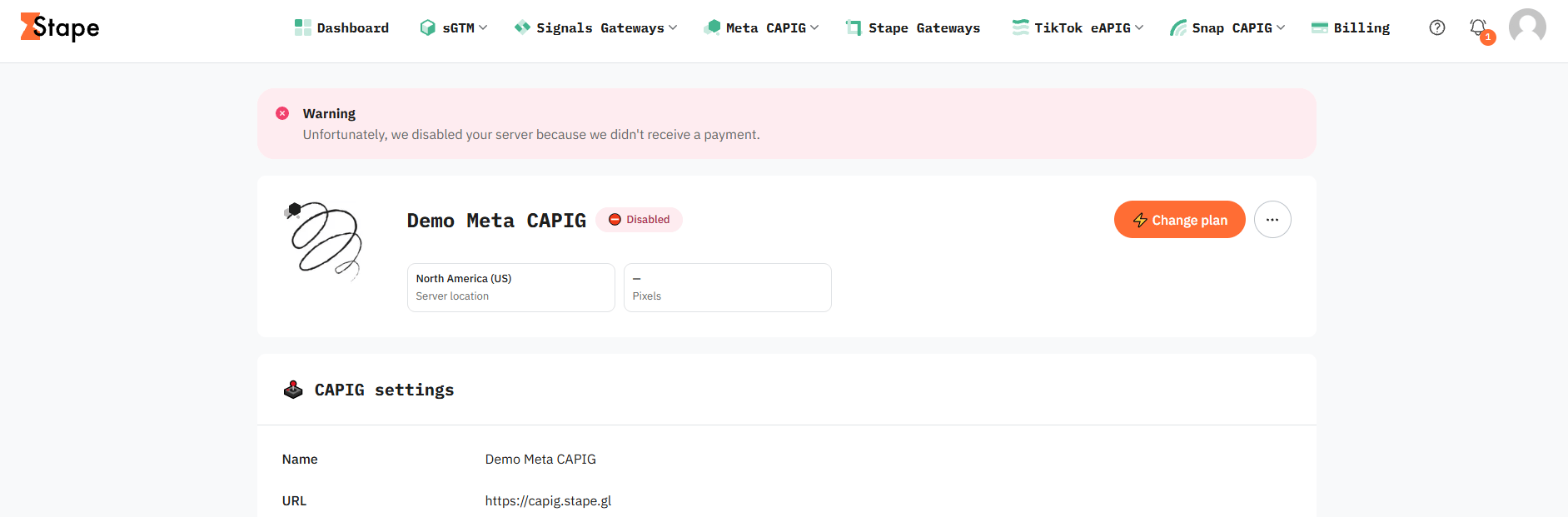
The most common reason why a Meta CAPIG on Stape can be Disabled is a payment issue:
- The subscription to the Meta CAPIG was cancelled.
- Payment failed (card expired, insufficient funds).
- No subscription was activated after the trial period ended.
Solution
- 1.Verify the subscription and billing status under Billing → Subscriptions in your Stape account or in the settings for the specific Meta CAPI Gateway hub.
- 2.Ensure a valid payment method is attached and update the payment details if your card has failed or expired.
- 2.1.To reactivate your subscription, click Retry on your Meta CAPIG page. The system will attempt to process the payment again using your current payment method.
- 2.2.If your trial period has ended and you haven't created a subscription, to purchase the plan you need manually by clicking Change plan on the Meta CAPIG page.
- 2.1.
- 3.Check the gateway status after payment. If payment has gone through and the gateway remains disabled after about 15 minutes, contact Stape support to manually verify the gateway provisioning state.
Was this article helpful?
🍽 Table of content:
Subscribe to product updates:
Can’t find what you are looking for?
Comments