How to convert a Standard account to Agency account
Updated Jun 25, 2026
What happens when you convert your account
- A new Agency login is created. It's your email with
+agencyadded before the@. For example,youremail+agency@example.com. The password stays the same as your Standard account. - Your Standard account stays as it is. You can still sign in to it with your original email and password. The account and its products are automatically added under the new Agency account.
- From then on, you choose which one to sign in to:
- Standard account - your original email and password.
- Agency account - the new email+agency login and the same password.
Notes:
- You can't convert your account if you log in with Google or Facebook. You need to switch to email login first. For more information on how to change your authentication, read Sign-in methods.
- Your account can't be a sub account of any other agency. You have to remove the Agency accounts' access to your Standard account first.
- If you've converted your account by mistake, you can contact the support team and they'll help you undo the changes.
How to convert an account
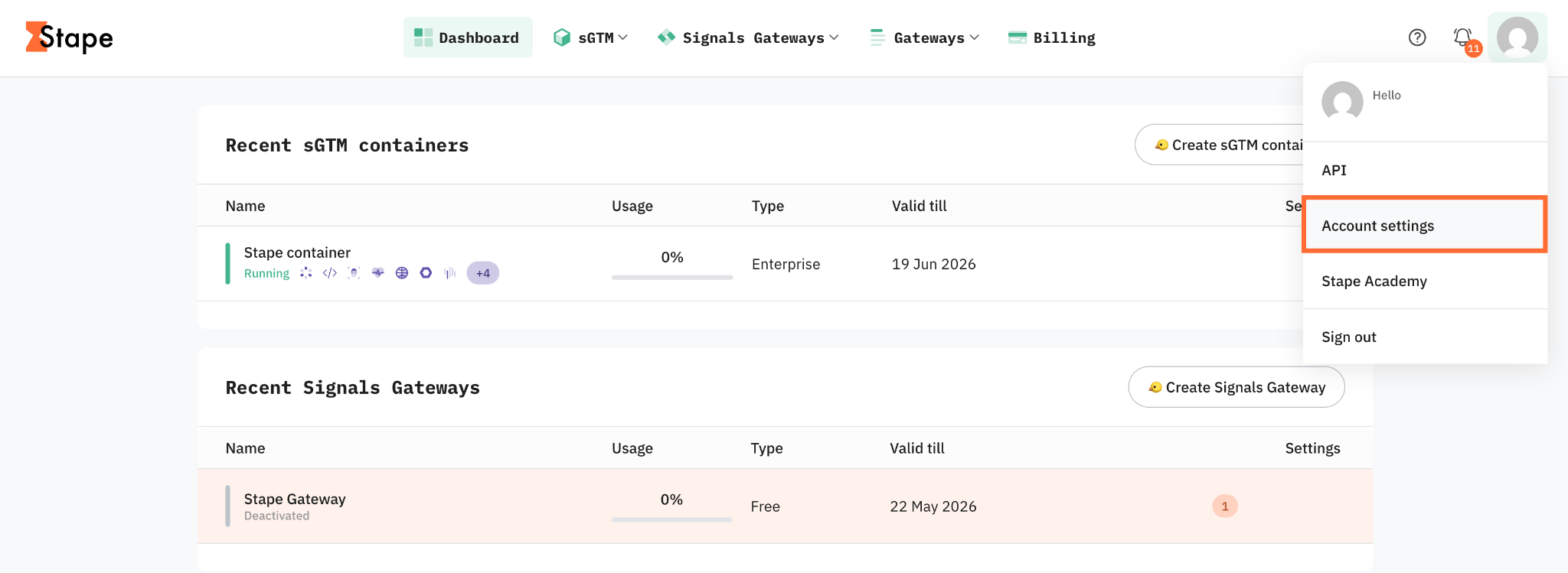
1. In the top right corner, click your profile and select Account settings.
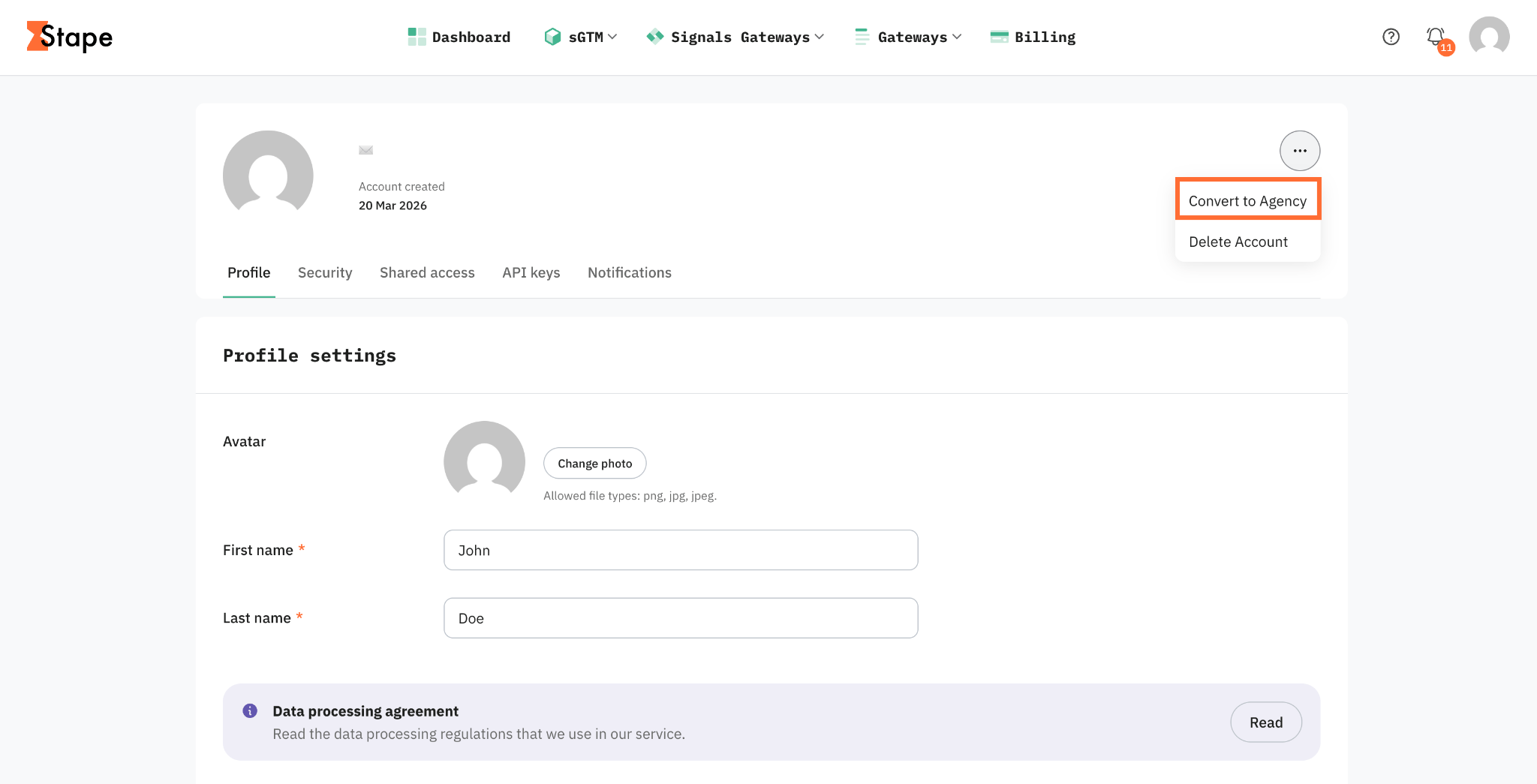
2. In the top right corner, click the three dots and select Convert to Agency.
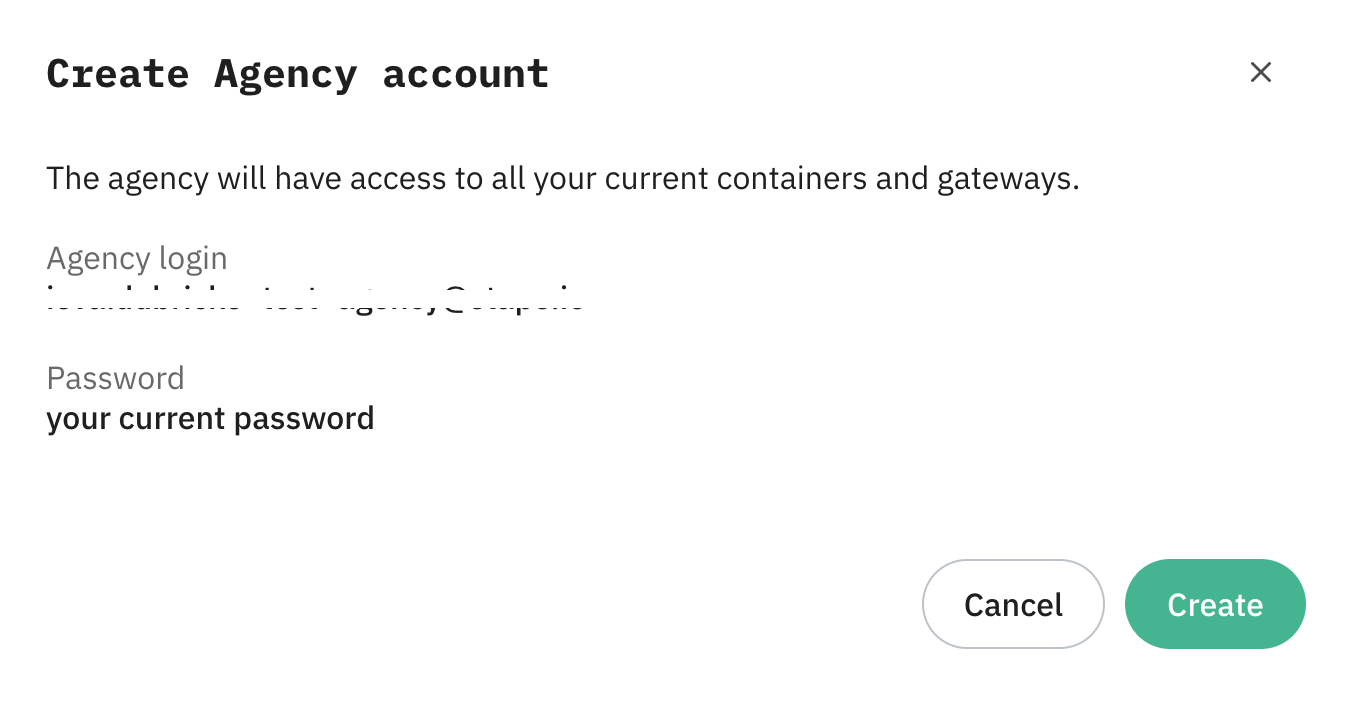
3. Read the pop-up that appears. It shows your new Agency login (your email+agency) and confirms the password is the same as before.
4. Click Create to finish.
Your Agency account is ready, and you can start adding clients to it. For more information on how to use an Agency account on Stape see Agency account overview.
Was this article helpful?
🍽 Table of content:
Subscribe to product updates:
Can’t find what you are looking for?
Comments