Setup Wizard overview
Updated Oct 26, 2026
Setup Wizard is a built-in Stape tool that automates client and server-side tracking configuration in Google Tag Manager (GTM). It generates pre-configured web and server GTM container templates based on your business type, CMS or ecommerce platform, and the destinations you want to track – then imports those templates into GTM for you, or lets you download them as JSON.
Instead of manually creating a data layer, web tags, server tags, and event triggers, you complete a short flow in your Stape account and get a ready-to-use GTM configuration.
With Setup Wizard, you can:
- Generate a GTM setup – create tags, triggers, variables, clients, and data-layer mapping for the stack you select.
- Choose destinations – pick marketing and analytics platforms where you need to send data to (for example GA4, Meta, TikTok, Google Ads, Pinterest, Klaviyo) and get the matching template set.
- Import automatically or manually – push the configuration into GTM, or download JSON container files and import them yourself.
- Connect your CMS – get the values for a Stape app, plugin, or module.
For the step-by-step configuration, read the How to use Setup Wizard article.
How to find Setup Wizard
To create a new sGTM container
- 1.Log in to your Stape account.
- 2.On the top-level menu, click the sGTM tab.
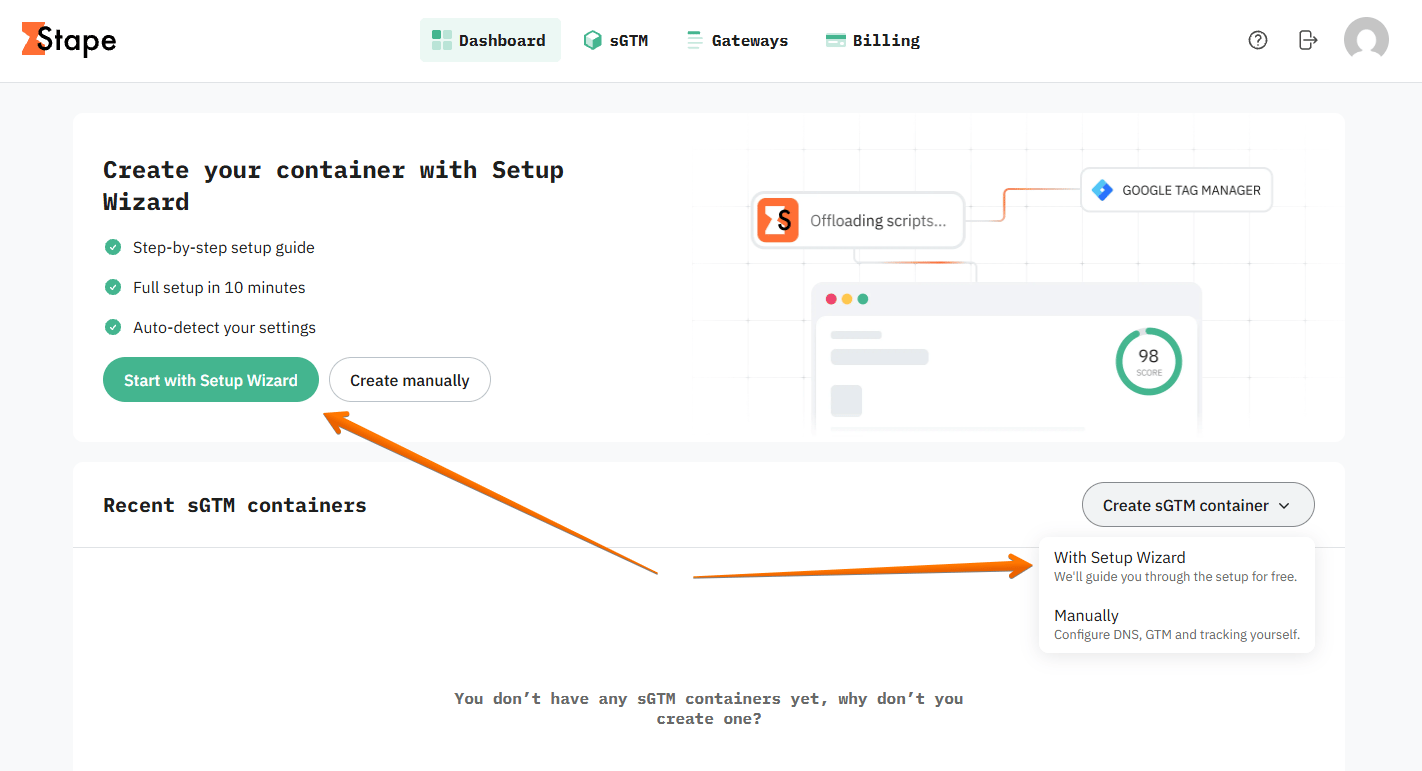
- 3.Click Start with Setup Wizard, or click Create sGTM container → select the option With Setup Wizard.
To edit an existing sGTM container
- 1.Log in to your Stape account.
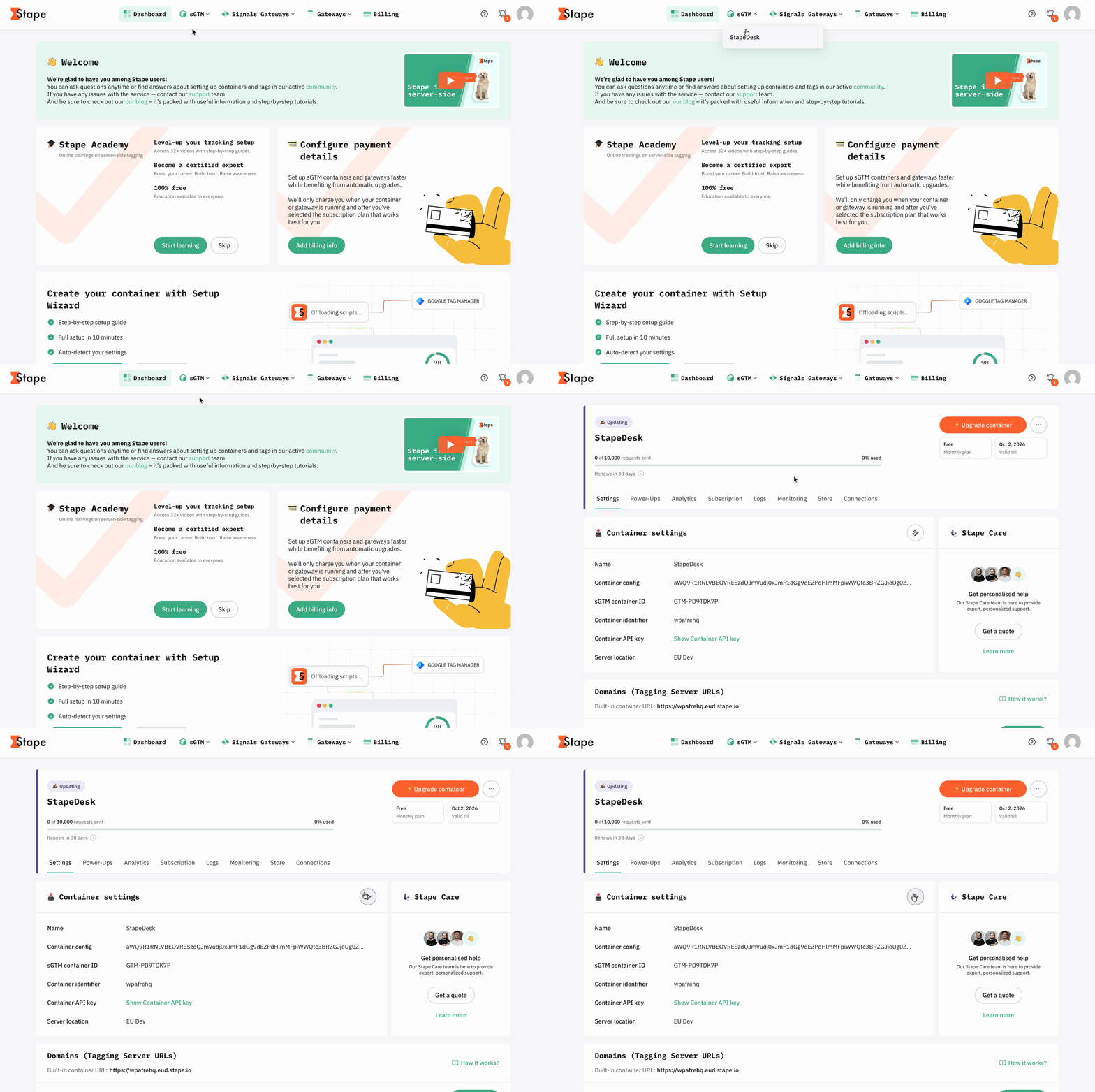
- 2.On the top-level menu, click the sGTM tab.
- 3.In the sGTM containers section, click the container you want to configure.
- 4.Click the Setup Wizard icon next to Container settings.
Use cases
- 1.End-to-end ecommerce server-side tracking. Quickly configure full-funnel tracking for platforms like Shopify, WooCommerce, Magento, BigCommerce, or custom stores. Setup Wizard creates the required web and server GTM tags, triggers, and variables to send data to server-side destinations.
- 2.Lead generation conversion setup. Deploy tracking for lead-generation websites to capture form submissions, sign-ups, and custom conversion events across analytics and ad networks without building event listeners or data layers from scratch.
- 3.Agency and freelancer client onboarding. Agencies and contractors can speed up onboarding by using pre-made GTM container templates instead of building them manually, allowing them to set up new client accounts in minutes.
- 4.Guided server-side tagging onboarding. Walkthrough from choosing your platform and marketing destinations to generating tracking configurations and auto-deploying tags into web and server GTM containers.
Was this article helpful?
🍽 Table of content:
Subscribe to product updates:
Can’t find what you are looking for?
Comments