How to check GTM container permissions
Updated Sep 2, 2026
Using the Setup Wizard to configure your GTM setup requires at least Edit permission for the selected container. This guide shows you how to check your permissions and make sure you have the required access.
How to check your GTM permissions
- 1.Open Google Tag Manager.
- 2.Select the correct account and container where you want to make the configurations.
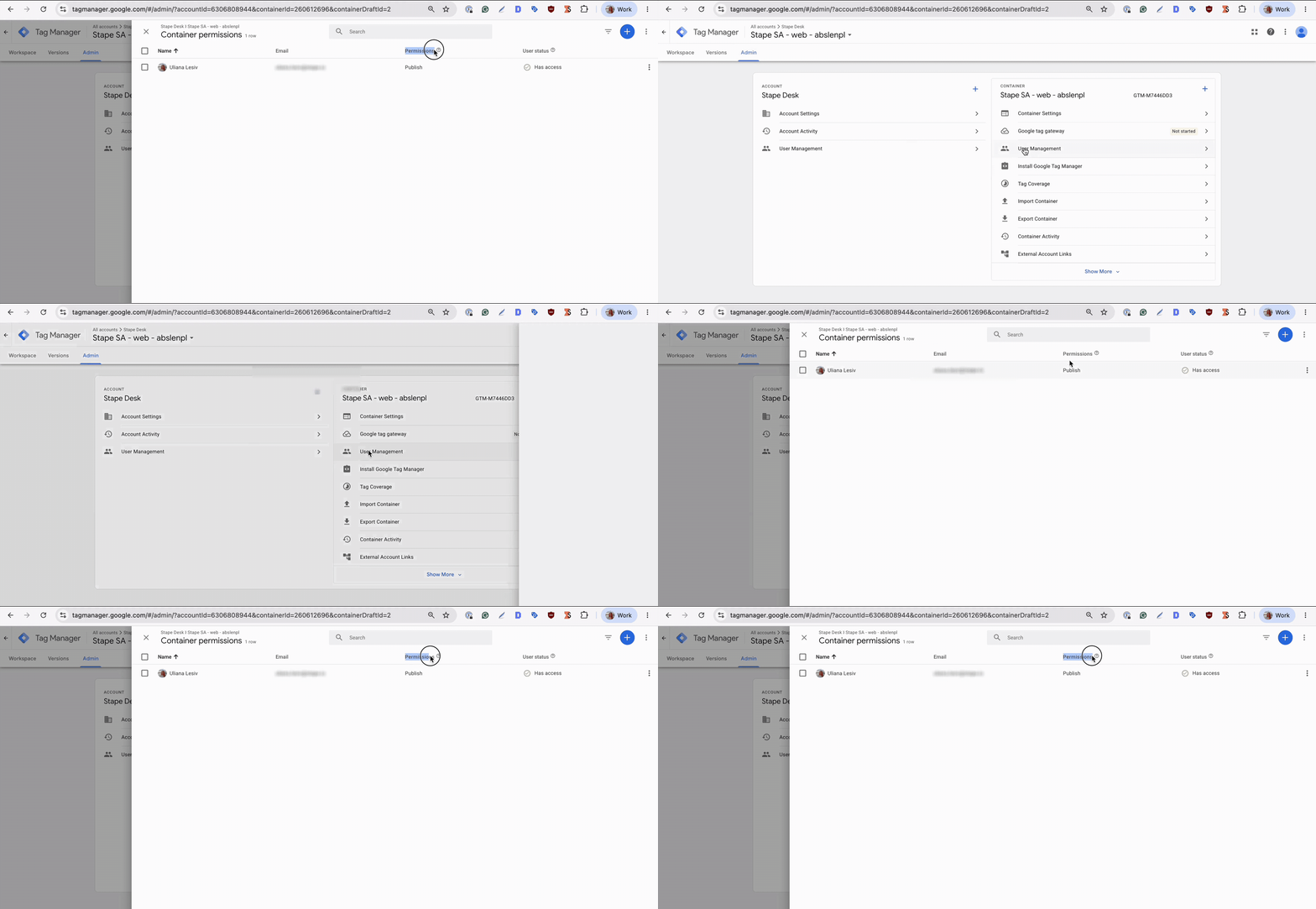
- 3.Go to Admin → User Management.
- 4.Find your Google account or email address.
- 5.Check your permissions for the selected container.
- 6.Make sure you have Edit permission to add the GTM entities.
Publish permission is required if you need to publish changes to the container after Setup Wizard adds all the required entities.
Note: check the permissions for both web and server GTM containers.
If you don't have Edit permission, an Account Admin or someone with sufficient permissions needs to update your access.
Was this article helpful?
Subscribe to product updates:
Can’t find what you are looking for?
Comments