How to delete an Agency account
Updated Jun 22, 2026
Warning:
Deleting is irreversible. Once the account is gone, it's impossible to get it back.
How to delete
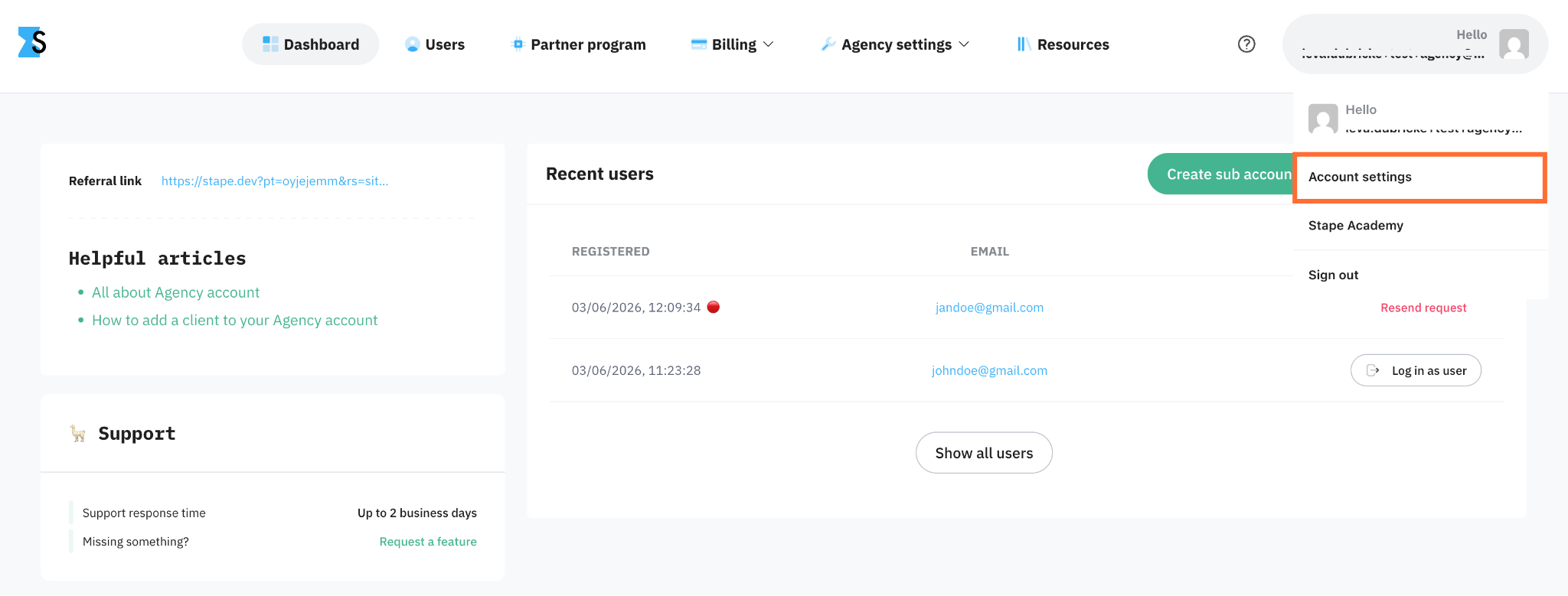
1. In the top right corner, click your profile and select Account settings.
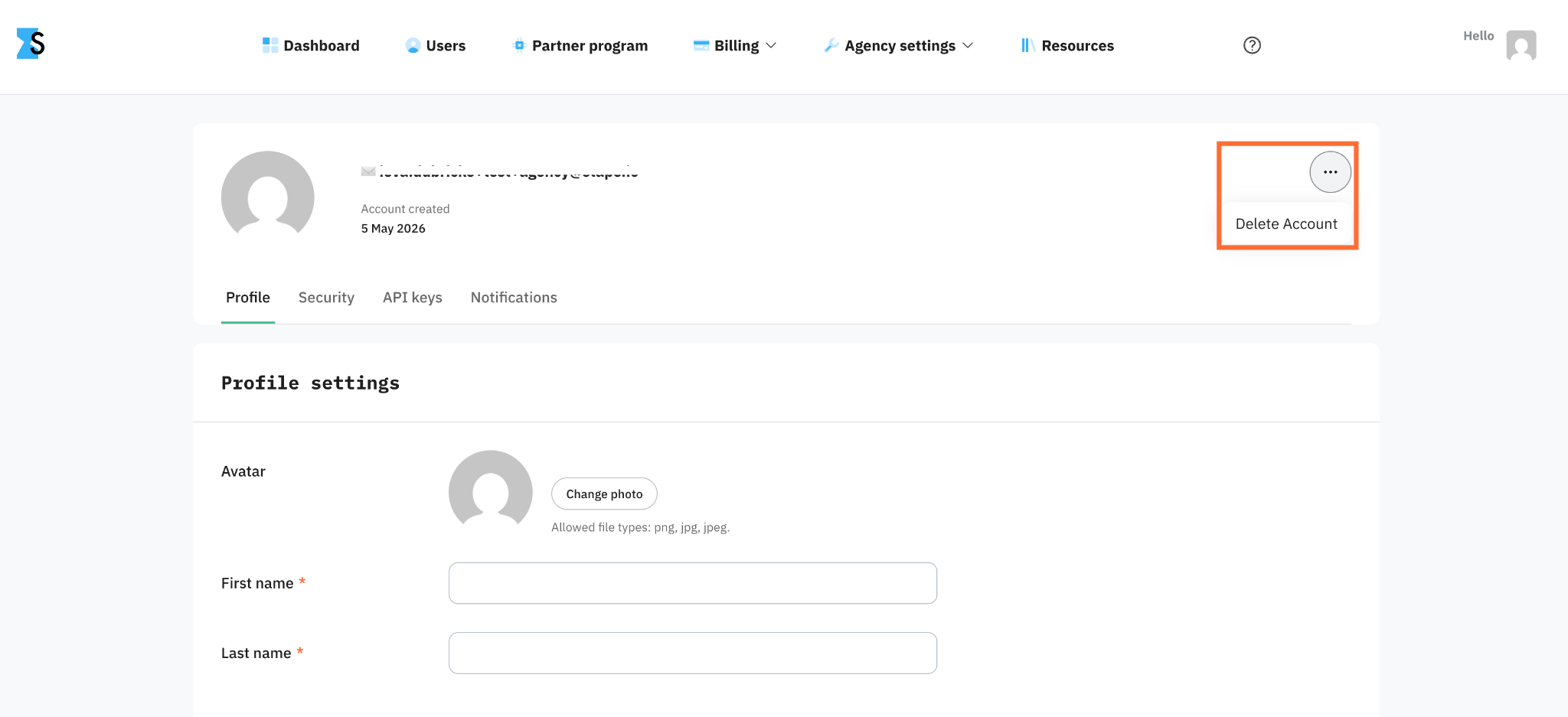
2. In the top right corner, click the three dots and select Delete Account.
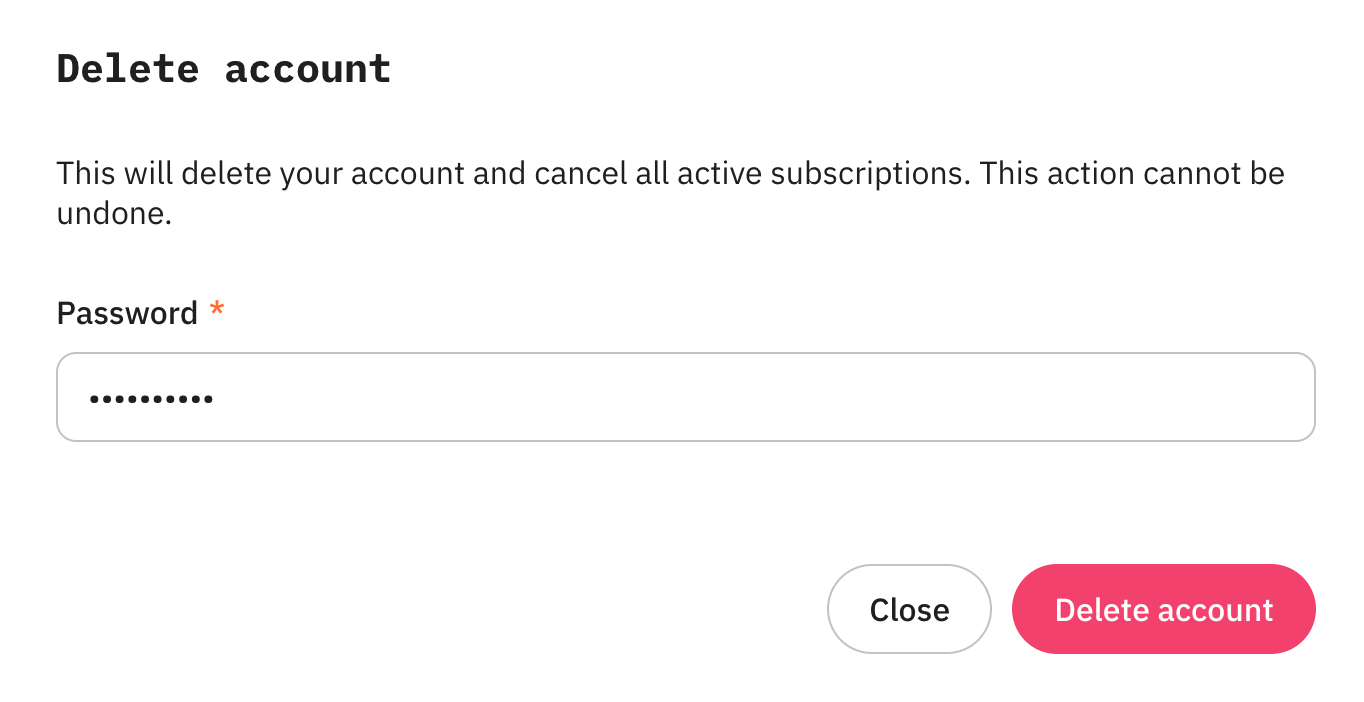
3. Type in the password and click Delete account.
Note:
The account is deleted immediately. However, in some cases the process can take up to two hours.
Was this article helpful?
🍽 Table of content:
Subscribe to product updates:
Can’t find what you are looking for?
Comments