What is unassigned and not set traffic in GA4?
Updated Sep 16, 2026
While both Unassigned and (not set) traffic appear in your GA4 reports, they represent distinct issues. Unassigned traffic typically signals a channel grouping configuration problem, whereas (not set) indicates that essential source/medium data is missing.
What is unassigned traffic?
Unassigned traffic is real traffic that GA4 couldn’t place into a Default channel group, such as Organic Search, Paid Social, Email, Direct, or other standard channels.
GA4 decides the channel from utm_source and utm_medium parameters (or from the referrer, if there are no UTMs). It then checks those values against Default channel group definitions. If the pair matches a definition, the session gets a channel. If it doesn’t, the session is labeled Unassigned.
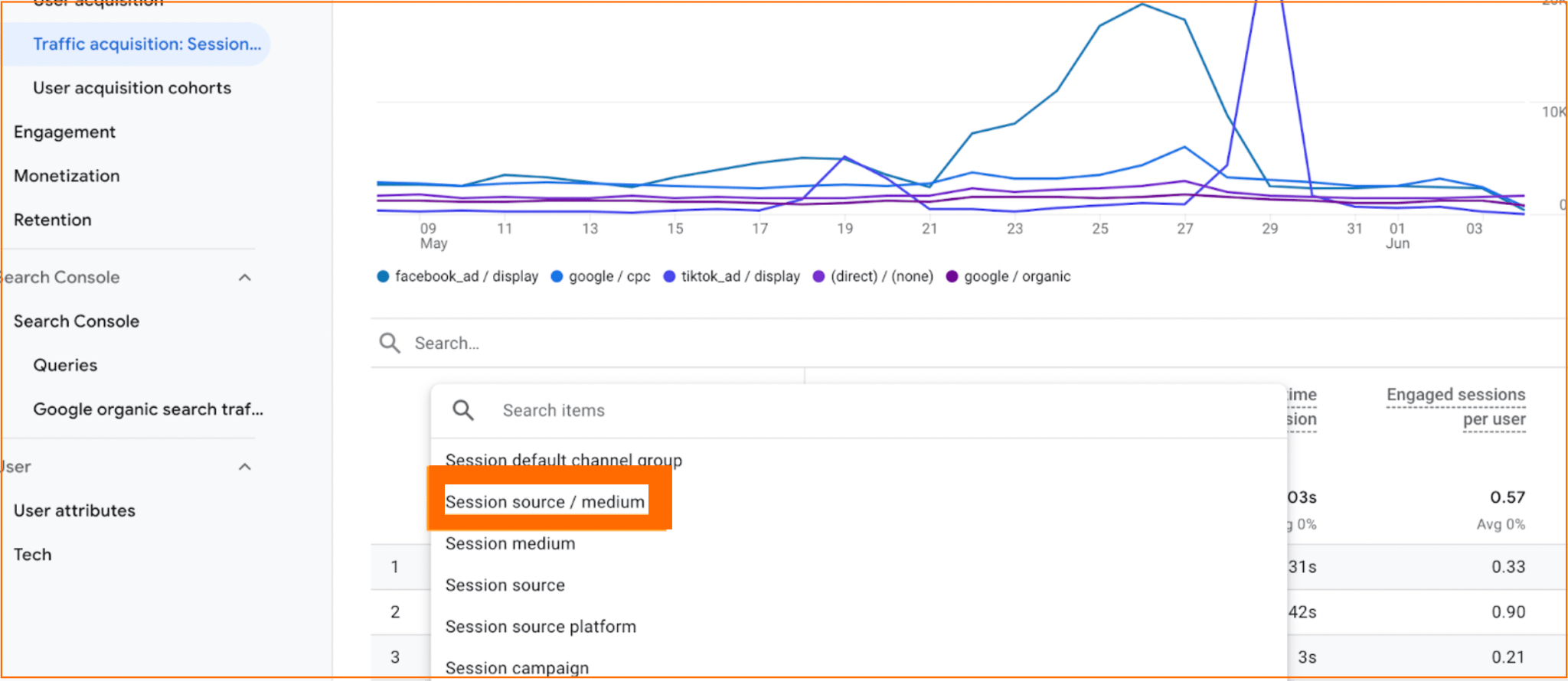
That is why utm_source=facebook&utm_medium=paid shows up as Paid Social, while a custom pair such as utm_source=stape&utm_medium=sst belongs in Unassigned. To see the actual values sitting under the Unassigned category, you can switch the Traffic acquisition report to Session source / medium.
The main reasons for the traffic being unassigned:
- Non-standard or custom UTM source and medium values
- No custom channel group that maps those UTM values to a channel
- Incorrectly configured consent setup, especially when there is a high volume of denied consent
What is not set traffic?
The not set traffic appears when GA4 is unable to identify the source or medium for a session, typically because the session began without the necessary attribution data. GA4 assigns source and medium values during the initial event of a session – most commonly the session_start event. If this event is missing, or if subsequent events are incorrectly processed as a new user, these hits can’t inherit attribution details. Therefore, they appear as (not set) whenviewing your Traffic acquisition report under Session source / medium.
This issue often arises after migrating to server-side Google Tag Manager. It occurs when some events are routed to your server container while others are sent directly to google-analytics.com. Since web hits rely on the _ga cookie and server hits utilize FPID, GA4 may misinterpret these as distinct users. As a result, the session lacking the session_start event is incorrectly categorized as (not set).
Similarly, this issue arises when Measurement Protocol events (such as refunds, CRM updates, or offline purchases) are sent using an incorrect client_id or session_id, which prevents them from being properly linked to the original website session.
The main reasons why the traffic is categorized as (not set):
- Extra
gtaginitialization from site code, a plugin, or another integration - GA4 event tags firing before the Google Tag
- Incorrect
client_idorsession_idwhen sending events through the Measurement Protocol
For more information and how to fix unassigned and not set traffic sources, read the Unassigned and not set traffic source in GA4 article.
Was this article helpful?
🍽 Table of content:
Comments